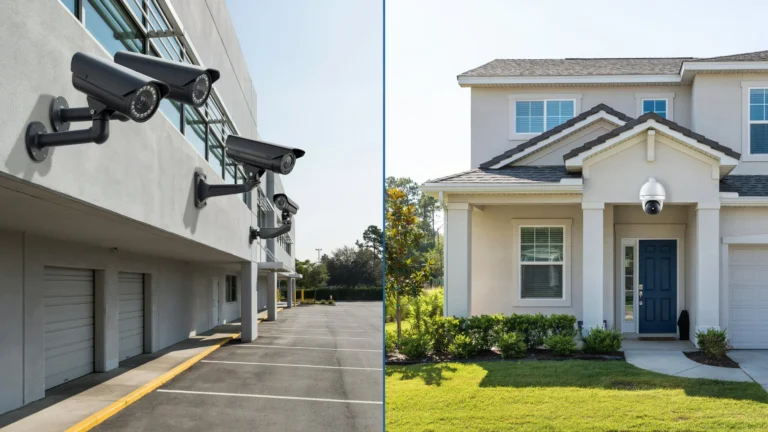
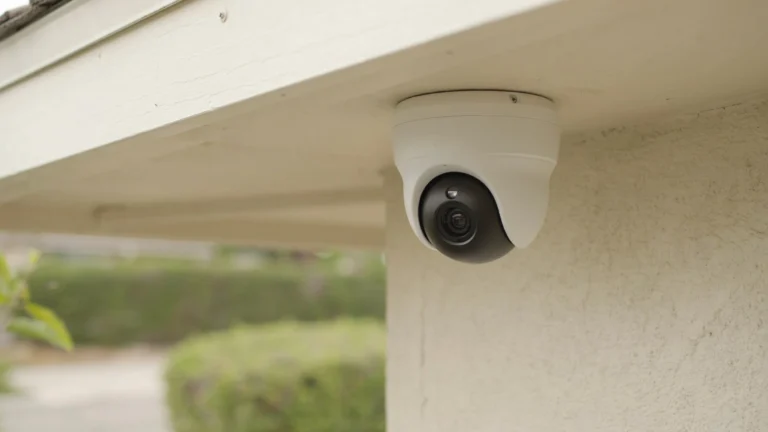
Most break-ins happen in under 60 seconds. A camera in the wrong spot gives you footage of an empty hallway while the real action goes unseen. Good security starts with smart placement, not just buying expensive gear. The position of each camera decides what you catch and what you miss.
Knowing where to place your home security cameras is the difference between a useful system and a false sense of safety. This guide covers every key location, common mistakes, and practical tips so your cameras actually protect your home.
Key Placement Principles

Before mounting anything, follow these core rules:
Cover entry points first. Over 34% of burglars walk straight through the front door. Any door, window, or gate that leads into your home is a priority.
Think like an intruder. Walk around your property at night. Notice dark corners, blind spots, and areas with no natural traffic. Those are where cameras belong.
Height matters. Mount cameras 8 to 10 feet off the ground. Too low and they can be blocked or grabbed. Too high and face recognition becomes difficult.
Overlap your coverage. Two cameras watching the same zone from different angles is better than one. If one gets blocked or tampered with, the other still captures the event.
Lighting affects everything. A camera pointed at a bright window during daylight will silhouette anyone in the foreground. Pick cameras with wide dynamic range or reposition them to avoid strong backlighting.
Outdoor Camera Placement
Outdoor cameras take the most punishment and carry the most responsibility. Here is where to focus.
Front Door
This is the single most important spot. Your front door sees the most activity: package deliveries, visitors, and yes, break-in attempts. Place a camera at the corner of your porch or above the door frame. Angle it to capture faces clearly at a reasonable distance, around 6 to 10 feet from the door.
A video doorbell camera works well here too. It adds two-way audio and motion alerts in one device.
Back Door and Side Entrances
The back door is the second most common entry point for intruders. It is also the most hidden from neighbors and street view. Mount a camera above the door or on a nearby wall, angled to cover the full door and any nearby windows.
If your home has a side entrance or a gate to your backyard, treat those the same way.
Garage
Garage doors are surprisingly easy to breach. A camera above the garage door, aimed at the driveway and the door itself, gives you a clear view of anyone approaching. If your garage connects directly to your home interior, that entry point needs its own camera too.
Driveway
A camera covering your driveway does two jobs at once. It records vehicles entering your property and captures license plates. Position it high enough to get a wide view but at an angle that still picks up plate numbers.
Backyard and Yard Perimeter
Large yards need at least two cameras to avoid blind spots. Place one at the back of the house covering the yard, and another near any fence line or gate. Motion-activated floodlight cameras work well here since they deter intruders before they even get close.
Indoor Camera Placement
Indoor cameras protect your family, monitor caregivers, and cover the areas burglars head to first once inside.
Main Living Area
The living room is usually the first stop for an intruder looking for valuables. Place a camera in a high corner of the room. It should cover the main entrance to the room and any windows that face the street. At Cam Security Surveillance, we recommend positioning the camera at a 45-degree angle from the corner. This gives you the widest possible view without creating blind spots along the walls.
Main Staircase or Hallway
If your home has two floors, the staircase is the choke point between them. One camera here captures movement between floors. In single-story homes, a main hallway serves the same purpose.
Home Office or Safe Room
If you store important documents, a safe, or expensive equipment, that room needs dedicated coverage. A small indoor camera in the corner works well and can be discreet if needed.
Basement and Garage Interior
If your home has a basement, burglars sometimes use it as a secondary entry point. A camera inside the garage and at the basement door gives you another layer of protection.
What to Avoid Indoors
Do not place cameras in bedrooms, bathrooms, or any space where people have a reasonable expectation of privacy. Beyond being ethically wrong, it can be illegal depending on where you live.
Strategic Angles and Positioning
Getting the angle right is just as important as the location. A camera pointed the wrong way is nearly useless.
Avoid pointing cameras directly at the sky or sun. Bright light will wash out the image during the day.
Capture faces, not tops of heads. Tilt the camera slightly downward from the 8 to 10 foot height range. This gives you face-level footage of anyone approaching.
Use wide-angle lenses for open areas. A 130 to 180 degree field of view covers patios, driveways, and yards without needing multiple units. Narrow-angle lenses work better for long hallways or focused entry points.
Test before you commit. Before drilling holes, use painter’s tape to mark your ideal camera position. Check the live feed on your phone and walk through the coverage zone yourself. Adjust until the angle feels right.
If you need hands-on help getting the angles perfect, professional security camera installation in Indianapolis from Cam Security Surveillance ensures every camera is positioned for maximum coverage with zero blind spots. Trained installers understand local property layouts and can recommend the right equipment for your specific home.
Technical Considerations
Even perfect placement fails if the technical setup is wrong.
Resolution. Use at least 1080p cameras. For areas where license plates or facial recognition matter, go with 4K where budget allows.
Night vision. Most crimes happen after dark. Infrared night vision works well for shorter distances up to 30 feet. Color night vision cameras use ambient light and give you better detail when there is any light source nearby.
Wired vs. wireless. Wired cameras are more reliable and harder to jam. Wireless cameras are easier to install and reposition. For permanent outdoor placements, wired is usually the better choice.
Cloud vs. local storage. Cloud storage lets you access footage anywhere but involves a monthly fee. Local storage via an NVR or SD card keeps your footage private and eliminates subscription costs. The best systems use both.
Motion detection zones. Set custom motion zones in your camera app. This reduces false alerts from passing cars or swaying trees while ensuring you get notified when someone actually enters a sensitive area.
Wi-Fi signal strength. Wireless cameras need a strong signal to stream reliably. If your outdoor cameras are far from your router, use a Wi-Fi extender or a mesh network system.
Legal and Privacy Considerations
Surveillance camera placement comes with legal responsibilities you cannot ignore.
Know your local laws. In most parts of the United States, you can record video on your own property without consent. Audio recording laws vary by state. Some states require all parties to consent before you record audio.
Do not point cameras at neighbors. If your camera captures footage of a neighbor’s private yard, bedroom window, or interior, you could face legal action. Adjust angles to stay within your property line.
Disclose cameras to guests and workers. If you have cameras inside your home, it is good practice to let houseguests, babysitters, and contractors know they are being recorded.
Check HOA rules. Some homeowners associations have rules about visible camera placement or the type of cameras allowed on the exterior of homes.
Common Mistakes to Avoid
Even experienced homeowners make these errors.
Placing cameras too high. Cameras mounted at 15 or 20 feet may cover a wide area but lose facial detail. Stay within the 8 to 10 foot range.
Ignoring side doors and windows. Most guides focus on front and back doors. Side entrances, garage windows, and basement windows are just as vulnerable.
No overlap between cameras. Single-camera zones create blind spots. Where possible, have two cameras covering the same area from different angles.
Not checking camera feed regularly. A camera with a dirty lens, shifted angle, or storage error gives you nothing. Check your system at least once a month.
Relying only on indoor cameras. Indoor cameras only help after someone is already inside. Outdoor cameras are your first line of defense and should be your priority.
Using default login credentials. Always change default usernames and passwords on your cameras and NVR. Hackers actively scan for devices using factory settings.
Maintenance Tips
A security camera system is only as good as its upkeep.
Clean lenses regularly. Dust, spiderwebs, and moisture blur your footage. Wipe outdoor lenses every month with a soft cloth.
Check camera angles after storms. Wind can shift mounted cameras. Verify your coverage zones after bad weather.
Update firmware. Camera manufacturers release firmware updates to patch security vulnerabilities. Enable automatic updates or check manually every few months.
Test motion alerts. Walk through each camera’s field of view and confirm you receive a notification. Do this when you change motion settings or after any app update.
Review storage regularly. If you use local storage, check that recordings are saving correctly and that older footage is being overwritten or backed up as expected.
Inspect cables on wired systems. Look for fraying, chew marks from pests, or weathering on outdoor cables. Replace damaged cables promptly.
Conclusion
Smart security camera placement is the foundation of a home security system that actually works. Start with your front and back doors, then expand to your garage, driveway, and key indoor areas. Get the angles right, use proper equipment, and stay on top of maintenance.
Knowing where to place your home security cameras is not complicated once you think systematically about entry points, sight lines, and lighting. A well-placed basic camera will outperform an expensive camera in the wrong spot every time.
A well-planned system protects your home better than random placement. If you want expert help, professional setup ensures every camera works at its best. For reliable installation and expert guidance, contact us today and secure your home the right way.
FAQs
Where should I put security cameras outside my house?
Start with your front door, back door, garage, and driveway. These cover the most common entry points. Add cameras along your fence line or backyard for full perimeter coverage.
How high should home security cameras be mounted?
Mount cameras between 8 and 10 feet from the ground. This height keeps them out of easy reach while still capturing clear facial detail.
Can I point my security camera at my neighbor’s property?
No. Cameras should only cover your own property. Pointing them at a neighbor’s yard, window, or interior can lead to legal issues.
How many cameras does a home need?
Most homes need 4 to 8 cameras for solid coverage. Small homes or apartments may need fewer. Large properties with multiple outbuildings may need more.
What is the best indoor surveillance camera placement?
Focus on the main living area, staircase, and any hallways connecting key rooms. These spots give you a clear view of movement through your home.