

Slow WiFi is painful. You click, you wait, and nothing loads. Most people blame their router or internet plan, but your WiFi adapter is often the real problem. A weak or outdated adapter caps your speed, no matter how fast your plan is.
If you want to know how to increase WiFi adapter speeds, you are in the right place. This guide covers every fix, from quick settings changes to hardware upgrades that actually work.
What Is a WiFi Adapter and Why Speed Matters
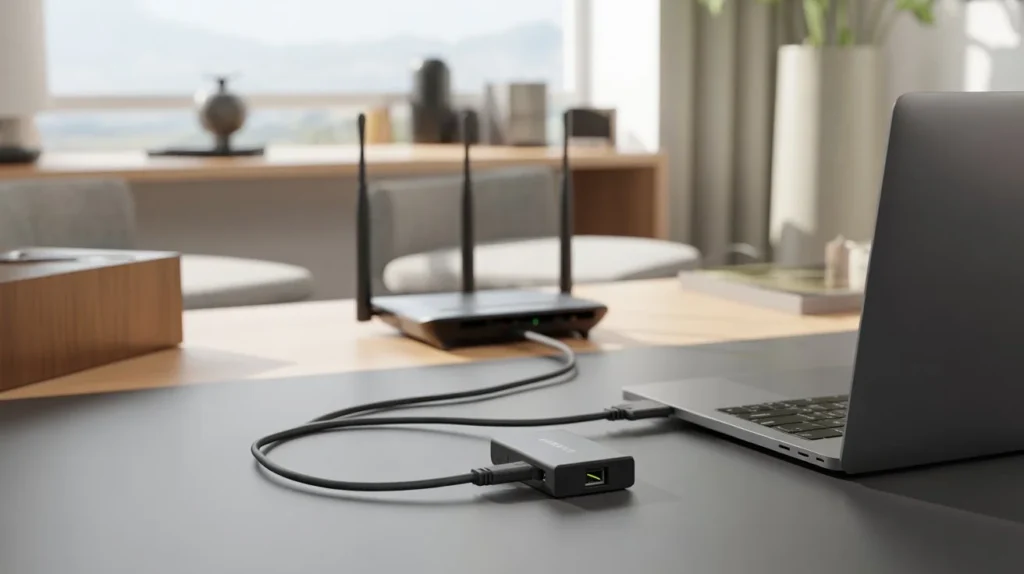
A WiFi adapter connects your device to a wireless network. It can be built into your laptop or desktop, or it can plug in via USB. Without it, your device cannot connect to WiFi at all. Speed matters for a simple reason. A slow adapter means slow downloads, choppy video calls, and laggy gaming, even if your internet plan is fast. The adapter acts like a gate. If the gate is small, not much can pass through.
There are two types: internal (built-in) and external (USB or PCIe cards). External ones are often better for desktops. For homes or offices where WiFi coverage is also a problem, professional WiFi installation service can help you get the most from your hardware. Cam Security Surveillance provides expert networking and WiFi setup solutions to maximize your wireless performance from the ground up.
When your adapter supports newer standards like WiFi 6 or WiFi 6E, you get faster speeds, lower delay, and better performance in crowded areas.
Main Reasons Your WiFi Adapter Is Slow
Before jumping to fixes, you need to know why it is slow. Here are the most common causes:
- Outdated Drivers Old drivers mean your adapter does not perform at full capacity. Windows and manufacturers push updates that fix bugs and improve speed.
- Wrong Frequency Band Most adapters support 2.4 GHz and 5 GHz. The 2.4 GHz band is slower and more crowded. If your adapter is stuck on it, your speeds suffer.
- Power-Saving Settings Windows and laptops often reduce adapter power to save battery. This directly lowers your WiFi speed.
- Channel Congestion Too many devices on the same WiFi channel create interference. Your adapter has to compete for bandwidth.
- Physical Obstructions Walls, furniture, and appliances block the signal. A weak signal means slow speeds.
- Outdated Hardware Older adapters only support WiFi 4 or WiFi 5. They cannot match speeds from a WiFi 6 router.
- Background Apps eating bandwidth in the background reduce the speed available to you.
How to Increase WiFi Adapter Speeds (Step-by-Step Fixes)
These are practical steps you can take right now with guidance from Cam Security Surveillance, helping you improve your WiFi performance quickly and correctly.
Fix 1: Update Your WiFi Adapter Drivers
This is the first thing to do. Outdated drivers are a silent speed killer.
Steps:
- Press Windows + X and click Device Manager
- Expand Network Adapters
- Right-click your WiFi adapter
- Select Update Driver
- Choose Search automatically for drivers
If Windows finds nothing, go to your adapter manufacturer’s website (Intel, Realtek, Broadcom) and download the latest driver manually.
Restart your PC after installing. Many users report a noticeable speed boost from this step alone.
Fix 2: Switch to the 5 GHz Band
The 2.4 GHz band is slow and crowded. The 5 GHz band is faster and less congested.
Steps:
- Click the WiFi icon in your taskbar
- Look for your network name with a “5G” or “5GHz” label
- Connect to that one
If your router broadcasts one combined name, you may need to log into your router settings and split the bands. This alone can double your actual speed.
Fix 3: Turn Off Power Saving Mode
Windows slows down your adapter to save power. This is fine for battery life, but terrible for speed.
Steps:
- Open Device Manager
- Right-click your WiFi adapter
- Click Properties then Power Management
- Uncheck Allow the computer to turn off this device to save power
- Click OK
Also go to Control Panel > Power Options and switch to High Performance mode.
Fix 4: Change the WiFi Channel on Your Router
If neighbors use the same channel, your adapter deals with interference.
Steps:
- Log into your router (usually 192.168.1.1 or 192.168.0.1)
- Go to Wireless Settings
- Change the channel to 1, 6, or 11 for 2.4 GHz
- For 5 GHz, try channels 36, 40, or 149
Use a free app like WiFi Analyzer to see which channels are least crowded near you.
Fix 5: Adjust Your Adapter’s Wireless Mode
Setting your adapter to match your router’s standard helps speed.
Steps:
- Open Device Manager
- Right-click your adapter, click Properties
- Click the Advanced tab
- Find Wireless Mode or 802.11 Mode
- Set it to the highest option your router supports (e.g., 802.11ax for WiFi 6)
Fix 6: Update Router Firmware
A slow router can bottleneck even the best adapter.
- Log into your router admin panel
- Look for Firmware Update under Settings or Administration
- Install any available update
This often fixes bugs and improves stability.
Fix 7: Remove Interference Sources
Microwaves, baby monitors, and cordless phones all mess with 2.4 GHz signals. Move your router away from these devices. Keep it elevated and in an open space.
Advanced Methods to Boost WiFi Adapter Performance
Once you have done the basics, here are deeper fixes.
Enable MU-MIMO and Beamforming
Modern routers support MU-MIMO (Multi-User, Multiple Input Multiple Output). This lets the router handle multiple devices at once without slowing down.
Check your adapter’s advanced settings in Device Manager for MU-MIMO or Transmit Beamforming and enable them if available.
Use QoS (Quality of Service) on Your Router
QoS lets you prioritize certain devices or apps. If you are working from home or gaming, you can put your device at the top of the list.
Log into your router and look for QoS Settings under advanced options.
Adjust the Roaming Aggressiveness Setting
This setting controls how quickly your adapter switches between WiFi access points. A low setting means your adapter holds onto a weak signal too long.
- In Device Manager, open your adapter’s properties
- Click Advanced
- Find Roaming Aggressiveness
- Set it to High or Aggressive
This helps in homes with multiple access points or WiFi extenders.
Disable Bandwidth-Hungry Background Apps
Open Task Manager (Ctrl + Shift + Esc) and go to the Network column. See what is using bandwidth and close apps you do not need.
Steam, OneDrive, Windows Update, and cloud backups often run in the background without you noticing.
Hardware Upgrades That Improve Speed
Sometimes the adapter itself is the ceiling. No setting change will fix it.
Upgrade to a USB WiFi Adapter
If you use a budget USB adapter, swap it for one that supports WiFi 6. Look for adapters from TP-Link, ASUS, or Netgear. Models with external antennas perform better.
Popular options:
- TP-Link Archer TX3000E (PCIe, WiFi 6)
- ASUS USB-AX56 (USB, WiFi 6)
- Netgear Nighthawk A8000 (USB, WiFi 6E)
Use a PCIe WiFi Card for Desktops
USB adapters are limited by USB bandwidth. A PCIe card installs inside your desktop and gives faster, more stable speeds. It also usually comes with better antennas.
Add a WiFi 6 Router
If your router is more than 5 years old, it may not support the speeds your adapter can handle. A new WiFi 6 router paired with a WiFi 6 adapter unlocks real speed gains.
Common Mistakes That Slow Down WiFi Adapters
Avoid these errors. Many users do them without realizing.
Placing the router on the floor. Signals spread best from an elevated, central location.
Using 2.4 GHz for everything. 5 GHz is faster for close-range devices.
Never restarting the adapter. A simple restart clears cache and fixes connection bugs. Go to Device Manager, disable the adapter, wait 10 seconds, then re-enable it.
Ignoring driver updates. Check for updates every few months.
Connecting too many devices. Each device shares bandwidth. Disconnect unused devices from your network.
Using VPNs without knowing the cost. VPNs add encryption overhead. This can cut speeds by 20-50% depending on the service.
How to Test Your WiFi Adapter Speed
Testing lets you see real numbers before and after your changes.
Use Speedtest.net
Go to speedtest.net and run a test. Note your download, upload, and ping. Run it again after each fix to see improvement.
Use Windows Built-in Tools
Open Command Prompt and type:
netsh wlan show interfaces
This shows your current connection speed and signal strength.
Use iPerf for Local Network Speed
iPerf is a free tool that tests speed between two devices on your network. This eliminates the internet as a variable and shows pure adapter and router performance.
Track Your WiFi Signal Strength
Use apps like NetSpot (Windows/Mac) or WiFi Analyzer (Android) to map signal strength around your home. Weak spots explain slow speeds in certain rooms.
How to Increase WiFi Adapter Speeds on Laptop vs Desktop
The process differs slightly by device type.
On a laptop:
- Power management settings have more impact
- Physical placement matters more (closer to router is better)
- Built-in adapters are harder to replace but USB adapters are easy to add
On a desktop:
- PCIe cards give the best speed boost
- Desktops are often far from routers, so antenna direction matters
- Ethernet is always an option if WiFi is not fast enough
When You Should Replace Your WiFi Adapter
Not every adapter can be fixed. Here are signs you need a new one:
- Your adapter only supports 802.11n (WiFi 4) or older
- You see constant disconnects even after driver updates
- Your adapter does not support 5 GHz
- Your adapter gets very hot during use
- Speed tests show well below what your plan offers, and all fixes have failed
A new WiFi 6 adapter costs between $30 and $80 and can triple your real-world speeds if your router supports it.
Conclusion
How to increase WiFi adapter speeds is not a mystery. Start with driver updates and power settings. Switch to 5 GHz. Reduce interference. If your adapter is old, upgrade it.
Most people see real improvement from just the first three steps. Try them in order and test your speed after each one. You do not need to spend money to get faster speeds, but if your adapter is outdated, a hardware upgrade is worth it.
For professional help with your home or office network, Cam Security Surveillance offers reliable WiFi setup and installation support. A well-installed network makes every fix more effective. Contact us today for expert assistance and fast support.
FAQs
Why is my WiFi adapter so slow even with a fast internet plan?
Your adapter may be on the 2.4 GHz band, have outdated drivers, or be set to power-saving mode. Fix those first.
How do I know if my WiFi adapter supports 5 GHz?
Open Device Manager, right-click your adapter, go to Properties, then Advanced. If you see a 5 GHz or 802.11ac/ax option, it supports it.
Can I increase WiFi MBps without buying new hardware?
Yes. Updating drivers, switching bands, and turning off power saving often increases your WiFi Mbps without spending a penny.
Does a USB WiFi adapter slow down speed?
Cheap USB adapters can limit speed. A good USB 3.0 WiFi 6 adapter performs well. For best results on a desktop, use a PCIe card.
What is the fastest way to get faster WiFi speed right now?
Switch to the 5 GHz band and turn off power saving mode. These two steps take under 2 minutes and often give instant results.
How often should I update my WiFi adapter drivers?
Check every 3 months or after a major Windows update.
Will a new router help increase my WiFi adapter speed?
Yes, if your current router is old or does not support the same WiFi standard as your adapter. A WiFi 6 router with a WiFi 6 adapter is the best combo.










