
Not every security camera works with every DVR. Compatibility depends on the camera signal, video standard, resolution, connection type, and DVR specifications. Older DVRs often support fewer camera types.
So, Are All Security Cameras Compatible with DVRs? No. Before buying a replacement camera or DVR, check both devices carefully. The right match can save you from poor video, missing features, or a camera that will not display at all.
What Is a DVR?
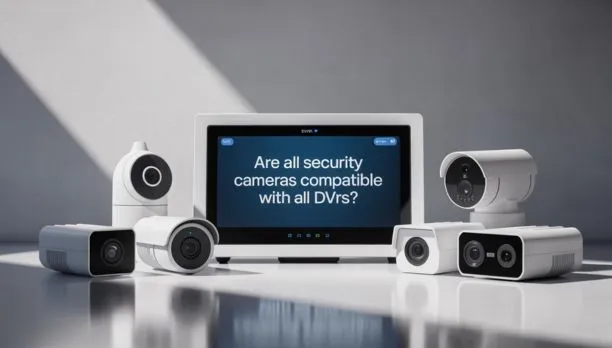
A DVR, or Digital Video Recorder, stores video from compatible security cameras on an internal hard drive. Traditional DVR systems usually connect cameras through coaxial cable and BNC connectors. A DVR can record video, manage connected cameras, play back footage, and provide remote viewing on supported systems. Some newer DVRs, often called XVRs or hybrid recorders, support several camera technologies.
For example, a modern recorder may accept HDCVI, AHD, TVI, CVBS, and IP camera inputs. Dahua lists several recorders with this type of multi-format support. This is why the word “DVR” alone does not tell you which cameras will work.
Are All Security Cameras Compatible With DVRs?
No, Are All Security Cameras Compatible With DVRs? is a question with a clear answer: compatibility is not universal. A camera and DVR must support compatible video technology and settings. A traditional analog camera may work with one DVR but fail with another.
The main factors include:
- Camera signal type
- DVR input type
- Camera resolution
- Frame rate
- Video format
- Cable and connector type
- Supported compression
- Power requirements
- Available DVR channels
For example, a DVR designed only for older CVBS cameras may not accept a newer 5MP TVI camera. A modern XVR may support both technologies. This means you should never buy a camera based only on its connector.
Which Security Cameras Work With a DVR?
Traditional analog cameras are the most common cameras used with DVR systems. Depending on the recorder, these may include CVBS, TVI, AHD, and HDCVI cameras.
CVBS is an older analog video standard. It commonly supports lower video resolutions.
TVI can carry higher-resolution video over coaxial cable.
AHD is another analog HD technology designed for coaxial cable systems.
HDCVI is Dahua’s analog HD technology. Compatible recorders can support HDCVI cameras at several resolutions.
Some modern XVR recorders can automatically detect HDCVI, AHD, TVI, and CVBS inputs. The key point is simple: the camera’s signal must match a signal supported by the DVR.
Do IP Cameras Work With a DVR?
Sometimes, yes. Standard DVR systems are mainly designed for cameras that send video through coaxial cable. IP cameras work differently because they send digital video over a network. However, many newer hybrid DVRs and XVRs can also accept IP cameras. The recorder may provide dedicated network channels for IP devices.
For example, some Dahua XVR models support analog camera inputs while also allowing several IP cameras to be added over the network. 1There is an important catch. IP support does not mean every IP camera will work.
The recorder may require:
- A supported network protocol
- Compatible camera resolution
- Enough network bandwidth
- Supported video compression
- Correct network settings
- Compatible ONVIF support or manufacturer integration
Always check the exact recorder specifications before adding an IP camera.
DVR vs. NVR: What’s the Difference?
The biggest difference is how the recorder receives video.
| Feature | DVR | NVR |
| Common camera type | Analog/HD coax cameras | IP cameras |
| Typical cable | Coaxial | Ethernet |
| Video processing | Usually handled at recorder | Usually handled by camera |
| Network camera support | Depends on model | Standard |
| Best use | Existing coax systems | New IP systems |
A DVR is often useful when a property already has coaxial camera wiring. An NVR is generally designed for IP cameras connected through Ethernet networks.
This distinction matters when replacing an old system. Reusing existing coax can make a compatible DVR or XVR practical. If you are moving fully to network cameras, an NVR may fit the system better.
How to Check if a Camera Is Compatible With Your DVR
Before buying a camera, check the DVR model number and its manual.
Look for the following information.
1. Check the camera technology
Find out whether the camera uses CVBS, TVI, AHD, HDCVI, or IP. Do not assume that every BNC camera uses the same signal.
2. Check supported resolution
A DVR may support 1080p cameras but not 4MP or 5MP cameras. Some newer recorders support 5MP or higher cameras, but older recorders may have lower limits. For example, current Dahua XVR models list support for multiple resolutions and signal types.
- Check the input ports
A BNC connector does not guarantee compatibility. The connector only tells you how the cable connects.
The DVR must also understand the camera’s video signal.
4. Check frame rate
A camera may advertise 30 frames per second, while the recorder supports a lower frame rate at that resolution.
This can affect the recorded video.
5. Check power requirements
Some cameras use 12V DC power. Others may use PoE, depending on the camera type.
A camera can have the correct video connection but still fail because it lacks suitable power.
6. Check the recorder’s channel limit
A four-channel DVR normally cannot record four analog cameras plus unlimited additional cameras.
Some hybrid models provide extra IP channels, but the limits vary by model.
Can You Mix Different Brands of Security Cameras and DVRs?
Yes, sometimes.
Brand matching can make setup easier, but the same brand is not always required.
For analog HD systems, compatibility often depends more on the supported video standard and resolution. A DVR that supports TVI may work with a compatible TVI camera from another manufacturer.
IP systems can also support third-party cameras when the recorder supports suitable standards or protocols. Some Dahua recorders, for example, list third-party camera access and ONVIF interoperability.
However, mixing brands can limit certain features.
Basic video may work while advanced features do not. These can include:
- Smart motion detection
- Audio
- Two-way talk
- PTZ control
- Camera-side analytics
- Alarm functions
- AI detection
For that reason, check feature compatibility instead of checking only whether live video appears.
Can You Add a Higher-Resolution Camera to an Older DVR?
Not always. Suppose your existing DVR supports cameras up to 1080p. Adding a 5MP camera does not automatically give you 5MP recording.
Three things can happen:
- The camera works at a lower supported resolution.
- The camera does not display.
- The DVR requires a specific setting or firmware version.
The safest approach is to check the DVR’s maximum supported resolution for each input type. Do not confuse the camera’s maximum resolution with the recorder’s recording resolution.
What Happens If a Camera Is Not Compatible With a DVR?
The result depends on the type of mismatch.
You may see:
- A black screen
- No video signal
- Intermittent video
- Wrong colors
- Low-quality footage
- Camera disconnects
- Missing audio
- Limited recording features
For example, connecting an unsupported signal to a BNC input may produce no usable picture. Changing cables may not solve the problem if the actual issue is signal compatibility.
This is why testing the camera and recorder before completing a full installation can prevent unnecessary work.
How to Upgrade an Existing DVR Camera System
You do not always need to replace every camera. Start by identifying your existing DVR model, camera types, cable condition, and available channels.
Then decide whether you need:
- A compatible replacement DVR
- New cameras
- An XVR hybrid recorder
- New storage
- New power supplies
- Network connectivity
- New cabling
A replacement dvr for security cameras can be useful when your existing recorder fails but your cameras and wiring are still suitable. A modern XVR can also provide a middle path. Some models support several analog formats and IP cameras, allowing gradual upgrades. Do not replace equipment based only on age. First check which parts of the existing system can still be reused.
Common DVR Compatibility Mistakes
Several simple mistakes can create problems during upgrades.
Buying by connector alone
Two devices may both use BNC connectors but support different video standards.
Ignoring resolution limits
A high-resolution camera will not force an older DVR to record at that resolution.
Assuming every DVR supports IP cameras
Only certain hybrid and newer models provide IP camera support.
Forgetting bandwidth limits
IP cameras require network bandwidth. A recorder may support IP cameras but have limits on total incoming bandwidth.
Ignoring special features
A camera may show video but lose features such as audio, PTZ, or smart detection.
Replacing only one part without checking the whole system
Power supplies, cables, connectors, storage, and network equipment can all affect system performance.
When Should You Choose a DVR or NVR?
Choose a DVR when you already have suitable coaxial wiring and compatible analog cameras. A DVR can be practical for an existing home or business system where replacing all cables would add cost and work. Choose an NVR when you want an IP camera system using Ethernet networking.
An XVR may make sense when you want more flexibility. Some models combine several analog formats with IP camera support. The right choice depends on your existing equipment, desired resolution, future expansion, and camera features.
How Professional Security Camera Installation Can Help
Compatibility problems are easier to avoid when the entire system is checked before installation. A professional installer can identify your current DVR model, camera signal, wiring, power supply, resolution limits, and storage needs. This helps prevent buying equipment that does not work together.
If you are planning a new system or replacing an old recorder, security camera installation Indianapolis services can help you select compatible equipment and plan camera placement.
Cam Security Surveillance works with residential and commercial security camera systems. A proper site assessment can help determine whether your existing equipment can be reused or whether an upgrade makes more sense.
Conclusion
Are All Security Cameras Compatible With DVRs? No. Camera compatibility depends on the signal type, resolution, connection, power, and features supported by the recorder. Before buying a dvr for security cameras, check the exact DVR specifications and camera requirements. A dvr recorder for security cameras may support several formats, while an older unit may support only one.
If you are choosing a DVR box for security cameras, check its channel count, resolution limits, storage capacity, and IP support. This simple check can prevent costly compatibility problems. When the existing recorder fails, a replacement DVR for security cameras may let you keep suitable cameras and wiring. If the system is outdated, an XVR or NVR upgrade may provide a better long-term setup. Contact us today to discuss your security camera system and find the right recording solution for your property.
FAQs
Can any security camera work with a DVR?
No. The camera must use a video format and resolution supported by the DVR. Check the exact specifications before connecting it.
Can I connect a 4K camera to a DVR?
Only if the DVR supports that camera type and 4K recording. Some older DVRs cannot process 4K video.
Can I use an IP camera with a DVR?
Some hybrid DVRs and XVRs support IP cameras. Standard DVRs may not. Check the recorder’s IP channel and protocol support.
Do security cameras have to match the DVR brand?
No. Compatible cameras from different brands can work in some systems. However, advanced features may require matching equipment.
Can I use my old coaxial cable with a new DVR?
Often, yes. If the cable is in good condition and the new DVR and cameras support the same signal type, existing coax may be reusable.
Is an XVR better than a DVR?
An XVR can offer broader camera compatibility because many models support multiple analog formats and IP cameras. The best option depends on your existing system.
What should I check before buying a DVR?
Check camera signal type, resolution, channel count, recording capacity, supported frame rates, IP support, storage, and power requirements.
Why does my camera show a black screen on the DVR?
Possible causes include an unsupported signal, incorrect resolution, bad cable, power problems, wrong input settings, or a faulty camera.










