Wireless security cameras record video. Send it to a phone a recorder or a cloud service. They use Wi-Fi or another wireless connection to share footage without needing a video cable. Some cameras start recording when they detect motion. Others record all the time. Most need power, which comes from a wall outlet, a battery or even a solar panel. How well they work depends on strength, where you place the camera how you power it and how you set up storage. Knowing these things helps you pick a system that works for your home or business.
This guide explains how wireless security cameras work. It covers what happens when motion is detected. It also looks at how video gets stored. You’ll learn about Wi-Fi requirements, ways to power the cameras common limits you might run into and how to place cameras for the best results.
What Is a Wireless Security Camera?
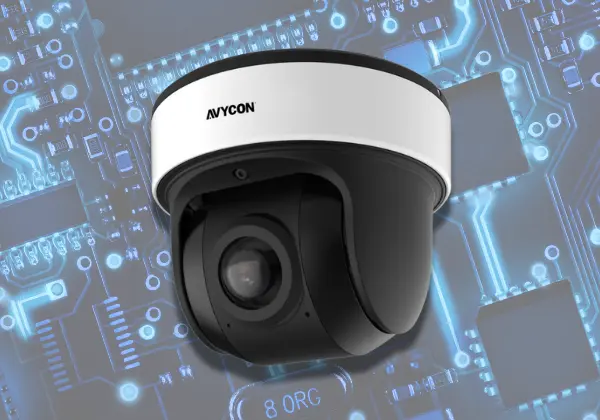
A wireless security camera takes pictures. Sends them to another device without a video cable. Most home wireless security camera models use Wi‑Fi to connect to a router. After that you can view footage or saved clips with an app or a web browser.
The word wireless can be confusing. It usually means the video moves over a network, not that the wireless security camera has no wires. A plug‑in wireless security camera still needs a power cable. A wire‑free wireless security camera uses a battery or a supported solar charging system.
Wireless cameras are used in homes, shops, offices, warehouses and other properties. They can help people check entrances watch deliveries and review activity around areas.
How Do Wireless Security Cameras Work?
If you want to understand how wireless security cameras work then follow the path, from video capture to viewing and storage.
1. The Camera Captures Video
The lens collects light. Sends it to an image sensor. The sensor changes that light into pictures. The camera then takes those pictures. Turns them into video.
Resolution decides how detail the video can display. A 1080p camera could work for a room but a higher-resolution camera could be better, for a larger outdoor space. Night vision allows the camera to take pictures even when there is light.
2. The Camera Connects to a Network
Many wireless cameras connect to a home or business router using Wi-Fi. During the setup process you usually choose the network and type, in the password using the cameras app.
Some systems use a wireless hub instead of connecting each camera directly to the router. The hub then sends video to a recorder, a network or a cloud service depending on the system.
3. The Camera Sends Video
I see that after the camera captures video the camera compresses the data and sends it over its connection. The compression reduces how data the camera needs to transfer and store the footage.
I see that the video might go to an app, a cloud service, a memory card or a compatible recorder. Which path the video takes depends on the camera model and the camera settings.
4. The Footage Is Stored
Wireless cameras offer ways to keep video. Some wireless cameras put clips onto a memory card that lives inside the device. Other wireless cameras upload recordings to cloud storage or to a network video recorder also known as NVR.
Storage settings decide how long footage stays on the device. A wireless camera can be set to record when motion is detected or it can record video all the time. Some systems will overwrite footage when the storage space is full.
5. You View the Camera Remotely
Once the system is installed you can use an app to watch live video and recorded clips. Many cameras also send notifications when they sense movement.
Access from a distance usually requires an internet connection at the place where the camera is located and on the device you are using to watch. Some cameras allow you to view footage locally without internet access long as both devices are, on the same network.
What Happens When a Wireless Security Camera Detects Motion?
Motion detection allows a camera to react when something moves within its view. Depending on the model, it can start recording, send an alert, or do both.
Here is how the process works:
- The camera senses movement: Its sensor or video software looks for changes in the scene.
- The camera checks the event: Smart models may try to tell the difference between a person, vehicle, pet, or other movement.
- Recording starts: The camera saves a clip or marks the event for later review.
- You receive an alert: If notifications are enabled, the app may send an alert to your phone.
I have seen a camera positioned close to your door capture a delivery person and then send an alert. You can open the app to review the footage.
I find motion alerts, for cutting down on needless recordings yet they are not flawless. Moving branches, passing cars, shadows and insects can set off alerts. You can frequently adjust motion zones and sensitivity to lessen notifications.
Some cameras also provide recording. Check whether your model supports this feature because battery‑powered cameras may only capture clips when triggered.
Do Wireless Security Cameras Need Wi-Fi or Internet?
Most wireless security cameras use Wi-Fi.. Wi-Fi and internet access are not the same thing. Wi-Fi connects devices to a network. Internet access connects that network, to online services.
A camera might keep recording when there is no internet connection. This happens if the camera has storage and supports offline recording.. Remote viewing, cloud uploads and phone alerts may stop working during such times.
Consider these common situations:
- Wi-Fi and internet work: Remote viewing, cloud storage, and alerts may work as expected.
- Wi-Fi works, but internet is down: Local recording may continue, but remote access may be limited.
- Wi-Fi connection is lost: A camera that relies on Wi-Fi may lose access to its recorder or network storage.
- Power is lost: A plug-in camera usually stops working unless a backup power source is available.
Before you buy a camera make sure to check what it can do without internet access. This is important if your property has an unstable connection. It also matters if you need to keep recordings during power outages. You don’t want to miss anything just because the internet goes down.
How Do Wireless Security Cameras Get Power?
Wireless cameras use different power sources. The right choice depends on the camera location, recording needs, and access to electricity.
Plug-In Wireless Cameras
These cameras connect to a wall outlet or power adapter. They can be a good choice for indoor rooms and outdoor areas with a suitable power source.
Their main benefit is that you do not need to recharge a battery. However, you must plan the power cable route and protect outdoor connections from moisture.
Battery-Powered Cameras
Battery-powered cameras work without a permanent power cable. This makes them useful for sheds, gates, rental properties, and other places where wiring is difficult.
Battery life depends on motion activity, recording length, temperature, signal strength, and how often you view live footage. Busy areas may use more power because the camera wakes up more often.
Solar-Powered Cameras
Some battery-powered cameras work with a compatible solar panel. The panel helps recharge the battery when it receives enough sunlight.
Check the panel’s placement, local weather, and the camera maker’s power requirements. A shaded location may not receive enough sunlight to keep the battery charged.
If you want to know how do wire free security cameras work, the main difference is their power source. Wire-free models use a battery, sometimes supported by solar charging, while wireless plug-in models still need a power cable.
Wireless Security Cameras vs. Wired Security Cameras
Both systems can protect homes and businesses, but they differ in setup, power, and network needs.
| Feature | Wireless cameras | Wired cameras |
| Video connection | Usually Wi-Fi or a wireless link | Usually a video or network cable |
| Power | Outlet, battery, or solar support | Often a cable or separate power source |
| Installation | Often easier to place | May need cable routing |
| Connection stability | Can be affected by signal strength | A cable connection is often more stable |
| Maintenance | Batteries may need charging | Cables and connections need checks |
| Best fit | Homes and areas where cabling is difficult | Larger sites and systems needing stable links |
Not every wired camera needs a separate power cable. Power over Ethernet (PoE) cameras can receive both power and data through one network cable.
Wireless systems can reduce the need for video cabling, but they still need good network coverage and reliable power. Wired systems may be a better fit for larger properties that need many cameras or continuous recording.
The right choice depends on the layout, security goals, and budget. For a small home, a few wireless cameras may be enough. A warehouse or large office may benefit from a planned wired system.
What Affects the Performance of Wireless Security Cameras?
A camera may have strong features but still perform poorly if its location or network is unsuitable. Check these factors before installing one.
- Distance from the router: A camera farther from the router may receive a weaker signal.
- Walls and floors: Brick, concrete, metal, and thick walls can reduce Wi-Fi coverage.
- Network interference: Nearby networks and other wireless devices may affect the connection.
- Internet upload speed: Cloud recording and remote viewing depend on enough upload capacity.
- Video quality: Higher resolutions often require more network capacity and storage.
- Power supply: Low batteries or unstable power can interrupt recording.
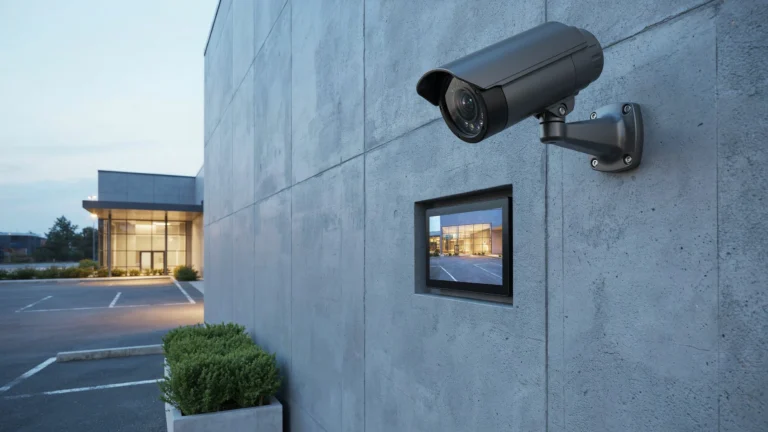
- Weather: Outdoor cameras must be rated for the conditions where they will be installed.
Test the Wi-Fi signal at the exact camera location, not just beside the router. A phone may show a connection where the camera still struggles to send clear video.
If coverage is weak, consider moving the router, adding a suitable access point, or using a compatible mesh system. Check the camera’s supported Wi-Fi band and network requirements before making changes.
Where Should You Install Wireless Security Cameras?
Camera placement affects how well your security system works. Choose locations that help you monitor important areas and capture clear footage.
Best Places to Install Wireless Security Cameras
1. Front and Back Doors
Install cameras near the main entrances to monitor visitors, deliveries, and people entering or leaving your property.
2. Driveways and Garages
Place cameras to monitor parked vehicles, garage doors, and driveways. Make sure they provide clear footage at night.
3. Side Gates and Backyards
Install cameras near side gates, backyard entrances, and paths around your property. Check the Wi-Fi signal before mounting each camera.
4. Business Entrances and Key Areas
For shops and offices, consider installing cameras near entrances, reception areas, stockrooms, and loading zones.
Tips for Choosing the Right Camera Location
- Mount cameras high enough to reduce tampering, but keep faces visible.
- Avoid pointing cameras into neighbors’ private spaces.
- Test the Wi-Fi signal before final installation.
- Check night vision and motion alerts.
- Adjust camera angles to reduce blind spots.
- Follow local privacy laws and provide notices where required.
Before completing installation, test each camera to ensure it captures clear footage and maintains a reliable wireless connection.
What Are the Advantages and Limitations of Wireless Security Cameras?
Wireless cameras offer useful features, but they are not the right choice for every property. Understanding their strengths and limits helps you make a better decision.
Advantages of Wireless Security Cameras
- Flexible placement: You can install cameras where running video cables would be difficult.
- Remote monitoring: Check live footage and saved clips through a supported app.
- Motion alerts: Receive notifications when the camera detects activity.
- Fewer video cables: Wi-Fi models do not need a video cable running back to a recorder.
- Options for different properties: Models are available for homes, shops, offices, and outdoor spaces.
- Easy system expansion: Some systems let you add cameras without running new video cables, provided the network supports them.
Limitations of Wireless Security Cameras
- Weak signals: Poor Wi-Fi coverage can cause delays, dropped connections, or low-quality video.
- Battery maintenance: Wire-free cameras need charging or battery replacement.
- Internet dependence: Remote access and cloud features may stop during an internet outage.
- Storage costs: Some cloud services require a paid plan.
- Network demands: Multiple cameras can use a large share of your available bandwidth.
- Security risks: Weak passwords and outdated software can leave cameras open to attack.
You can reduce many problems by choosing a suitable model, securing your network, and testing each camera before relying on it.
When Should You Choose Professional Wireless Camera Installation?
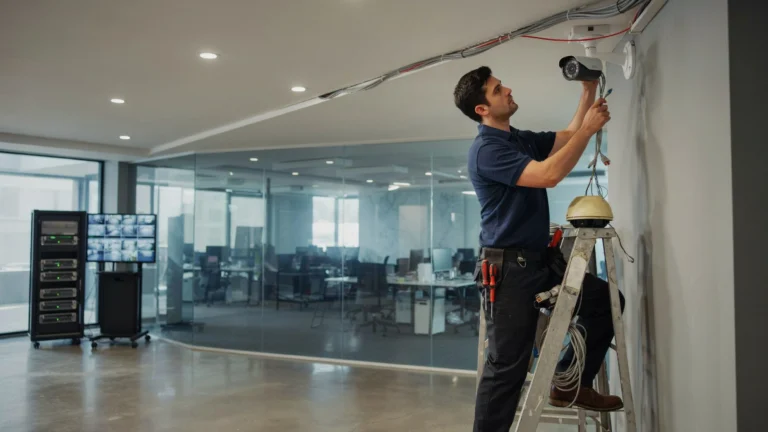
Professional installation can help when you need reliable coverage across several rooms, outdoor areas, or a large commercial property. An installer can assess camera positions, test Wi-Fi coverage, and help select suitable power and storage options.
For example, a small shop may need cameras at its entrance, checkout counter, stockroom, and rear door. Each camera must capture useful details while maintaining a reliable connection. Poor placement can leave blind spots or produce footage that is difficult to use.
Professional installation can also help with:
- Finding camera positions that cover important areas.
- Checking wireless signal strength before mounting cameras.
- Choosing suitable recording and storage options.
- Setting up remote viewing, alerts, and user access.
- Testing night vision, motion detection, and playback.
- Planning camera coverage for future needs.
If you need help with security camera installation Indianapolis, Cam Security Surveillance can help assess your property and recommend a suitable camera setup. A site assessment can help identify coverage gaps, power needs, and network issues before installation begins.
Conclusion
Understanding How Wireless Security Cameras Work helps you choose a system that fits your property. These cameras capture video, send footage through a wireless connection, and store recordings locally or in the cloud. Many also offer motion alerts and remote viewing through a mobile app.
The best security camera system depends on more than camera resolution. Consider Wi-Fi coverage, power supply, storage needs, privacy, and the areas you want to monitor. Test the signal at each camera location before completing installation. Contact Cam Security Surveillance today for professional security camera installation tailored to your home or business.
Frequently Asked Questions
How do wireless security cameras work without wires?
Wireless cameras send video through Wi-Fi or another wireless connection instead of a video cable. However, many still need a power cable. Wire-free models use batteries or compatible solar charging systems.
Can wireless security cameras record without Wi-Fi?
Some cameras can record to a memory card without Wi-Fi, provided the model supports local recording. Features such as remote viewing, cloud storage, and phone alerts may not work without a network connection.
Do wireless security cameras need internet access?
Internet access is usually needed for remote viewing and cloud features. Some cameras can record locally without internet access. Check the manufacturer’s instructions to confirm which functions remain available offline.
How far can a wireless security camera be from a router?
There is no single range that works for every camera. Distance, walls, interference, router quality, and the camera’s wireless hardware all affect the signal. Test the connection at the planned installation spot.
Do wireless security cameras work during a power outage?
Battery-powered cameras may continue working if their batteries have enough charge. Plug-in cameras usually stop unless connected to a backup power source. Your router and recorder may also need backup power for the full system to keep working.
Are wireless security cameras better than wired cameras?
Neither type is always better. Wireless cameras can be easier to place where video cabling is difficult. Wired cameras can offer a more stable connection and may suit large properties. Choose based on coverage, power, network quality, and recording needs.
How does a security camera work at night?
Many cameras use infrared LEDs to capture images in low light. Some use white lights or low-light sensors to produce color footage. Night vision range and image detail vary by model and the lighting around the camera.
Can wireless security cameras be hacked?
Wireless cameras can be at risk if their accounts or networks are poorly secured. Use strong, unique passwords, enable two-factor authentication when available, update the camera’s software, and secure your Wi-Fi network.