A single camera can’t watch your whole property. You need overlapping angles, the right mounting height, and cameras placed at every corner where someone could approach unseen.
Knowing how to install CCTV cameras for a 360-degree view means mapping your property first, then placing cameras where their fields of view overlap instead of leaving gaps. Cam Security Surveillance helps homeowners and businesses plan reliable camera coverage, avoid blind spots, and choose the right setup. This guide walks through the key installation steps, common mistakes, and real costs involved.
What Does a 360-Degree CCTV View Mean?
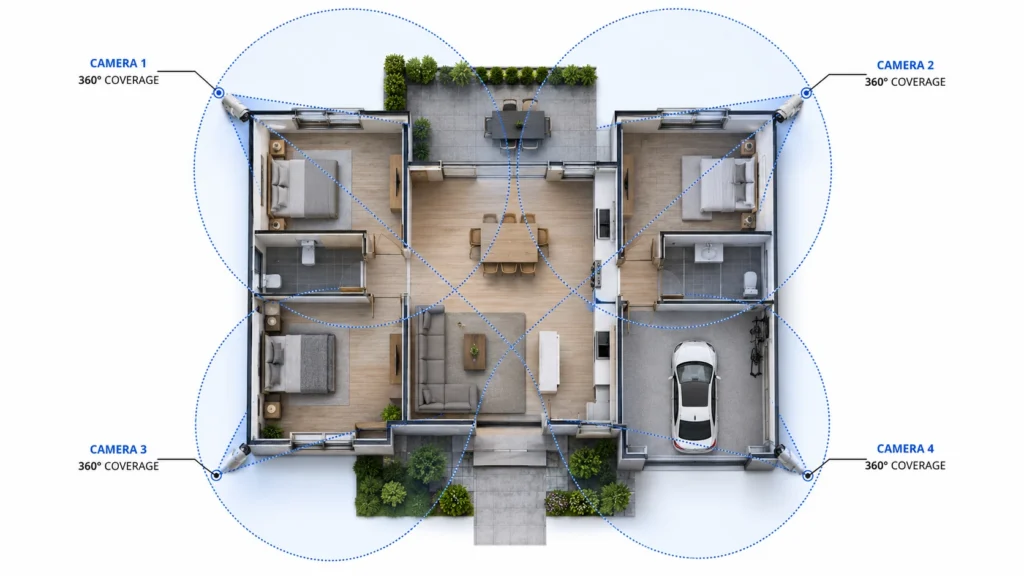
A 360-degree view doesn’t mean one camera spinning in a circle, though that’s part of what confuses people. It means your camera system covers every side of your property with no blind spots between cameras.
Most standard cameras capture 90 to 110 degrees of view. To cover a full circle, you need four to six cameras positioned so their edges overlap slightly. Without that overlap, someone can walk along the exact line where two camera views end and neither one catches a clear shot.
Some brands sell single fisheye cameras that claim full coverage from one unit. These work for small yards, but they distort footage at the edges. Learning how to install CCTV cameras for a 360-degree view really comes down to placing several standard cameras with intent, not buying one wide-angle unit and hoping it catches everything.
How Many CCTV Cameras Do You Need for 360-Degree Coverage?
For most homes, four cameras cover the basics: front door, back door, driveway, and one side yard. Larger homes or properties with multiple entry points often need six to eight cameras to close every gap.
Here’s a simple way to figure out your number. Walk your property line and mark every spot where someone could approach without being seen from your front door or a window. Each of those spots needs its own camera or needs to sit inside another camera’s field of view.
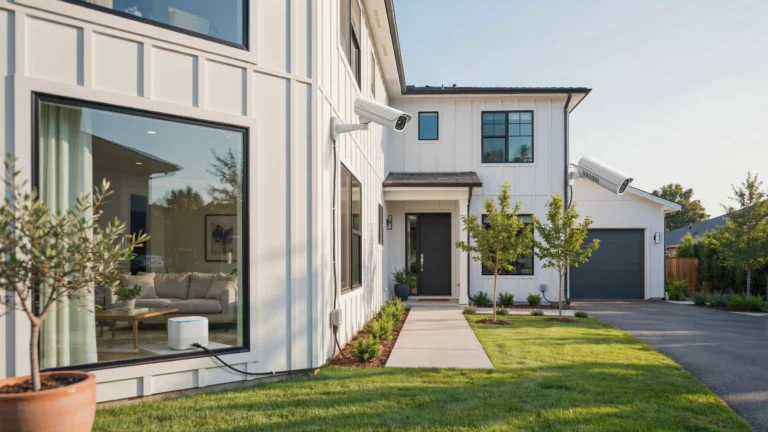
Corner placements do double duty. A camera mounted at a corner of your house can often cover two sides at once, cutting down on how many units you need. This is the fastest way to install camera 360 coverage without overspending on hardware you don’t need.
Common Mistakes When Installing CCTV Cameras
Even good equipment fails when it’s placed wrong. These mistakes come up again and again, and they’re the main reason people fail at how to install CCTV cameras for a 360-degree view on the first try.
- Mounting too high. Cameras above 10 feet lose facial detail, even with strong zoom.
- Aiming into direct sunlight or headlights. Bright light sources wash out footage and hide everything behind the glare.
- Leaving gaps between camera angles. This is the top reason 360-degree systems fail. A 15-degree gap creates a blind corridor.
- Skipping a site survey. Guessing at placement from inside the house leads to missed angles almost every time.
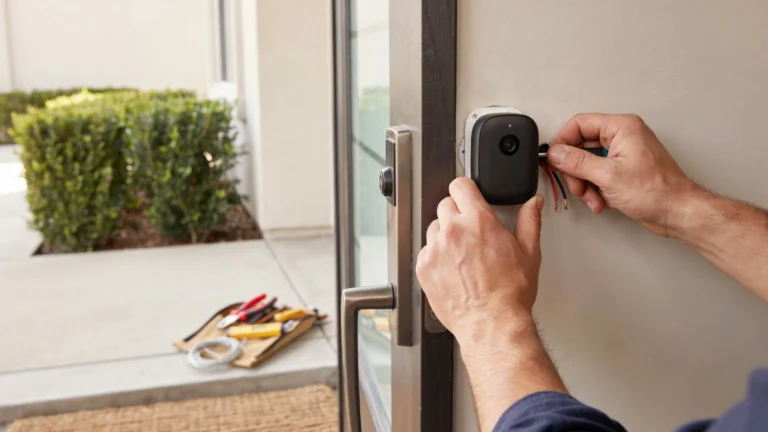
- Ignoring cable runs before mounting. Planning power and data routes after mounting means expensive rework later.
- Forgetting about foliage growth. A clear shot in spring can get blocked by a tree branch by summer.
Wired vs Wireless CCTV for 360-Degree Coverage
Both options can deliver full coverage, but they solve different problems.
Wired systems connect through Ethernet or coaxial cable to a central recorder. They cost more upfront, roughly $150 to $500 per camera including labor, but don’t depend on Wi-Fi signal strength. For a 360 camera setup across a large yard, wired cameras stay reliable even at the far edges where wireless signal often drops.
Wireless systems run on battery or solar power and send footage over Wi-Fi. Installation costs less, often $100 to $250 per camera, and you can move cameras without running new cable. The tradeoff is range. Cameras far from your router may drop connection or lag during playback.
A common approach: use wired cameras for fixed points like your front door and driveway, and fill gaps with wireless units where cable runs are impractical.
How to Improve Nighttime 360-Degree Coverage
Daytime coverage means little if your cameras go blind after dark. Most break-ins happen at night, so this step matters as much as placement itself.
Infrared (IR) night vision works well for close range, typically 30 to 50 feet, and costs $150 to $400 per camera. It produces black and white footage but keeps detail sharp in total darkness. Color night vision cameras use a built-in spotlight or ambient light sensor, which makes identifying clothing and vehicle color much easier.
For full nighttime coverage, add motion-activated floodlights near entry points. Lights trigger before your camera leans on IR, giving you clearer footage from the first second of a recording. Check your placement again once it’s dark. A camera that looked fine during the day might catch nothing but glare from a streetlight once the sun goes down.
How to Store 360-Degree CCTV Footage
More cameras mean more footage, and storage fills up fast once you’re recording from six or eight angles at once.
Local storage through a DVR or NVR box keeps footage on-site with no monthly fee. A typical setup holds one to four weeks of footage, depending on resolution and camera count.
Cloud storage backs footage up off-site automatically, which protects your recordings if someone steals or damages your recorder. Expect to pay $3 to $25 a month per camera, depending on video quality and retention days.
Most homeowners with a full 360 camera setup use both. Local storage catches everything in real time, while cloud storage backs up key motion-triggered clips. Set cameras to record on motion instead of constantly, and you’ll stretch storage further without missing anything important.
CCTV Camera Placement for Different Properties
Coverage needs to shift depending on what you’re protecting.
Single-family homes: Cover the front door, back door, driveway, and any side gate. Four to six cameras usually close every gap.
Apartments and townhomes: Focus on your entry door and any shared hallway or balcony access. Space is tighter, so two to three cameras often suffice.
Larger properties with detached structures: Garages, sheds, and pool areas each need their own coverage, treated like a small property with its own overlapping angles.
Commercial properties: Entry points, cash areas, and parking lots need dedicated cameras, often eight or more units with a professional-grade recorder.
Should You Install CCTV Cameras Yourself or Hire a Professional?
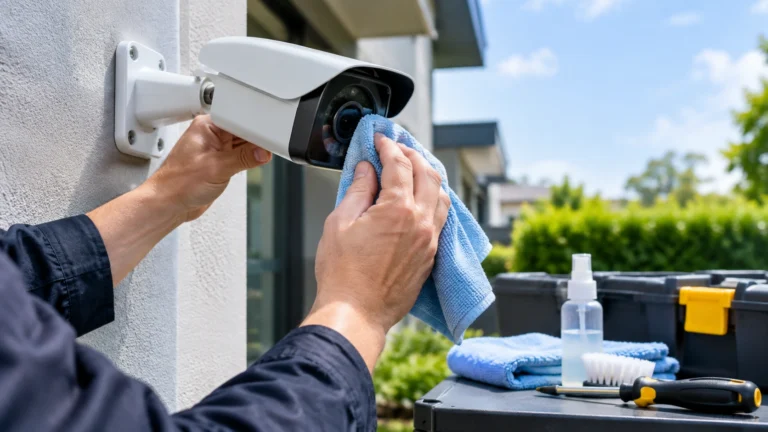
DIY installation works for simple wireless setups. If you’re mounting two or three battery cameras around a small yard, most homeowners can handle it in an afternoon with a drill and a ladder.
Learning how to install CCTV cameras for a 360-degree view across a full property is a different job. Getting overlapping angles right takes a site survey, careful measurement, and often cable routing most people haven’t done before. A single misplaced camera can leave a blind spot you won’t notice until it’s too late.
This is where professional security camera installation Indianapolis homeowners trust makes the difference. A trained installer maps your property, checks sightlines at different times of day, and mounts each camera at the right height the first time. Cam Security Surveillance handles full-property installs like this directly, so you get real coverage instead of a system with gaps you discover after something goes wrong.
How Much Does It Cost to Install CCTV Cameras for 360-Degree Coverage?
Costs scale with camera count and installation type. Here’s what homeowners typically pay in 2026 for a full 360 camera setup.
| Setup | Cameras | Estimated Cost |
| Basic wireless system | 4 cameras | $600 to $1,600 |
| Wired system, professional install | 4 cameras | $600 to $1,500 |
| Full property coverage | 6 to 8 cameras | $1,300 to $2,500 |
| Commercial-grade system | 8+ cameras | $2,000 and up |
Labor makes up 50 to 70 percent of the total bill for professional installs, running $80 to $200 per camera. Add night vision, cloud storage subscriptions, or facial recognition features, and per-camera costs climb by $100 to $250 more.
Spending more upfront on proper placement almost always costs less than paying to fix gaps later. A cheap camera aimed at the wrong angle protects nothing.
Conclusion
Knowing how to install CCTV cameras for a 360-degree view comes down to planning, not just buying more cameras. Map your property, close every gap with overlapping angles, and pick Choose wired or wireless based on your property and cable runs. Get night coverage right, choose a storage plan that fits your budget, and don’t guess at camera placement. A professional walk-through can help prevent blind spots and costly mistakes later. Contact us today to plan the right CCTV camera system for your property.
FAQs
How many cameras do I need for true 360-degree coverage?
Most homes need four to six cameras placed at corners and entry points. Larger properties or those with detached structures often need eight or more.
Can one camera really give a 360-degree view?
Fisheye and panoramic cameras claim full coverage from a single unit, but footage distorts at the edges and loses detail at distance. Multiple standard cameras still work better for full property coverage.
Is wireless CCTV good enough for a 360 camera setup?
Yes, for smaller properties or spots close to your router. For larger yards or areas far from Wi-Fi, wired cameras stay more reliable.
What’s the biggest mistake people make when they install 360 camera systems?
Leaving gaps between camera angles. Even a small unmonitored gap gives someone a path to walk through unseen.
Should I hire a professional or install cameras myself?
Simple wireless setups work fine as DIY projects. Full property coverage with overlapping angles is worth hiring a professional for, since one misplaced camera can leave a blind spot you won’t catch until it matters.