
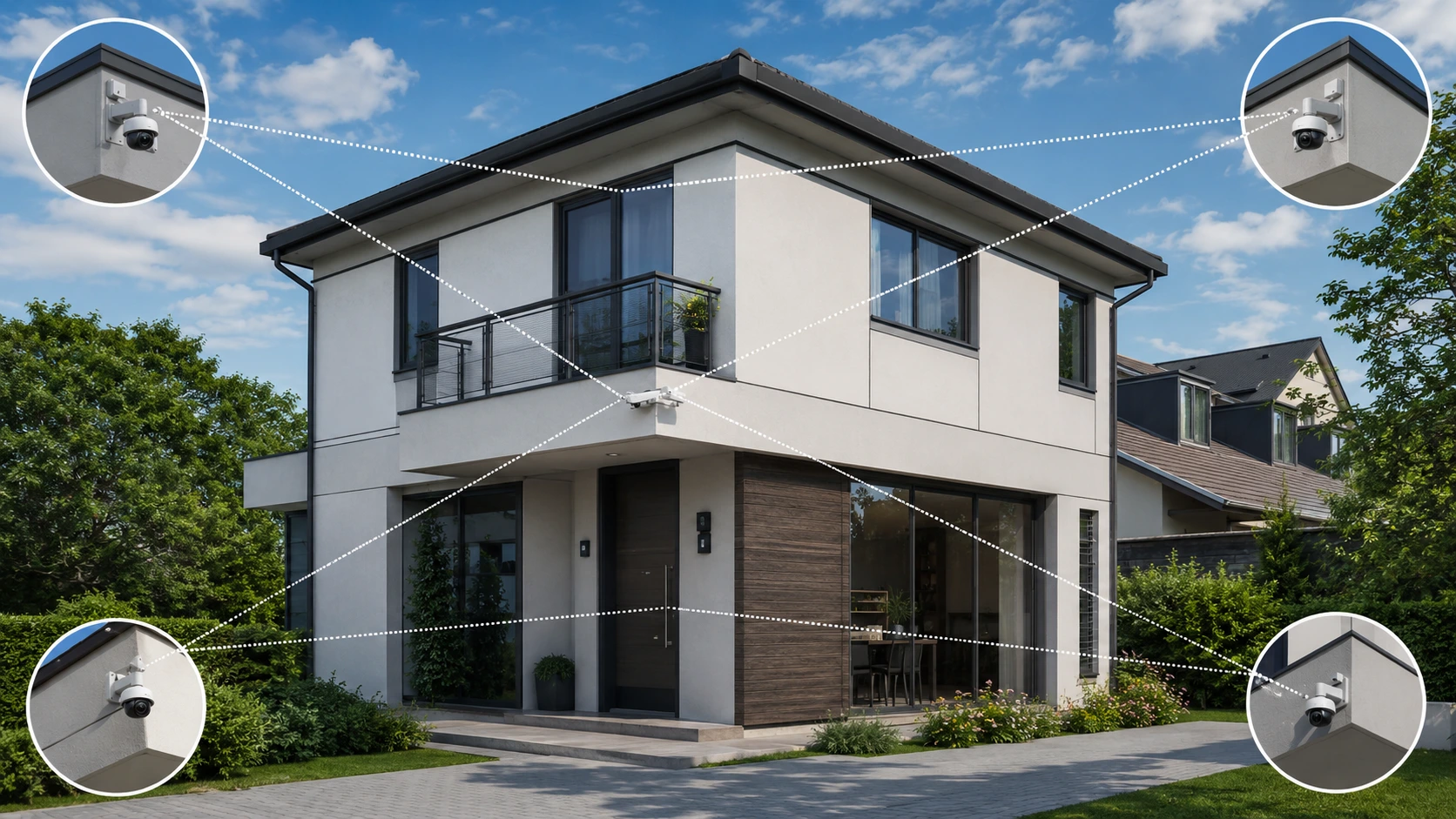
I find that a 360‑degree CCTV camera lets me observe a space with fewer blind spots. The right setup can cover rooms, shop floors, parking lots and building entrances. However camera placement, lens type, lighting and mounting height all affect the results. A placed 360‑degree CCTV camera will miss key details even when the viewing angle is wide.
I recommend starting to learn how to install CCTV cameras for a 360‑degree view, by choosing the right 360‑degree CCTV camera and planning its position. A reliable power source, suitable storage and clear footage are also required. Follow these steps to plan the setup, test coverage and decide when extra 360‑degree CCTV cameras are needed.
How to Install CCTV Cameras for a 360-Degree View
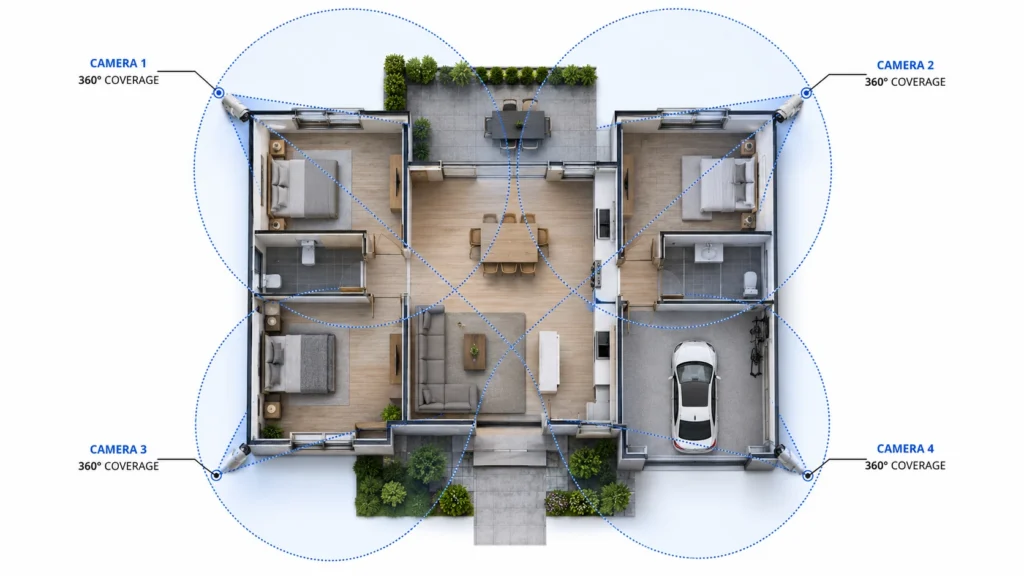
Start by looking at the area you want to watch. Think about whether one wide-angle camera will be enough or if you need than one. Pick a spot to mount the camera connect it and then set the angle so it sees what you need. Check the video and recorded clips before you trust the system completely.
A real 360-degree camera can take in a circle from the right spot.. It can’t see through walls, furniture or other solid things. You might need cameras to get the parts that are hidden or to see faces and details from farther away.
What Does 360-Degree CCTV Coverage Mean?
A 360‑degree surveillance camera captures a circle around its viewing point. Many models use a lens or several sensors to cover a wide area. Some cameras also offer controls that let you view different parts of the captured scene.
I notice that a wide view does not always mean details. The camera may show a shop floor but faces, near the far end can appear small. Separate cameras may provide detail at doors, checkout counters and other key points.
It is also important to separate camera coverage from property coverage. A camera mounted in the middle of a room may see most of the room. The camera will not cover a room or an outdoor area hidden behind a wall.
Choose the Right CCTV Cameras for 360-Degree Coverage
The right camera depends on the size, shape, lighting and purpose of the area. Right camera selection is key.
360-Degree Fisheye Cameras
Fisheye cameras use a lens to capture a large area from one position. Fisheye cameras often work well in offices, shops, reception areas and living rooms. Some Fisheye cameras offer dewarping, which turns an image into a more natural view.
Check the image quality at the edges before buying. A wide image may stretch objects, near its borders. Look for the resolution, night vision, storage options and viewing software you need I suggest checking all these.
Panoramic and Multi-Sensor Cameras
Panoramic cameras capture a view. I find cameras useful when seeing a wide space. Multi-sensor models use than one sensor or lens. I believe multi-sensor models work well in warehouses, stores and parking areas. Check if the system combines the views into one image or shows channels.
Multiple Fixed-Lens Cameras
Standard cameras can be a choice when you need clear views of separate areas. I find that using one camera for an entrance and another standard camera, for a parking space works well. Standard cameras can improve detail. Help cover areas blocked from a central camera.
Plan Your CCTV Camera Placement Before Installation
I think good planning cuts out spots and keeps equipment from being wasted. Walk around the property. Write down the areas that need monitoring.
- Mark locations: Include doors, exits, hallways, driveways and payment areas.
- Check for obstacles: Look for walls, pillars, shelves, trees and signs that block the view.
- Review lighting: Check for sunlight, bright lamps and dark corners.
- Choose a height: Follow the camera makers guidance and test whether faces remain clear.
- Plan cable routes: Keep cables protected and away, from heat, water and damage.
- Check privacy: Avoid recording spaces or areas beyond your property where possible.
For example a small shop might use one ceiling‑mounted camera on the open sales floor. A second camera, placed near the entrance can capture faces clearly. Together these cameras give coverage and finer detail than a single camera alone. I think this setup helps shop owners keep a view.
How to Install CCTV Cameras for a 360-Degree View Step by Step
Step 1: Check the Area
Measure the space carefully. Think about the views you want to cover. See if one camera is enough to watch the area without anything blocking the view. If there are parts that’re hard to see or need closer looks add more cameras to get better coverage.
Step 2: Select the Mounting Point
Pick a spot on the ceiling or a wall that lets the camera see clearly. A central spot, on the ceiling often works well for fisheye camera models. Outdoor cameras need protection from rain, dust and harsh glare.
Step 3: Secure the Mounting Bracket
I mark the points and check for hidden wires or pipes before I drill. I choose the anchors for the wall or ceiling material. I secure the bracket firmly. Follow the manufacturers installation guide.
Step 4: Connect Power and Network
Connect the camera to a power source that it supports. Wired cameras might use an Ethernet cable and some systems use Power, over Ethernet. Wireless cameras still need power and a good network connection.
Connect the camera to a recorder or a storage service that is compatible if it is needed. Look at the manufacturers guide before connecting devices because not every camera works with every recorder.
Step 5: Complete the 360 Camera Setup
Open the cameras app or web interface. Follow the setup instructions. Set the date time, image quality and recording schedule. Adjust the view or dewarping settings if the camera model supports them.
If you want to install camera 360 equipment check the model first. The term can refer to products and their setup steps may vary. For example how to install qubo 360 camera depends on the Qubo model, its mounting method and its app instructions. Follow the guide, for pairing, Wi-Fi and account setup.
Step 6: Test Coverage and Recordings
Walk through the area while looking at the video. Check the doors the corners and places where things might stop the view. Watch the video when it is light outside and when it is dark. Take a video and watch it again. Make sure the picture is sharp and the video is saved properly. Move the camera. Put another one in place if some important spots are still not seen.
Common Mistakes to Avoid When Setting Up 360-Degree CCTV Cameras
Even a good camera can have gaps if you put it in the spot. Avoid these mistakes when you set up the camera.
- Ignoring blind spots: Walls, shelves, and pillars can block parts of the view. Test every key area before finishing.
- Mounting too high: Excessive height can make faces and other details harder to identify.
- Choosing the wrong lens: A wide view may not provide enough detail for distant objects.
- Skipping night tests: Check how the camera performs in darkness and under nearby lights.
- Forgetting storage: Confirm that recordings save correctly and remain available for the required period.
- Ignoring network strength: A weak connection can cause delays or interruptions in live viewing.
Do not judge coverage by the live preview alone. Check saved footage at different times and from different viewing angles.
How Many CCTV Cameras Do You Need for 360-Degree Coverage?
The number depends on your propertys layout, camera resolution and security goals. A single 360‑degree camera may cover a room but larger properties often need several cameras.
| Area | Possible setup |
| Small open room | One suitable 360-degree camera |
| Small retail shop | One panoramic camera plus an entrance camera, if needed |
| Office with separate rooms | Multiple cameras at selected points |
| Warehouse | Panoramic or multi-sensor cameras with extra units for key areas |
| Parking lot | Multiple outdoor cameras where one view cannot cover the whole space |
The number depends on your property’s layout, camera resolution and security goals. A single 360‑degree camera may cover a room but larger properties often need several cameras.
Should You Install 360-Degree CCTV Cameras Yourself or Hire a Professional?
DIY installation can work if you have an indoor camera and clear setup instructions. You’ll need to mount the camera connect it to power set up the app and make sure the footage looks good. Before you start drilling or working at heights check your skills and read the manufacturer’s instructions carefully.
Professional installation is better for homes, outdoor setups, complicated wiring or systems with many cameras. A trained installer can find spots check if your Wi-Fi reaches all areas plan how much storage you’ll need and test everything thoroughly once it’s all set up.
For homes and businesses, in Indianapolis Cam Security Surveillance offers professional security camera installation Indianapolis services. They provide a site assessment to find the camera spots and design the right system for your property. Reach out to us today to talk about your camera installation needs.
Conclusion
A 360‑degree CCTV setup begins with choosing the right camera placing it carefully and setting clear coverage goals. Check for obstacles pick a mounting point connect the system properly and test both live and recorded footage. Add cameras wherever a single wide‑angle view does not show enough detail.
Before you finish the installation, make sure important areas are visible both in daylight and at night. A well-planned CCTV system helps you monitor your property and reduce blind spots. Contact us today for a professional security camera installation tailored to your property’s needs.
FAQs
Can one CCTV camera provide a 360-degree view?
Yes a compatible 360-degree camera can capture a circle around its position. Walls, objects and distance may still limit coverage.
Where should I install a 360-degree surveillance camera?
A central ceiling position often works well in indoor spaces. For areas choose a stable spot with good weather protection and a clear view.
Are 360-degree CCTV cameras better than cameras?
They can cover an area from one position. Regular cameras may give details of faces, entrances and far objects. The best option depends on your security needs.
Do 360-degree CCTV cameras work at night?
Many models support night vision or low-light recording. Check the camera’s night vision range and test footage under your property’s lighting conditions.
Can I connect a 360-degree camera to an NVR?
Yes, if the camera and NVR are compatible. Check supported video formats, resolution, network protocols and available channels before connecting them.
How can I reduce spots in a 360-degree CCTV system?
Choose mounting points, check for obstacles and test the camera from different angles. Add another camera if important areas remain hidden.
What should I check after completing a 360 camera setup?
Check the view, image quality, network connection, night vision, recording schedule and saved footage. Confirm that the system works as expected before relying on it.










