Security cameras have become a basic part of home and business protection. Whether you want to watch your front door or monitor a warehouse, the right camera makes all the difference. Prices range from $20 to over $2,000, so knowing what you need saves real money.
Understanding the different types of security cameras and their prices helps you avoid overspending on features you don’t need. This guide breaks down every camera type, what it costs, and who it’s actually for.
Indoor Security Cameras
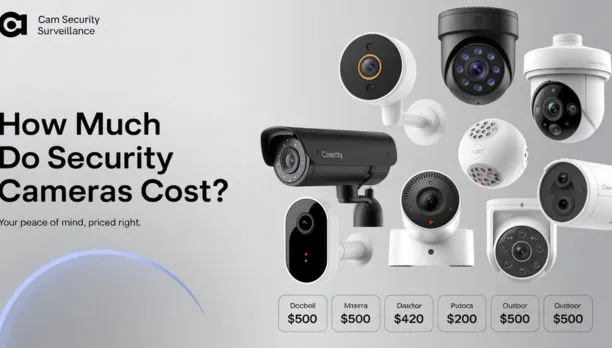
Indoor cameras are the most affordable entry point into home security. They’re built for controlled environments, so they don’t need weatherproofing. Cam Security Surveillance helps homeowners choose reliable indoor camera systems that provide clear monitoring, smart alerts, and easy remote access.
What they do: Monitor living rooms, nurseries, offices, and entryways from inside your home or building.
Price range:
- Budget models: $20 to $50
- Mid-range: $50 to $150
- Premium smart models: $150 to $300
Popular brands and models:
- Wyze Cam v3: Around $35
- Google Nest Cam (Indoor): Around $99
- Arlo Pro 4 Indoor: Around $179
Key features to look for: 1080p or 2K resolution, night vision, two-way audio, motion alerts, and local or cloud storage.
Indoor cameras are not built for rain or extreme temperatures. Keep them inside. If you have pets, look for pet detection AI to cut down on false alerts.
Outdoor Security Cameras
Outdoor cameras are tougher. They’re built to handle rain, wind, heat, and cold. Most carry an IP65 or IP67 weather rating, which means they can take direct water exposure.
Price range:
- Budget: $40 to $80
- Mid-range: $80 to $200
- Professional-grade: $200 to $500+
Top picks by price:
- Blink Outdoor 4: Around $50
- Eufy SoloCam E40: Around $79
- Arlo Ultra 2: Around $299
Outdoor cameras typically offer wider viewing angles, color night vision, and motion-activated spotlights. If you’re monitoring a driveway or backyard, go for at least 130-degree field of view and 1080p resolution minimum.
Wireless Security Cameras
Wireless cameras run on Wi-Fi and battery power. They’re flexible and easy to install without drilling walls or running cables.
Price range:
- Entry-level: $30 to $80
- Mid-range: $80 to $200
- Premium: $200 to $400
Where they shine: Renters, people who move often, or anyone who wants a no-drill setup.
Downsides: Batteries need recharging every 1 to 6 months depending on usage. Wi-Fi dead zones can cause dropped connections.
Solar-powered wireless cameras are a growing option. They cost slightly more ($80 to $200) but eliminate the need to recharge.
Wired Security Cameras
Wired cameras connect to a power source and a recording device through cables. They’re more reliable than wireless and ideal for permanent installs.
Types of wired systems:
- PoE (Power over Ethernet): One cable handles both power and data. Cleanest setup.
- Analog (BNC/coaxial): Older tech, still widely used for budget installs.
Price range:
- Basic analog cameras: $30 to $100 each
- PoE cameras: $80 to $250 each
- DVR/NVR systems (4 to 8 cameras): $200 to $1,000+
Wired cameras don’t rely on Wi-Fi, so they’re more stable. They’re the go-to choice for businesses and large properties.
Dome Security Cameras
Dome cameras get their name from their shape. The dome casing makes it hard to tell which direction the camera is pointing, which acts as a deterrent on its own.
Best for: Retail stores, offices, hotel lobbies, and indoor ceilings.
Price range:
- Basic: $30 to $100
- Business-grade: $100 to $400
- High-end IP dome cameras: $400 to $1,200
Dome cameras are vandal-resistant. Many models are rated IK10, which means they can take a direct hit without breaking. This makes them a smart pick for high-traffic or high-risk areas.
Bullet Security Cameras
Bullet cameras are long and cylindrical. They’re easy to aim in one direction and usually come with a visible IR range for night vision.
Best for: Driveways, parking lots, perimeters, and long-range monitoring.
Price range:
- Budget: $25 to $80
- Mid-range: $80 to $250
- Professional: $250 to $600+
Because they’re visible and directional, bullet cameras act as a strong visual deterrent. Criminals can see them easily, which often stops an incident before it starts.
For license plate capture, bullet cameras with varifocal lenses are your best option. They can zoom in and still hold a sharp image.
PTZ (Pan-Tilt-Zoom) Cameras
PTZ cameras can pan left and right, tilt up and down, and zoom in optically without losing image quality. They’re the most flexible camera type you can buy.
Best for: Large open spaces, parking garages, stadiums, and live-monitored systems.
Price range:
- Consumer PTZ: $100 to $400
- Professional PTZ: $400 to $2,000+
- Enterprise broadcast-grade: $2,000 to $10,000+
PTZ cameras can be controlled manually or set to follow motion automatically. Many modern models use AI to track moving objects in real time. If you have a wide area to monitor with only one camera, a PTZ often makes more sense than installing 4 fixed cameras.
Doorbell Security Cameras
Video doorbells replaced the basic doorbell button. They show you who’s at your door in real time, record footage, and let you talk to visitors through your phone.
Price range:
- Budget: $40 to $80 (Blink Video Doorbell, Eufy Doorbell)
- Mid-range: $100 to $200 (Ring Video Doorbell 4, Google Nest Doorbell)
- Premium: $200 to $350 (Ring Pro 2, Arlo Video Doorbell)
Key features:
- Package detection
- Pre-roll recording (captures moments before motion triggers)
- HDR video
- Color night vision
Subscription plans for cloud storage can add $3 to $20 per month depending on the brand. Factor that into your total cost before buying.
Floodlight Security Cameras
Floodlight cameras combine a powerful light with a camera. When motion is detected, the light turns on. This is one of the best deterrents available because it removes the darkness criminals rely on.
Price range:
- Entry-level: $50 to $120
- Mid-range: $150 to $300
- Premium: $300 to $500
Top models:
- Wyze Floodlight Cam v2: Around $59
- Ring Floodlight Cam Wired Pro: Around $279
- Arlo Pro 3 Floodlight Camera: Around $249
Floodlight cameras are hardwired to your home’s electrical system, so they need a junction box or outlet nearby. Installation usually requires a licensed electrician.
Hidden Security Cameras
Hidden cameras, also called covert cameras, are designed to blend in. They look like everyday objects: smoke detectors, clocks, USB chargers, picture frames, or pens.
Price range:
- Basic hidden cameras: $20 to $80
- HD covert cameras with Wi-Fi: $50 to $200
- Professional covert systems: $200 to $500+
Important legal note: Laws around hidden cameras vary by state and country. In most places, recording someone without consent in a private space (bathroom, bedroom) is illegal. Always check local laws before using hidden cameras. Hidden cameras are legal in common areas of your home or business in most jurisdictions.
Smart AI Security Cameras
Smart AI cameras use machine learning to tell the difference between a person, a car, a pet, and a random shadow. This drastically cuts down on false alerts.
AI features to look for:
- Facial recognition
- Package detection
- Vehicle detection
- Person detection with zones
- Abnormal behavior detection (for business use)
Price range:
- Consumer AI cameras: $80 to $300
- Business AI cameras: $300 to $1,500
- Enterprise AI systems: $1,500 to $10,000+
Smart AI cameras are where the industry is heading. Even budget brands like Wyze and Eufy now include basic AI detection. If you’re tired of false alerts from passing cars or neighborhood cats, an AI camera pays for itself in peace of mind.
Security Camera Installation Costs
The camera is just part of the cost. Installation adds up fast, especially for wired systems.
DIY installation: Free, if you’re comfortable with basic tools and wiring. Wireless cameras are especially easy. Most people can mount and set up a wireless system in under an hour.
Professional installation costs:
- Single camera: $100 to $200 per camera
- Full home system (4 to 8 cameras): $400 to $1,500
- Business or commercial system: $1,000 to $5,000+
If you’re in the Indianapolis area, Cam Security Surveillance offers professional security camera installation in Indianapolis for both residential and commercial properties. Their team handles everything from camera placement planning to cable routing and system configuration.
Factors that affect installation cost:
- Number of cameras
- Camera type (wired vs. wireless)
- Ceiling height and mounting complexity
- Cable length and routing difficulty
- NVR/DVR setup and programming
Cloud Storage vs Local Storage Costs
Most people don’t think about storage until after they buy a camera. This is a real mistake.
Cloud storage:
- Stores footage on remote servers
- Accessible from anywhere
- Costs $3 to $30 per month depending on the plan and number of cameras
- Brand-specific: Ring Protect, Arlo Secure, Nest Aware, etc.
Local storage:
- Footage stays on a hard drive (DVR, NVR) or SD card in the camera
- One-time cost: $50 to $400 for a hard drive or NVR
- No monthly fees
- Limited by drive capacity (typically 1 to 4TB)
Hybrid storage: Some systems let you use both. Critical footage stays in the cloud. Everything else is saved locally. This is the most practical setup for most homeowners and small businesses.
| Storage Type | Upfront Cost | Monthly Cost | Best For |
| Cloud only | Low | $3–$30/month | Renters, small setups |
| Local only | $50–$400 | $0 | Privacy-focused users |
| Hybrid | $100–$500 | $3–$10/month | Best overall value |
How to Choose the Right Security Camera for Your Budget
Start with these questions:
- Where do you need coverage? Inside only → indoor cameras. Outside too → outdoor or floodlight cameras. Front door → video doorbell.
- What’s your budget?
- Under $100: Wyze, Blink, Reolink
- $100 to $300: Ring, Eufy, Google Nest
- $300+: Arlo, Lorex, Hikvision
- Do you want professional monitoring? Some systems include optional 24/7 professional monitoring for $10 to $30 per month. This means someone calls the police if an alarm triggers.
- How many cameras do you need? A standard home usually needs 4 to 6 cameras: front door, back door, garage, and driveway at minimum.
- Wired or wireless? Renters or small spaces → wireless. Permanent installation or large property → wired PoE system.
Common Mistakes Buyers Make
Buying too few cameras. People start with 2 cameras and realize they can’t cover their property. Plan your full coverage first.
Ignoring storage costs. A $50 camera with a $15/month cloud plan costs $230 in the first year alone.
Choosing the wrong resolution. 720p is not enough for identifying faces. Go with 1080p minimum. 2K or 4K for parking lots or wide-area coverage.
Forgetting night vision range. Most cameras list 30-foot night vision, but that’s under ideal conditions. A camera covering a 60-foot driveway needs a stronger IR range.
Skipping weatherproofing. Putting an indoor camera outside will destroy it within months. Always check the IP rating for outdoor use.
Not testing Wi-Fi signal. Wireless cameras fail in spots where Wi-Fi is weak. Test your signal at the install location before mounting.
Future Trends in Security Camera Pricing
Security cameras are getting smarter and cheaper at the same time.
Falling prices: In 2020, a quality 4K outdoor camera will cost $300+. Today, you can get comparable quality for under $100. This trend is continuing.
AI everywhere: Facial recognition, behavioral analysis, and license plate reading are moving into the mid-range consumer market. By 2026, expect AI detection in cameras under $80.
Edge computing: Cameras are processing footage locally instead of sending everything to the cloud. This reduces lag, cuts storage costs, and improves privacy.
5G cameras: Battery-powered cameras with 5G connectivity are arriving for remote areas without Wi-Fi. Expect these to hit the $150 to $400 range as 5G expands.
Subscription fatigue fixes: More brands are moving to local storage options or one-time fee models to compete with subscription-heavy brands like Ring and Arlo.
Conclusion
Understanding the different types of security cameras and their prices puts you in control. You’re not guessing at what you need or overpaying for features that don’t fit your situation.
Start with your coverage needs. Match the camera type to the location. Set a real budget that includes installation and storage. Then pick a brand that fits.
Whether you’re protecting a single apartment or a multi-location business, the right camera at the right price is out there. If you’re unsure about installation or system design, working with a professional like Cam Security Surveillance can save you time, money, and a lot of frustration. Contact us today to get expert help choosing and installing the right security camera system for your property.
FAQs
What is the most common type of security camera?
Dome cameras are the most widely used, especially in commercial settings. They’re discreet, vandal-resistant, and work both indoors and outdoors.
How much should I spend on a home security camera system?
A solid 4-camera home system typically costs between $300 and $800 for the hardware, plus $100 to $500 for installation if you go professional.
Are wired or wireless cameras better?
Wired cameras are more reliable and don’t need battery changes. Wireless cameras are easier to install and more flexible. For permanent homes, wired is better. For renters or temporary setups, wireless wins.
Do security cameras reduce crime?
Yes. Studies show visible cameras reduce property crime by 20% to 50% in monitored areas. The deterrent effect is real.
What resolution should security cameras have?
1080p is the minimum for useful footage. 2K (2560×1440) or 4K is better for wide areas, license plates, or facial identification.
What is PTZ in a security camera?
PTZ stands for Pan-Tilt-Zoom. These cameras can rotate, tilt, and zoom in on subjects. They’re used in large spaces where one camera needs to cover a wide area.
Can security cameras work without the internet?
Yes. Cameras connected to a local DVR or NVR system record without internet. You lose remote access and cloud storage but keep full recording capability.
How long do security cameras keep footage?
Most systems store 7 to 30 days of footage. This depends on storage size, resolution, and whether motion-only or continuous recording is set.