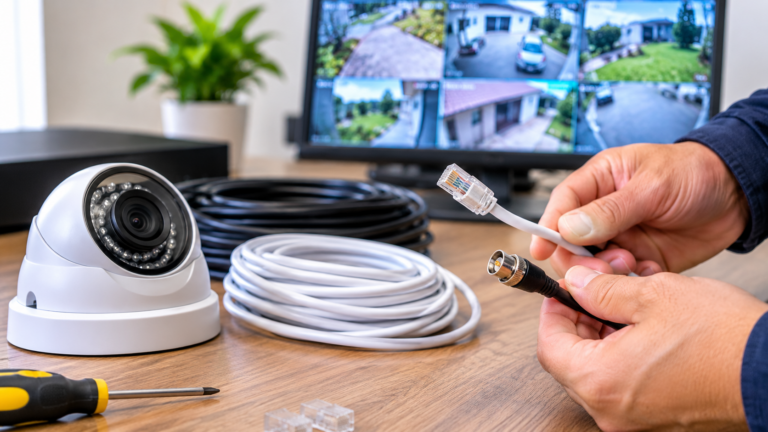
Nowadays, surveillance systems have come a long way from the basic analog systems of the past. Today’s newest installations are IP cameras that send high-quality video over a network. Their power supply is one of the biggest issues with such installations. It is costly, unappealing, and sometimes impossible to provide a power cable for each camera. Enter the PoE injector. What exactly does it do in CCTV installation? A PoE injector serves the purpose of enabling the power and data to run to a camera through just one Ethernet cable, enabling simplified, cleaner, and more reliable installation.
This article explains how PoE injectors work, their role in security camera systems, the differences between PoE switches and injectors, and what to consider when choosing the right device for your surveillance setup with Cam Security Surveillance.
Understanding CCTV Camera Power over Ethernet
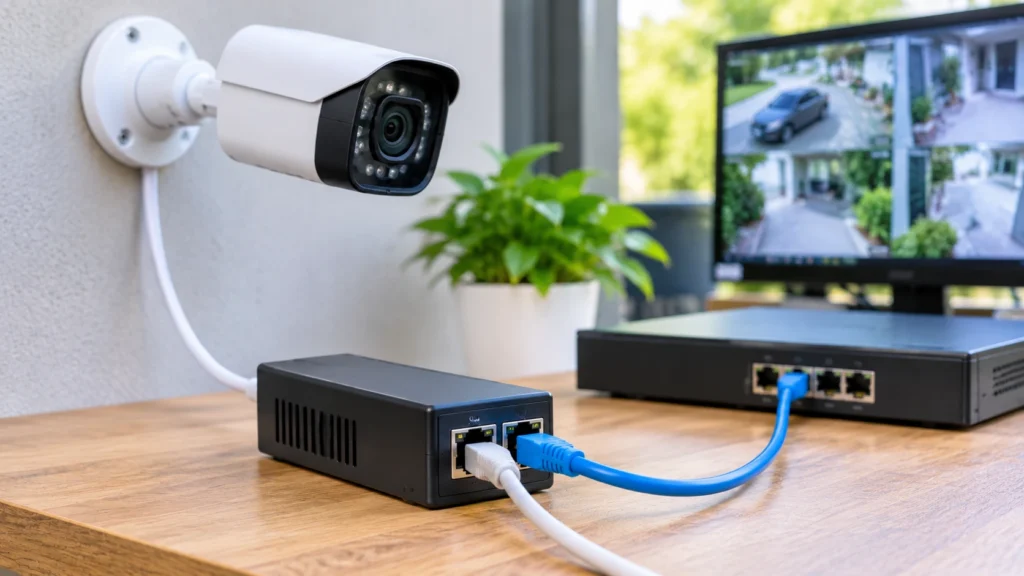
Power over Ethernet (PoE) is a technology that allows a standard network cable to transmit both electrical power and data. In the context of CCTV camera power over Ethernet, this means you can use a single cable (Cat5e or Cat6) to connect a camera to the network and power it, without needing a nearby electrical outlet, a separate power adapter, and an electrician.
The massive advantages for surveillance installations are:
- Less cable: One cable goes in to replace two, decluttering the systems and installation process.
- Camera placement is no longer limited: Cameras can be placed on ceilings, outbuildings, on poles, on outer walls, or in parking areas where there are no power outlets.
- Low cost to install: Fewer cables and less electrical work reduce labor costs.
- Zero to the central power: Power: most of the time it originates from some central point – so in case of power failure the cameras continue to work on backup as they are powered by a UPS.
- PoE: In outdoor environments, mains electricity is far more hazardous than PoE because PoE is low-voltage.
PoE is defined in the IEEE in terms of how much power can be injected. The most common are 802.3af (up to 15.4W), 802.3at or PoE+ (up to 30W), and 802.3bt or PoE++ (up to 60W or 90W). Technical specifications of IP cameras with a fixed Pinhole focus enter IEEE 802.3af standards seamlessly; in some cases, the PoE can exceed PoE+ with a PTZ camera, a camera with a heater, or one with built-in infrared illuminators.
What Is a PoE Injector?
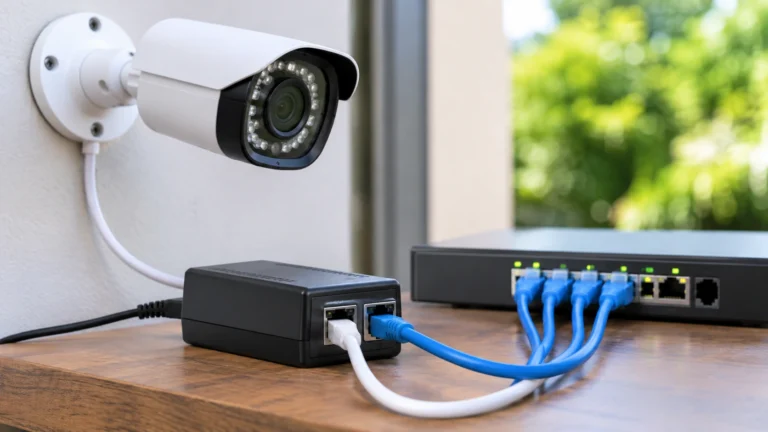
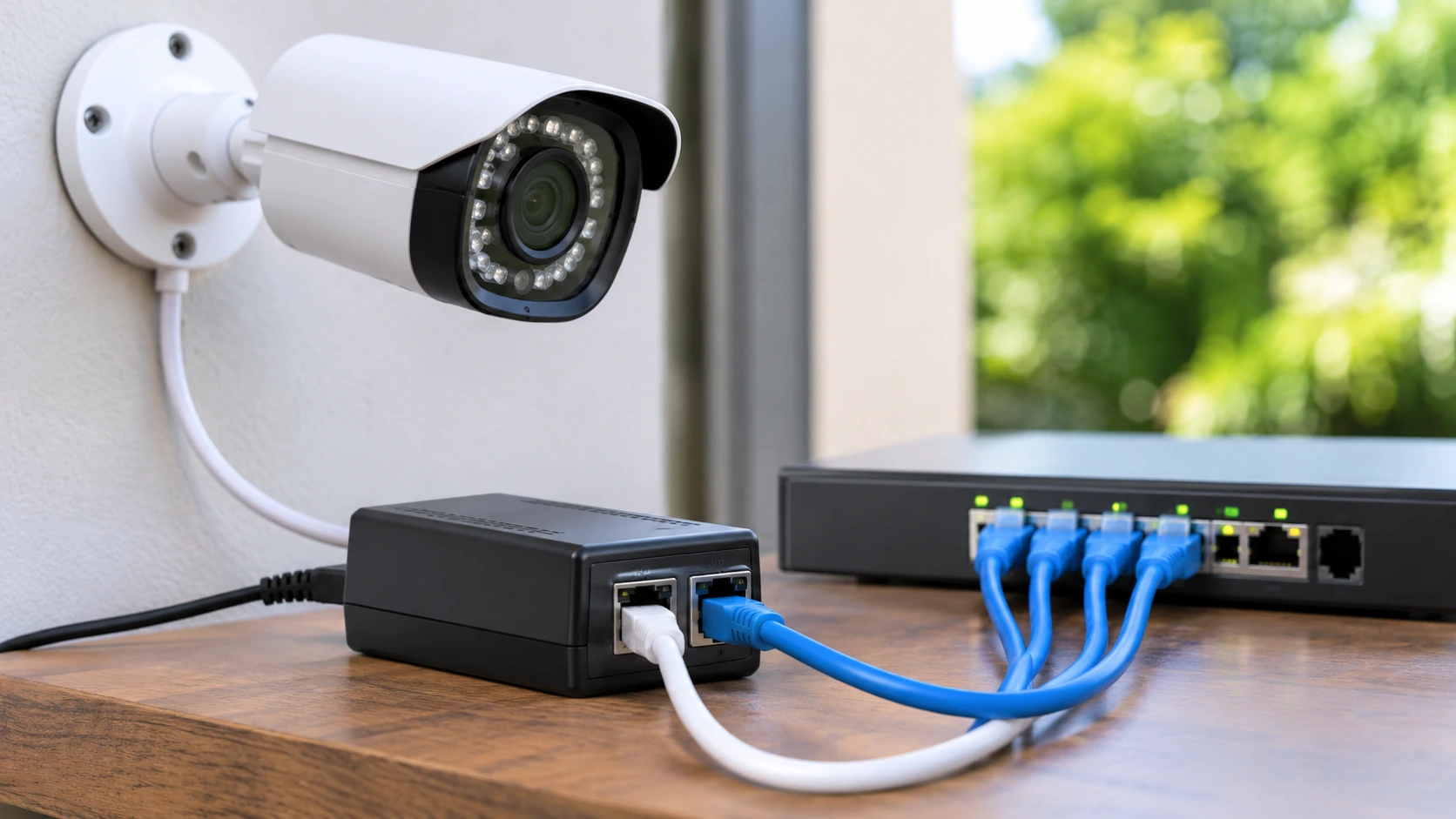
A PoE injector is a small device that injects power into an Ethernet connection. They are commonly used when you have a network switch or router that doesn’t support Power over Ethernet, but you need to provide power to a PoE camera. It sits between the non-PoE switch and camera, delivering power in the cable that carries the data.
A standard PoE injector has two Ethernet ports and one power input:
- Data In (LAN): Your non-PoE switch or router
- Data & Power Out (PoE): Camera
- AC power input: Wall outlet
When placed in the middle of the cable run, it is sometimes referred to as a midspan device.
How A PoE Injector Operates
Learning how a PoE injector works is why it is the most convenient tool. Pick a few steps in the process next:
1:Data passes through.
The network signal from your switch or router goes into the injector’s data port and is routed to the output port unchanged.
2:Power is added.
The injector converts AC mains power into low-voltage DC power (typically 48V) and delivers it to the data signal in one cable.
3:Device detection.
A standards-compliant injector will look to see if the connected device is truly PoE compatible before pushing any Power. It sends a small test signal and looks for a particular resistance signature.
4:Power Negotiation
If the device is compatible, the injector checks the power needed and supplies only the necessary power.
5:Safe operation.
If a non-PoE device is connected to the injector, no power is supplied, thus protecting the equipment from damage.
This detection is vital. The BUILD OF AN 802.3af/at/bt-ONIX INJECTOR that is based on standards won’t expose a device to a device that’s not PoE-enabled. But cheap, passive PoE injectors that push a fixed voltage with no negotiation can damage non-PoE-capable gear. For CCTV installations, only use an active, standards-compliant injector unless the camera you’re using requires (passive) PoE.
From within the cable, the power is supplied through either the spare wire pairs (in 10/100Mbps networks) or over the same pairs that transmit data (in gigabit networks). The camera’s PoE circuitry splits the power, routing it through to each of its components.
How a PoE injector works in an IP camera network
There are several practical uses of a PoE injector for IP cameras in a CCTV installation.
1:Cameras without network switch replacement
Many households, small offices and shops rely on a standard network switch, which is the most common solution. Converting or upgrading it to a PoE switch may be costly if you only have one or two cameras. With an injector that adds PoE “in place,” you can rectify this without touching part of your existing infrastructure.
2:Small or growing systems support
If you have one to four cameras in a small CCTV setup, injectors become highly economical. They are also handy when you already have a system in place and need to add more cameras. If your PoE switch is no longer accommodating enough ports or power, you may add an injector alongside a camera instead of buying a swelled-up switch.
3:CCTV camera placement
You can run an Ethernet cable up to 100 meters (328 feet) within standard Ethernet limits. A PoE injector for IP cameras allows flexible camera placement away from the equipment room while providing both power and data. For longer distances, PoE extenders or fiber media converters can help extend connectivity. For professional security camera installation Indianapolis, choose a setup that meets your camera’s power and network requirements.
4:Powering high-demand cameras
PTZ cameras, thermal cameras, and even heaters for cameras in cold areas draw more power than a standard port can provide. The specific camera may be tailored for a high-power injector (PoE+ or PoE++).
5:Troubleshooting simplification
Each injector powers a single device, so it is simple to fault isolate. If one camera no longer works, one can simply verify that the injector and cable are working without affecting the rest of the system.
6:PoE Injector vs PoE Switch
When you are planning, one common question arises as to the difference between a PoE injector and a PoE switch. They both provide power over Ethernet but are used in different situations.
| Feature | PoE Injector | PoE Switch |
| Function | Adds power to a single cable; | multiple ports for data and power |
| Number of devices | 1 per injector | 4, 8, 16, 24 or more |
| Cost per device | 1-2 cameras; $ low cost per device | Larger systems are cheaper |
| Best For | Solo or upgrade projects; | new, medium, and large-scale installations |
| Cabling and clutter: | A lot more power adapters and outlets. | Clean, centralized unit |
| Network management: | None. | Usually with VLANs, monitoring, PoE control, etc |
| Scalability | Limited | Good |
You would choose a PoE injector when:
- 1 of 3 cameras.
- You already own a non-PoE switch, and you do not want to replace it.
- You need to power a single high-wattage device.
- You add a camera to an existing system.
When to use a PoE switch:
- You are building a brand-new system for 4 or more cameras.
- You want a neat, consolidated click of installations with a single power source.
- You require network management capabilities (like remote port reset).
- You anticipate expanding the system in the future.
In practice, a lot of installers use both. PoE switches principally serve the main camera group, and injectors serve the additional camera in a very remote setting.
How to Plug in PoE Injector for CCTV System
Installation can begin on your own if it is just standard networking cables and that is all you need.
1:Placement.
Installer, put the injector near a power outlet and within 100 meters of the camera. Make it indoors in a dry, ventilated place unless it is rated for outdoor use.
2:Connecting to the LAN port.
An Ethernet cable goes to your injector’s data input; connect the switch or router to it.
3:Connecting the camera.
Use a cable from the PoE output port of your injector to your camera.
4:Power it on.
The wall outlet should be powered on. The power indicator light indicates this.
5:Test the camera.
Have you confirmed the camera is running and shows up in your NVR or software?
Always go for good quality Cat5e, Cat6, or better and avoid copper-clad aluminum (CCA) cable, which has higher resistance, leading to loss of power and unstable connections.
Tips when Picking the Right PoE Injector
- Choosing the standard. Get an injector that meets or exceeds whether the camera is using 802.3af, 802.3at, or 802.3bt.
- Look up the power rating. Make sure the injector’s wattage is higher than your camera’s maximum utilization.
- Opt for the gigabit ones. Use a gigabit injector to avoid bottlenecks if you have 4K or high-bitrate streaming cameras.
- Protection features are a must. Over-current, short-circuit, and surge protection add dependability.
- Go for outdoor units. It’s better to buy an evacuator if it ever needs to sit outside. Waterproof models are the best for you.
- Quality manufacturers should be your first option. Certified items are safest and last longer.
Common Errors to Avoid
By looking for a cheaper injector in a market where all products claim to be standards-based PoE, you may end up with a passive injector and a camera that will not work while the two are required to work together, like when you’re using the camera with a PC that has power over Ethernet (PoE).
- Over the 100-meter cable limit.
- Using low-quality or CCA cables.
- Overloading a PoE switch and then blaming the injector as defective.
- Inserting the injector in hot, humid, or unventilated places.
Conclusion
What is a PoE injector? Between a PoE-enabled camera and a non-PoE network, it simply acts as an innocent, simple, easy-to-use bridge as it carries power and data to the device. It reduces the complexity of the installation, the cost of an upgrade to existing network gear, and adapts a small system, addition, and remote camera sites.
While a PoE switch is often the best choice for large, centrally managed systems, a PoE injector for IP cameras remains an affordable and practical option for smaller projects. Understanding how PoE injectors work, comparing PoE injectors with PoE switches, and checking device compatibility and power ratings help create a reliable CCTV setup. For professional advice and dependable security camera installation, contact us today.
FAQs
Is any PoE injector compatible with an IP camera?
The camera must support PoE via either the IEEE 802.3af, 802.3at, or 802.3bt standard. Most modern IP cameras are PoE-compatible, but you should always check the camera’s specifications before making this assumption. If your camera isn’t PoE-compatible, the injector won’t send power because it is standards-based, so no, the camera will never be damaged. It simply will not recover at all. To use one of these, you would need to power through its own DC adapter.
How many PoE injectors do I have to put in my CCTV setup?
Injector per camera, basically, as each injector powers one device. Injectors are practical and cost-effective for systems between one and three cameras. If you plan on installing four or more cameras, however, a PoE switch is usually the better choice, as it powers multiple cameras from one unit and keeps the setup streamlined.
How far can I use a PoE injector cable (maximum distance)?
Ethernet cable 100 meters (328 feet) is the standard length, measured from the data source, again called your switch, to the camera. The injector in that run doesn’t increase that distance. If you need to go past 100 meters, either a PoE extender or a fiber media converter is recommended. Using good-quality copper cable such as Cat5e or Cat6 is also something that will get you the entire distance reliably.
Can a PoE injector work with a PoE Switch?
It can, but you can’t run them on the same cable. An injector puts power on PoE ports that may also be powered with PoE, which creates a power conflict. For PoE injectors with PoE switches, find a PoE port with power disabled to connect the injector, or connect it to a non-PoE port. The PoE switch is often a topology of cameras with separate injectors for the one camera in a remote area.
Do PoE injectors affect Internet or video speed?
No, a high-quality injector does not degrade your network’s speed. Just as the data source passes unaltered through the injector, power is added along with complementary power and therefore does not affect the cable. Unless, of course, it happens to use a 10/100 Mbps injector on a camera streaming high-resolution video, such as 4K. So if you run into limits with a high-bitrate stream, choose your injector for gigabit specifications.