A reliable, effective CCTV system can be essential to protecting your business, staff, customers, stock, and property. However, the latest technological advancements can mean that the cameras in your business may need to be upgraded. If you’re unsure whether your current CCTV system needs replacing, here are a few reasons you might need to upgrade. If you are searching for security camera installation in Indianapolis, these reasons are a good place to start.
As with your retail, office, warehouse, restaurant, or industrial premises, you also need to change your security system depending on your risks and needs; upgrading security is something you will do as part of a planned business systems upgrade. An upgraded security system will give you better footage, easier to watch and monitor, plug any blind spots, and make recorded video that much more useful when investigating an incident. What can you keep?
Why Should Businesses Upgrade Their Commercial CCTV Cameras?
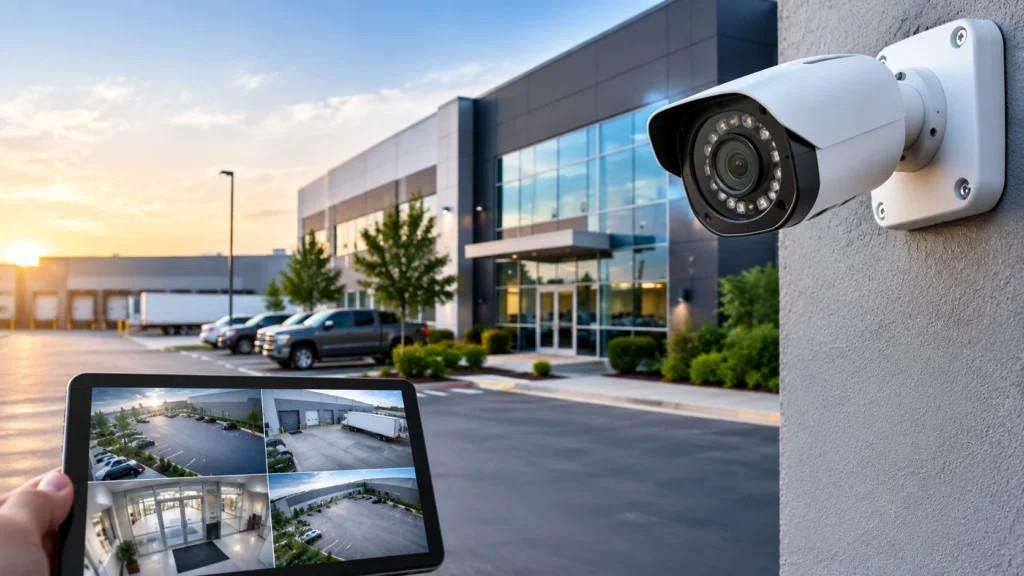
Your security requirements can change as your business expands and develops, as equipment is added and when you relocate premises. A system that once worked may no longer provide the clarity or monitor an area that has since been added.
To address these issues, a commercial CCTV camera upgrade can be the solution. You can upgrade to some or all of your existing CCTV cameras, upgrade your digital video recorder (DVR) or network video recorder (NVR), add more storage, integrate remote viewing and other extra features and functionalities.
We are not actually trying to buy slightly more recent gear. The intention is that the new cameras have averted footage, are dependable and promote the enterprise’s security priorities.
7 Reasons To Upgrade Your Commercial CCTV Camera
1. Improve Video Quality and Image Clarity
Again, as said before, the video quality of vintage cameras could be rough or grainy, not as sharp as what some might prefer. This could be especially a problem when filming in low-light situations on a wide angle or chasing a moving object.
More detail. Modern cameras are available in various resolutions and different lenses that can be selected for the location to provide more detail. More detail makes it easier to review an event, identify what is happening, and pick out details.
For example, a retail store may require the need for a clear surveillance view of the checkout lines, and a warehouse may require the necessity of having cameras covering the loading bays and entrances for lorries. Choose the resolution and lens to get you the view you require.
2. Address Blind Spots and Incomplete Coverage
Layouts can change, and companies often change their layouts. When they do that, new shelving, storage racks, partitions, equipment, or construction can be introduced that obstruct the cameras’ view.
Are the lenses in the camera system not covering as well as they were at the start, such as entrances, loading locations, car parks, storerooms, and reception, as well as fire safety and security departures?
Upgrading doesn’t always mean replacing all cameras. Ask yourself: Can you redeploy existing cameras, or is a new camera required? Can a different lens offer broader coverage? Our experts can advise on the right choices for you.
3. Improve Low-Light and Nighttime Monitoring
Night watch is a requirement in some businesses. Large parking lots, entrances, warehouses, and lots can be quite dark after sunset.
Older cameras have a hard time capturing useful photos in these conditions. Modern cameras contain a broad range of low-light technologies, infrared night vision, and several of them even support color in extremely low light.
Test how much lighting is available before you upgrade. A brightly lit office doorway with a camera that is ideal for that scenario could be absolutely useless on a dark outdoor door. Proper equipment makes the video shot at night much more meaningful.
4. Improve Recording Reliability and Storage Capacity
A camera is just one piece of a total camera system. Recorders, storage drives, network access, and power supplies are just as important.
The missing footage could be caused by having an outdated recorder with limited storage, the file playing too slowly, it not being compatible with your more recent camera, or it being the result of a corrupt hard drive or recording setting.
Maybe you need to record better footage because it will solve playback problems or storage problems or other compatibility issues. Think about how much time you want to store footage for, how many cameras it will take to store that much footage, and whether you need a higher resolution and how much that will cost you in storage.
Before upgrading, double-check your recording time schedule and also make sure you record the right video.
5. Enable More Convenient Remote Monitoring
Owners and managers (with authorized login ID) might like to view live and pre-recorded video footage while out of the office. Some older systems can allow remote access to some degree, but it can be a complicated process to find the exact footage you are after.
A modern system may provide secure viewing via a compatible smartphone, computer, or tablet. It may also offer notifications or centralized viewing for some sites.
Business phone monitoring video must only be viewed by authorized personnel. The remote viewing settings should be protected by using strong passwords, individual user rights, secure servers, and specific software and internet connection.
6. Add Modern Detection and Monitoring Features
Additional features seen on some commercial cameras include Motion detection; Line crossing alerts; people and vehicle identification/classification; License plate reading, or; Connection to other security systems.
But, depending on a camera, software, lighting, and installation conditions, these features can, under the right conditions, help a business focus on relevant events rather than find a needle in a haystack of hundreds of hours of video.
Always think about what a product would do to assist your business to reduce a cost or stay out of trouble in your office before you make any sort of new purchase. Would a small office require reliable recording and remote accessibility? A big parking lot?
7. Support Business Growth and Changing Security Needs
A company expands and installs new doors, storage rooms, offices, parking lots, or locations. The existing CCTV system doesn’t have enough cameras for all the new areas, or the existing system isn’t scalable.
If you already have a security camera system, you may want to look at a business security camera system upgrade. An upgrade may comprise IP cameras, upgrade your recorder, upgrading your network, or a multi-site system.
Flexibility in design can save you from another major upgrade when a new business requirement pops up. Investigate the compatibility, bandwidth supported, power consumption, storage requirements, and any extension possible.
Signs of Outdated CCTV Systems
Know what to look for when it comes to time for an upgrade by understanding the signs of aging CCTV systems.
Look for these common warning signs:
- Unclear or pixelated video: The provided video shows insufficient detail for its purpose.
- Camera failures: Cameras repeatedly lose connection, freeze, or stop recording.
- The recorder is running out of space, the contents are corrupted, or there’s no footage at all.
- After dark, essential locations are hard to identify.
- Restricted remote access: authorized individuals have no quick access to footage while away from the property.
- Coverage gaps: New layout or obstacle—important areas are now unhedged.
- Incompatibility: Current devices do not accommodate the business’s new requirements, as they will not connect to the cameras or let you use the features.
- More problems: Continually bringing faults can create a system that is hard to depend on.
The above symptoms do not necessarily have to mean that the whole system has to be replaced. Some of the more common solutions involve maintenance work, re-configuration of services, repairs, or selective upgrades to specific components. A technical evaluation can determine the best course of action.
Benefits of Upgrading Commercial Surveillance Cameras
The benefits of upgrading commercial surveillance cameras extend beyond improving image quality. A well-planned upgrade can make it easier to monitor business activity, review incidents, and manage security across the property.
| Upgrade Improvement | Potential Business Benefit |
| Higher-resolution cameras | More detailed footage when the camera and installation are suitable for the area |
| Improved low-light performance | Better visibility in dimly lit locations |
| Additional cameras or repositioning | Fewer coverage gaps in important areas |
| Updated recording equipment | Improved playback, compatibility, and storage management |
| Secure remote access | More convenient monitoring for authorized users |
| Modern detection features | More targeted alerts and easier review of relevant events |
| Expandable system design | Greater flexibility as business needs change |
Your feed-in will depend on the system design, install quality, network conditions, sunshine, and upkeep. It should be worth it for them to upgrade with real security threats—not a long list of “bells and whistles.”
Should You Replace the Entire CCTV System or Upgrade Selected Components?
You may not need to replace everything. Perhaps a single upgrade of a handful of cameras or a replacement for an old recorder will get things working properly. Perhaps your kit is just too old, and it’s time for the upgrade.
Things to consider before you jump in:
- Current cameras: Do the cameras generate better pictures, and is the current system functioning and pinpointing the proper location?
- Cabling and network infrastructure: Check whether existing cabling and connections will accommodate the equipment you are considering.
- Verify that the DVR / NVR can support the recording capabilities and the cameras that you are intending to use.
- Storage requirements: Calculate the amount of storage you will need based on your resolution, number of cameras, and the retention period.
- Coverage currently: All the places you can photograph your new cameras, or just somewhere for extra shots.
- Growth: Will the firm plan to expand or take on further security?
- Total Cost: Take the average of repair cost, partial upgrade cost, and total replacement cost for the lifetime.
A professional installer will assess your current situation and recommend which items could be retained, improved or replaced. This will be the most cost-effective way to address your top security threats.
How to Plan a Commercial CCTV Camera Upgrade
Careful planning helps ensure that the new system meets the business’s needs.
Step 1: Review Existing Security Coverage
Identify critical areas, including entrances, exits, cash-handling points, inventory storage, parking facilities, and loading zones. Check whether existing cameras provide suitable views.
Step 2: Define Your Main Priorities
More detailed footage? Better night vision? Longer footage? Remote access? More coverage?
Step 3: Select Suitable Equipment
Match your camera resolution, collection of lenses and alternatives, low gentle use, dwelling weatherproofing and playback alternatives and so forth that are relevant to your house.
Step 4: Check Infrastructure and Cybersecurity
Test the cabling, access control power supplies, and recorder compatibility with the network and recorder. Service or change as required.
Step 5: Test the Upgraded System
Check that the views of the cameras are correct, recordings are recording, playback is working, remote viewing is working, and the allowed users are trained on the system.
Step 6: Schedule Ongoing Maintenance
Keep an eye on your cameras and location—system health, storage, recordings, system status, software, and user permissions on a daily basis. Regular audits can diagnose any underlying problems in your system before it fails and keep it functioning at its best.
Upgrade Your Commercial CCTV System With Cam Security Surveillance
Your business requires a surveillance system that matches your business premises’ size, use, and security needs. Cam Security Surveillance offers a commercial surveillance and CCTV installation service for businesses and other properties with a range of surveillance equipment, including IP cameras, DVRs, NVRs, and specialized surveillance technology. We also provide security camera installation business.
A move may be worth considering if you know your current system has bad image quality, limited storage space, poor camera performance, and coverage issues. If any of these apply to you, it may be time for an upgrade.
Cam Security Surveillance can help companies better understand their surveillance needs and discuss potential camera and installation options.
Final Thoughts
There are a number of factors you want to consider before installing a new high-resolution CCTV camera. Learn reasons why you may need to upgrade your current system or camera. Let’s take a closer look.
A well-thought-out upgrade of commercial CCTV cameras could enhance the coverage without the need for a full overhaul. By auditing the cameras, establishing priorities, and selecting the right technology, we can help your organization create a more robust and flexible system with our security CCTV camera services. Contact us today for security camera installation in Indianapolis.
FAQs
How often should a commercial CCTV camera system be upgraded?
They will not be every business will have the same upgrade. All will be driven by camera condition, support, security, availability of spares, and the reliability of the camera. A camera may also give an indication of when an upgrade is due.
What are the main benefits of upgrading commercial surveillance cameras?
Improved picture quality, enhanced quality of video when the lighting is poor, ease of recording and storage, remote access convenience, more coverage, and enhanced detection. The advantages are determined by the type of equipment and the specifications of your property.
Can I upgrade my existing CCTV system without replacing every camera?
Yes, in certain circumstances. If the existing wire, recording system, and units of the camera are functioning and in good condition then we may be able to replace certain parts. We will assess the equipment and suggest what can be kept and what has to be replaced.
How do I know if my CCTV system is outdated?
Regular warning signs to look out for are unfocussed images, no footage, camera failures repeatedly, poor low-light performance, limited remote access and low coverage. These are all possible troubleshooting issues to check before opting for a service plan, repair or even upgrade to new hardware.
Does a CCTV upgrade improve business security?
A new upgrade can enhance the quality and effectiveness of your surveillance if it’s fixing obvious shortcomings in the system. CCTV cameras, of course, cannot stop all incidents. Good security is also down to where they are positioned, how well the system is configured and maintained, and procedures for staff.
Is a professional installation necessary for a commercial CCTV upgrade?
Getting professional installation may assist in having the camera positioned correctly, having the right cabling installed, capturing the right recording equipment, maintaining remote access security, and testing the system. This may especially benefit larger or more complex commercial locations.