
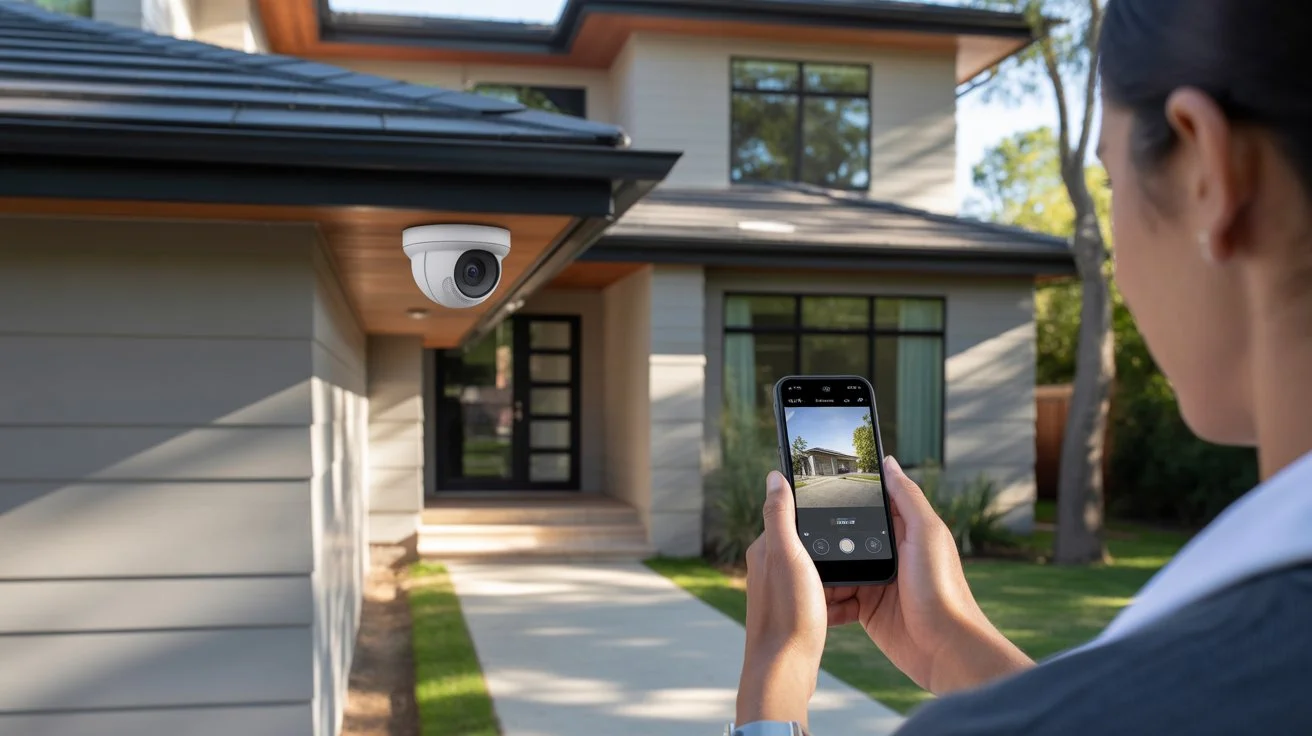
You see security cameras everywhere. Outside stores, on street corners, above front doors. But most people have no idea what is actually happening inside that small device. It is not magic. It is smart engineering that works around the clock.
So, how do security cameras work? Simply put, a camera captures light through a lens, converts it into a digital signal, and sends that signal to a recorder or cloud storage. Understanding this helps you make smarter choices about your home or business security.
How Do Security Cameras Work

A security camera works in four basic steps.
First, the lens captures light from the scene in front of it. Second, an image sensor converts that light into an electrical signal. Third, a processor turns that signal into a digital video file. Fourth, that file gets sent to storage or a live monitoring screen. At Cam Security Surveillance, we have seen this process work flawlessly when every component is set up the right way.
This all happens in real time, every second the camera is on.
The quality of each step determines how clear your footage looks and how reliable your system is. A cheap camera cuts corners at every stage. A quality camera handles each step properly.
The Main Components of a Security Camera System
Every security camera system has the same core parts. Here is what each one does:
The Lens
The lens focuses light onto the image sensor. A wider lens covers more area. A narrower lens gives better detail at a distance. Most home cameras use a fixed lens. Professional cameras often use varifocal lenses you can adjust.
The Image Sensor
This is the brain of the camera. It reads the light captured by the lens and turns it into a digital signal. There are two types: CCD and CMOS. CMOS sensors are more common today. They use less power and produce sharp, clear images.
The Processor (ISP)
The Image Signal Processor takes the raw data from the sensor and cleans it up. It handles color, contrast, sharpness, and noise reduction. A good processor makes a huge difference in low-light footage.
The Housing
The outer shell protects the camera from weather, dust, and tampering. Outdoor cameras need a housing with a high IP rating, like IP66 or IP67, to handle rain and heat.
The Recorder
Footage goes to a recorder. Wired systems use a DVR (Digital Video Recorder) or NVR (Network Video Recorder). Wireless cameras often record to cloud storage or a local SD card.
If you want a system where every component works together properly, Cam Security Surveillance provides professional security camera installation Indianapolis services. The right setup from day one saves you from costly problems later.
How Security Cameras Capture Video
A camera does not record one long video file. It captures a rapid series of still images, called frames. Most cameras record between 15 and 30 frames per second (FPS). Play those frames back quickly and your brain sees smooth motion.
Higher FPS means smoother video. Lower FPS saves storage space but can make fast motion look choppy. For most home use, 20 to 30 FPS is the sweet spot.
Resolution also plays a role. A 1080p camera captures more detail per frame than a 720p camera. Many modern systems now use 4K resolution for even sharper images.
How Security Cameras Record Footage
Once the camera captures video, it needs somewhere to send it. There are three main recording methods:
Continuous Recording
The camera records non-stop, 24 hours a day. This uses the most storage but never misses anything.
Motion-Triggered Recording
The camera only records when it detects movement. This saves storage space but relies on accurate motion detection.
Scheduled Recording
You set specific hours for the camera to record. Useful for businesses that only need coverage during certain times.
Most systems let you mix these options. For example, continuous recording at night and motion-triggered during the day.
How Wireless Security Cameras Work
Wireless cameras connect to your home network via Wi-Fi. They capture video the same way as any other camera, but they transmit that video over your wireless network instead of a physical cable.
Here is the basic process:
The camera connects to your router. It sends video data as encrypted packets over Wi-Fi. Those packets reach your router and travel to a cloud server or local NVR. You access the footage through an app on your phone.
So do security cameras work without a strong Wi-Fi signal? Not well. A weak signal causes dropped frames, buffering, and connection losses. Always position wireless cameras within a strong range of your router.
How do home security camera systems work when you have multiple wireless cameras? They all connect to the same router. Your NVR or cloud service handles each feed separately and lets you view them together in one dashboard.
How Wired Security Cameras Work
How do wired security cameras work? They use a physical cable to send both power and video signal to the recorder.
There are two main cable types:
Coaxial Cable (for DVR Systems)
Older CCTV systems use coaxial cable. The camera plugs into the DVR using a BNC connector. The DVR processes and stores the footage locally.
Ethernet Cable (for NVR Systems)
Modern IP cameras use a single Cat5e or Cat6 Ethernet cable. This cable carries both power (via PoE) and data. The camera sends video over the network to the NVR.
Wired systems are more reliable than wireless. No signal drops. No interference. The connection is constant as long as the cable is intact. They are harder to install but far more stable long-term.
How Security Cameras Work Without Wi-Fi
Some cameras do not need Wi-Fi at all. Here is how:
PoE Cameras
Power over Ethernet cameras get their connection through a cable, not Wi-Fi. They send video directly to an NVR through the same Ethernet cable that powers them.
4G or LTE Cameras
These cameras use a mobile data SIM card. They work anywhere with a cell signal. Great for remote locations with no internet access.
Local SD Card Recording
Some cameras record directly to a microSD card inside the camera. No network needed. You pull the card to view footage.
All three methods confirm that security cameras work without internet access. Yes, they do. You just lose remote viewing capability unless you use a cellular connection.
How Night Vision Security Cameras Work
Most security cameras have built-in night vision. There are two main technologies:
Infrared (IR) Night Vision
The camera emits invisible infrared light. The image sensor picks up this light and creates a black-and-white image. You cannot see the IR light with your eye, but the camera sees clearly in complete darkness.
IR range varies by camera. Basic models see 20 to 30 feet. Professional models can see 100 feet or more.
Color Night Vision
Some newer cameras use a starlight sensor or white light LEDs. These produce a full color image in low light. They are better for identifying clothing colors or vehicle details.
How Motion Detection Works in Security Cameras
Motion detection is one of the most useful features in any camera system. Here is how it works:
Pixel-Based Detection
The camera compares each new frame to the previous one. If enough pixels change, it flags it as motion. This method is simple but can trigger false alerts from shadows or blowing leaves.
PIR (Passive Infrared) Detection
This uses a heat sensor. When a warm body (like a person or animal) moves through the frame, the sensor picks up the change in heat and triggers recording. Much more accurate than pixel detection.
AI-Based Detection
Modern cameras use on-device AI to identify specific objects. It can tell the difference between a person, a car, and a tree branch blowing in the wind. This dramatically reduces false alerts.
How Security Cameras Store Video Footage
Storage is where your footage lives after it is captured. There are four main options:
DVR or NVR Local Storage
Footage saves to a hard drive inside the recorder. You own the data. No monthly fees. But if the recorder is stolen or damaged, footage is lost.
Cloud Storage
Footage uploads to remote servers. You can access it from anywhere. Most cloud plans charge a monthly fee. Your footage is safe even if the camera is stolen.
SD Card Storage
Some cameras save directly to a microSD card. Good for single-camera setups. Limited storage capacity.
NAS (Network Attached Storage)
A NAS drive sits on your home network and acts like a private cloud. More storage than SD cards. No monthly fees. Requires some technical setup.
How Homeowners Access Security Camera Footage
Accessing your footage is simple with modern systems.
Mobile App
Most brands have an app for iPhone and Android. Open the app, log in, and you see a live feed from every camera. You can also browse recorded clips, download footage, and adjust settings.
Web Browser
Log into your camera brand’s web portal from any computer. Same features as the app.
Local Monitor
Wired NVR and DVR systems often connect directly to a TV or monitor via HDMI. No internet needed to view live or recorded footage this way.
Remote Access
As long as your system is connected to the internet, you can check your cameras from anywhere in the world.
Types of Security Cameras and How They Work
Different camera types serve different purposes:
Dome Cameras
Mounted on ceilings. Wide field of view. Hard to tell which direction they are pointing. Good for indoor use.
Bullet Cameras
Long, cylindrical shape. Point in a fixed direction. Great for monitoring driveways and entrances.
PTZ Cameras (Pan-Tilt-Zoom)
These cameras move. You can control them remotely to pan left and right, tilt up and down, and zoom in. Used in large commercial spaces.
Doorbell Cameras
Built into a doorbell unit. Monitor your front door. Most include two-way audio.
Hidden or Covert Cameras
Designed to blend in with their surroundings. Used where visible cameras are not practical.
What Happens When a Security Camera Detects Motion?
Here is the full sequence when motion is detected:
- The camera’s motion sensor picks up movement.
- It triggers a recording clip, typically 15 to 60 seconds long.
- The clip is saved to local storage or the cloud.
- A push notification is sent to your phone.
- You open the app and review the clip in real time.
- Some systems also trigger an alarm or alert a monitoring center.
Advanced AI systems can even send you alerts that say “Person detected at front door” instead of just “Motion detected.” That level of detail helps you act faster.
Common Security Camera Features Explained
Two-Way Audio
A built-in microphone and speaker let you talk to whoever is in front of the camera. Useful for doorbell cameras or deterring intruders.
Smart Home Integration
Most modern cameras work with Amazon Alexa, Google Home, or Apple HomeKit. Ask your smart speaker to show the front door camera on your TV.
Geofencing
Your camera system detects when you leave home and automatically arms itself. When you return, it disarms. No manual switching needed.
Tamper Detection
The camera alerts you if someone tries to cover or move it.
License Plate Recognition
Some high-end cameras can read and log license plates automatically. Useful for driveways and parking areas.
Conclusion
Security cameras are not complicated once you understand the basics. Light enters the lens, gets converted to a digital signal, and moves to storage. Everything else, night vision, motion detection, cloud access, builds on that foundation.
Now you know exactly how security cameras work, what makes one system better than another, and which features actually matter. Whether you are setting up one camera or a full property system, the right knowledge makes all the difference.
Need help setting it all up correctly? Contact Cam Security Surveillance today and let our experts handle your installation from start to finish.
FAQs
How Do Security Cameras Work Without Internet?
Cameras can record locally to an SD card, DVR, or NVR without the internet. You just cannot view footage remotely unless you use a cellular-connected camera.
How Do Home Security Camera Systems Work With Multiple Cameras?
All cameras connect to a central recorder (NVR or DVR) or a shared cloud account. You view all feeds from one app or monitor.
Do Security Cameras Work in the Dark?
Yes. Most cameras use infrared night vision to see in complete darkness. Some newer models use color night vision with low-light sensors.
How Do Wired Security Cameras Work vs Wireless?
Wired cameras use Ethernet or coaxial cables for a stable, constant connection. Wireless cameras use Wi-Fi, which is easier to install but can drop signal.
How Long Do Security Cameras Keep Footage?
It depends on your storage. Most systems keep footage for 7 to 30 days before overwriting. Cloud plans often let you choose your retention period.
Can Security Cameras Be Hacked?
Yes, if they are not properly secured. Always use strong passwords, keep firmware updated, and use cameras from reputable brands with encryption.
How Do Security Cameras Work With a DVR vs NVR?
A DVR works with analog cameras using coaxial cable. An NVR works with IP cameras using Ethernet cable. NVR systems offer higher resolution and more flexibility.










