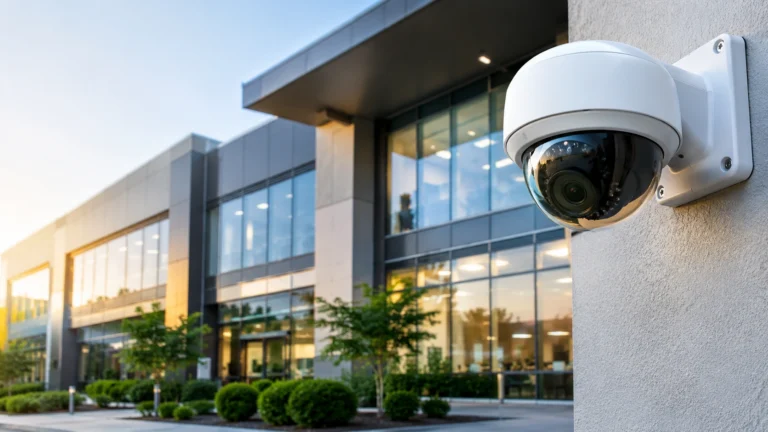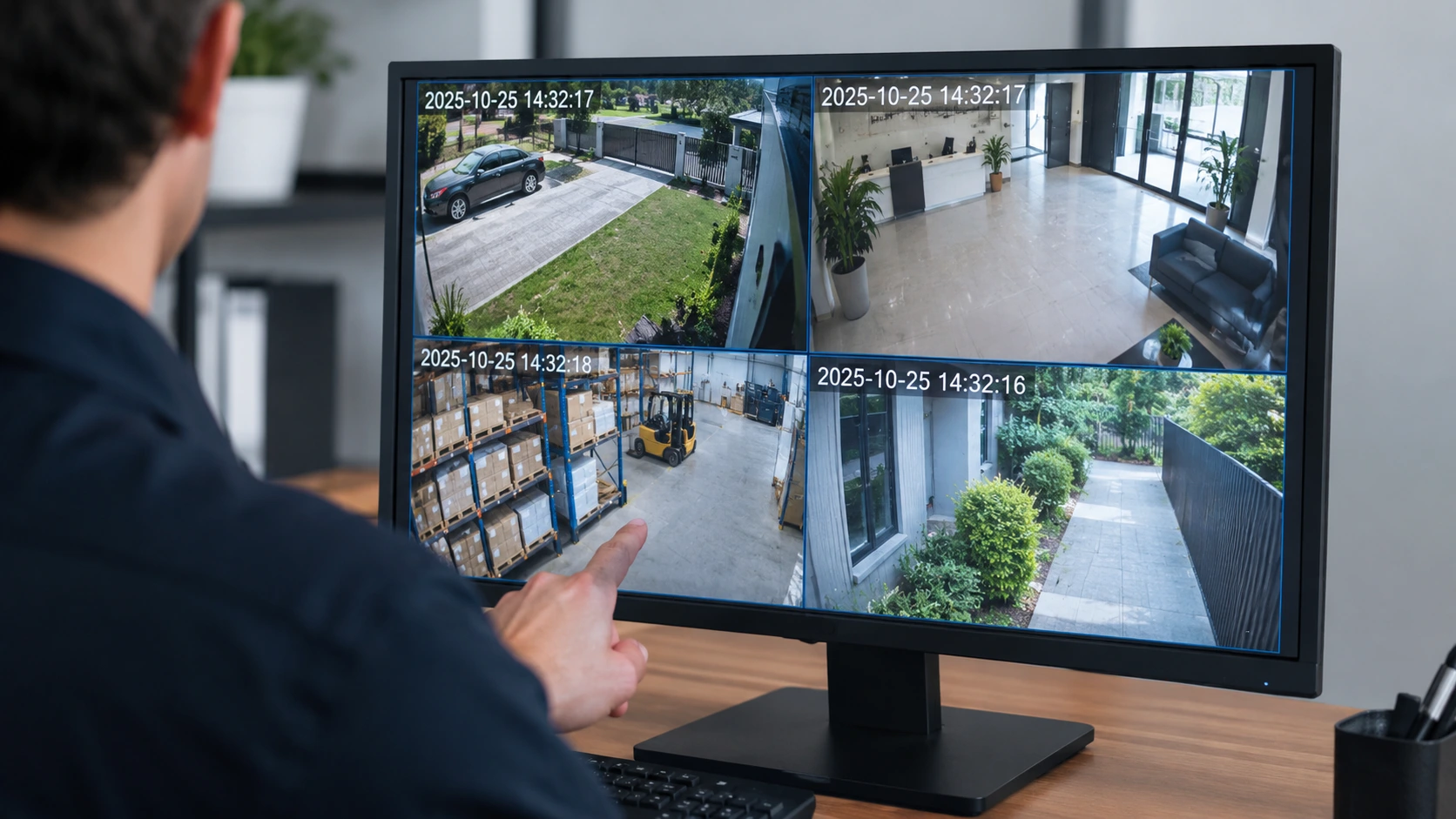
When you have a security camera, you can view a video of the incident on the spot, but if you’re not sure of when the exact date and time of the incident occurred, you might not be able to pinpoint the exact moment in time. Whether it’s a facility – a home, business, warehouse, or retail store, a recording timestamp helps you locate the event, identify misconduct, and create an accurate timeline when needed.
But why is time stamp on CCTV camera footage necessary? Well, you surely want to be able to browse through CCTV footage, compare and review it and be able to investigate if necessary. However, it is not just about you receiving an accurate date and time from the recorder/camera, it is also about ensuring that the settings for time zone and clock sync are accurate.
Why Is the Timestamp on CCTV Camera Footage Important?
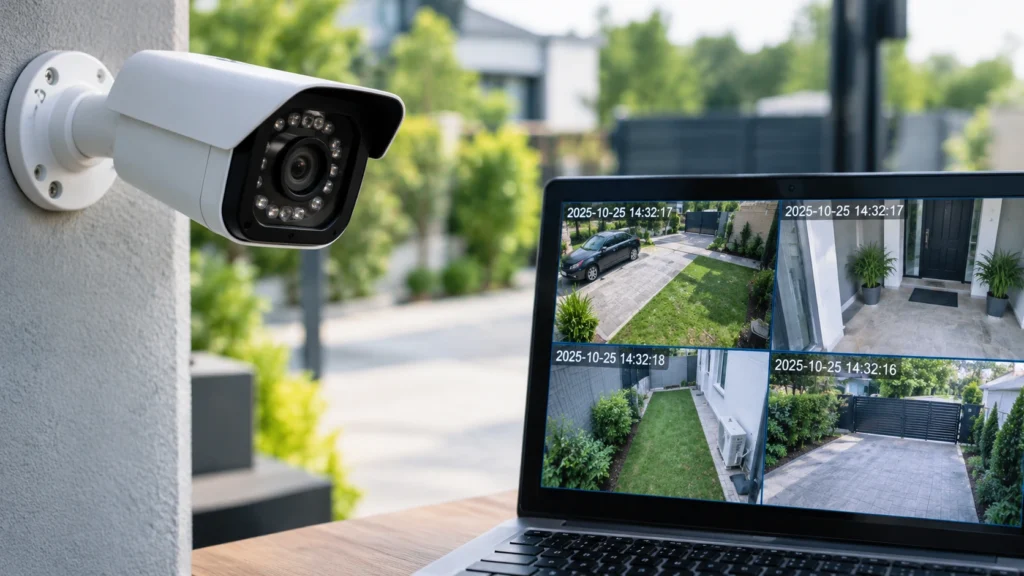
A timestamp on a video indicates the date when the video was recorded. This means if there’s any security incident recorded by the camera, the owner and security personnel can access the footage they need immediately without the need to go through tons of hours of footage.
These are some of the main reasons why timestamps matter.
1. They Help Identify When an Incident Occurred
If a business becomes vandalized, burglarized, or robbed, then the timestamp can be helpful to exclude a time of crime. The video footage from that specific hour can be viewed and compared to.
For example, if your manager finds that there was insufficient stock after the fact, the timestamp can reveal when someone accessed a storage closet or counted stock.
2. They Make Searching Recorded Footage Easier
Much of the DVR & NVR work is of searching by date & time. If your recorders system is set to the correct time you can go directly to the date & time you want and not have to rewind hundreds of hours of footage.
You can find a playback, if recorded on Monday, appears as if recorded on Tuesday, and there could be vital information missing if the recorder’s time is off by a minute or two, or by a few hours.
3. They Help Establish an Incident Timeline
Security footage may be reviewed alongside access control logs, alarm notifications, point-of-sale records, or witness accounts. Consistent timestamps make it easier to compare these sources and understand the sequence of events.
For businesses, this can help clarify when a delivery arrived, when an employee entered a restricted area, or when a customer incident took place.
4. They Can Support Investigations and Evidence Review
The time may provide clues as to when an incident may have occurred. The video footage may be used by police, to start an insurance claim, at the work place, or in a courtroom.
But nothing guarantees a timestamp will allow footage to be admitted as evidence. The company’s credibility, file manipulation, local regulations, and how the video was stored or shared may be relevant. Save the original file and record how it was exported if you might need it for an investigation.
5. They Improve Security Monitoring Across Multiple Cameras
Some properties have video cameras on the entrances, hallways, parking lots and storage units. If every camera and recorder is set to the same time, it’s easy for security to track what happens in various images.
If one camera has a lead of a few minutes over the other then it is possible that the same person may be seen entering an area then appearing to arrive at their previous destination. Accurate synchronisation assists in avoiding this scenario.
What Happens When CCTV Footage Has the Wrong Time?
A recording that would have otherwise been quite useful can be rendered ineffective if clocks are not all set to the same time. The impact of this is largely proportional to the delay of the clocks and the intended use of the footage.
Common problems include:
- Investigation delayed: Staff may view the incorrect time range when conducting an investigation.
- Incompatible documentation: Camera tapes might not match access lists, alarm activity, or other security devices.
- Missed recordings: You might not notice the correct clips because the recorder makes it appear as if they were recorded on an incorrect date or time.
An inaccurate timeline can lead to confusion on the order of events.
In cases where the timestamp on the video is in error, the examiner might have to determine the actual time the video was made.
That’s why inspecting the timestamp is not just something that should be done following an incident but as part of regular CCTV maintenance.
What Affects CCTV Footage Time Accuracy?
Time on CCTV footage is not only linked to the clock on your screen. There are several variables and settings that can influence the time on footage.
Incorrect Time Zone
The time shown on the recorder would be wrong if the recorder were set to the wrong time zone, even if the recorder’s internal clock is correct.
Always choose the time zone for the country of installation.
Incorrect Daylight Saving Time Settings
Zones where daylight saving time is observed may have the system clock one hour ahead or behind when the clocks go in or out. Verify the daylight saving time setting on the system.
Clock Drift or Power Interruptions
A few devices can unexpectedly lose time. Others will reset their clocks if they lose power – particularly if their own internal clock battery or other means of preserving the clock has failed.
If the time keeps resetting, refer to the user guide or contact the installer or manufacturer.
Failed Network Time Synchronization
Most modern CCTV systems are capable of automatically synchronising their clock using NTP. If the recorder is unable to connect to its set time server due to a network or configuration problem, the clock may fall out of sync.
With the correct setup of an NTP service, a very consistent time can be maintained so long as the device can reach a suitable time source.
Different Settings on Cameras and Recorders
Certain systems have cameras produce a timestamp while others may display or process it through the DVR or NVR. The two devices may also have differing time configurations, resulting in inconsistent footage.
Verify the recorder, as well as the cameras connected to it when necessary, and comply with the synchronization guidelines supplied by its manufacturer.
How to Change CCTV Camera Date and Time
If the date/time is wrong when recording (no wrong time code), you can reconfigure the camera setting (use the current camera setting) or reconfigure the recorder setting in the camera interface (use the current camera setting). In some cameras, you can set the date/time from the menu. Menu location and setting process may vary depending on the model and firmware version.
Just follow the simple steps below on how to set a CCTV camera date and time.
Step 1: Open the Camera or Recorder Settings.
Map your system on monitor, mobile application, desktop application, or web application. Obtain accessibility to your system that is aided by manager login account with all authorizations.
Find a menu named System, General, Date & Time, Time Settings or something similar.
Step 2: Set the Correct Date, Time, and Time Zone
Enter the correct local date and time if you are setting the clock manually. Then confirm the time zone is correct.
Check whether daylight saving time applies in your location. Enable or disable the setting according to local requirements.
Step 3: Enable Automatic Time Synchronization
If this is possible on your device then turn NTP on and choose a suitable time server as per the manufactures instructions. Make sure you device has network access so it can re-sync.
When you are using a couple of cameras in line, then try to see if the recorder can synchronize the cameras’ clocks as well.
Step 4: Save the Settings
“Be prompted to perform setup validation or reboot.” Ensure you save or discard your changes. You may be prompted to proceed with setup validation or reboot your device.
Step 5: Verify the Timestamp on a New Recording
Test a short video on live view to see if video is played back, and is in line with live view, and test time.
Repeat for each camera. As you watch, make sure that the timeline moves.
NOTE: Altering the clock will not change video footage currently tape-recorded. You will find that there are numerous means to manage this on many systems: Some devices tape-record the date as it was, some change the moment of the video footage (and keep it inaccurately), so review your devices’ directions before transforming the moment of a recorder if you believe you could need to view backwards tape footage. Save vital video before transforming the moment!
Understanding CCTV Camera Timestamp Settings
Proper CCTV camera timestamp settings help ensure that recordings display useful and consistent date and time information. Depending on the system, you may be able to control several options.
| Setting | What it does |
| Date and time | Sets the clock used for recording or playback |
| Time zone | Aligns the clock with the correct local time |
| NTP synchronization | Helps the device keep its clock accurate automatically |
| Daylight saving time | Adjusts the clock where seasonal time changes apply |
| Date format | Controls how the date appears, such as month/day/year or day/month/year |
| Time format | Displays time in 12-hour or 24-hour format |
| On-screen display (OSD) | Controls whether the date and time appear visibly on the video |
| Camera synchronization | Helps connected devices maintain consistent times |
Not every camera provides all these controls. Some systems embed the timestamp directly into the video image, while others store recording time as metadata or display it during playback. A timestamp not visible on a live view does not necessarily mean it is missing from the recorded file.
After changing any display or clock setting, verify the result in an exported test clip rather than relying only on the live feed.
How Often Should You Check Your CCTV Timestamp?
Although there is not a Schedule that is used for a system, you do need to ensure that all systems are accurately monitored for errors prior to requesting for the program.
Check these maintenance tips:
- At the time of installation: Verify time zone, date, time, and synchronizing data
- Did the recorder keep the correct time?
- After system update/change of configuration: check time and test recording.
- While on break: compare timestamp of each camera then set one on the time as a working watch.
- If you are experiencing discrepancies: Meet the problem head-on; don’t push the clock back each time.
If your security company has implemented video recording to analyze events, then consider date and time verification as part of your video security management.
Troubleshooting Common CCTV Timestamp Problems
If the timestamp isn’t updating after you’ve tried editing it, here’s what to look for to figure out who the offender probably is.
The Timestamp Is One Hour Wrong
Check the time zone and daylight saving time settings first. If the location observes daylight saving time, confirm that the recorder and cameras are configured consistently.
The Clock Keeps Resetting
A failed internal clock battery, interrupted power supply, or configuration issue may be responsible. If the system loses its settings after each restart, consult the manufacturer or a qualified installer.
Different Cameras Show Different Times
Make sure that the recorder is synchronized with the devices connected. Check whether the Time zone and NTP are configured correctly on all the devices. Follow the instruction provided by the manufacturer when you change several devices.
The Date and Time Are Not Visible
Look for an On-Screen Display (OSD), timestamp, or recording display option. Enable the timestamp if your model supports it, then verify that it appears in a test recording.
The Playback Time Does Not Match the Actual Time
Check on the on-screen clock/recorder playback timeline. Some systems record differently when you change the time or recorded time. So consult the manual of your system before you readjust.
Check again with your installer or support to see if still occurs and camera, recorder, network or clock problem.
How Cam Security Surveillance Can Help
It’s not all about being able to see a high resolution image with a surveillance system. Having it correctly set up, recorded correctly and being regularly tested will result in footage that is easier to identify what it is you need to see.
Cam Security Surveillance offers security camera solutions, CCTV installation, and the technical installation and support for homes and businesses. The Security CCTV Systems include network cameras, DVR, NVR and other surveillance equipment. By installing and testing them correctly, you will be able to confirm if the key feature s-including recording schedule, date & time, and remote access-work as expected.
Looking for professional security camera installation Indianapolis property owners can rely on? Our team can set up, test, and verify your system’s date and time from day one.
If you’re bringing a new system online or auditing an existing one, examining timestamps is a simple way to help make it more reliable. Seek out the surveillance solutions of Cam Security Surveillance or talk to them about your system needs.
Final Thoughts
So, does CCTV camera footage have a timestamp? Yes-as having a precise date and time enables property owners to find footage, make comparisons and view incidents more confidently. A timestamp has the most value when the camera and recorder clocks are aligned properly and maintained.
Verify the date/time, choose the time zone, turn on auto-sync if possible, and verify the date/time on your regular maintenance task. If the time continues to change or if recordings are recording the wrong date/time, look for the cause and correct it before using the footage.
By having the right installed cameras and a planned schedule of camera inspections, Cam Security Surveillance can assist property owners create a surveillance system that will be more manageable and easier to operate when the need comes up.
Need professional security camera installation Indianapolis businesses and homeowners trust? Contact us today.
Frequently Asked Questions
Is the timestamp on CCTV camera footage important?
Yes. A correct timestamp makes it easier to pinpoint the time of an incident, find the correct recordings, and enable you to cross-reference footage between cameras, which can all contribute to a more detailed chronology. The timestamp alone, however, does not imply law enforcement will accept the footage as evidence.
Can CCTV footage be used if the date and time are wrong?
The discrepancy can make interpretation of the footage more difficult and may require corroborating evidence that establishes the recording time. Instead of modifying the only copy, preserve it and note the time discrepancy.
How do I correct the time on my security camera?
Open the camera or DVR/NVR settings, locate the date and time menu, confirm the time zone, and set the correct clock. Where supported, enable NTP synchronization. Save the changes and verify the result using a new test recording.
Does a CCTV timestamp automatically update?
Not always. Many modern systems support automatic time synchronization through NTP, but the feature must be configured correctly and the device must be able to reach its time source. Some systems require manual adjustments.
Can I change the date and time on already recorded CCTV footage?
It depends on the system. Many recorders do not allow the visible timestamp on existing footage to be changed, while other systems may handle recording times differently. Changing the recorder’s clock can also affect how recordings are indexed or displayed. Check the manufacturer’s instructions and preserve original footage before making changes.
Why do different CCTV cameras show different timestamps?
The cameras may have different clocks, time zones, daylight saving settings, or synchronization sources. Check the recorder’s time settings and confirm that connected cameras are synchronized according to the manufacturer’s guidance.