Security cameras are meant to deliver crisp footage day and night, but a lot of people find that their cameras turn into pixelated messes once night falls. If you are asking yourself why your security camera is blurry at night, then you should know that the issue can have multiple causes, among which are dirty camera lenses, infrared reflection, moisture, poor lighting, wrong settings, or an object close to the lens.
Night vision relies on infrared LEDs and the camera’s night vision system. If something disrupts these processes, pictures may look fuzzy, stale, foggy, or even unrecognizable. Nearly all issues that cause a security camera’s night vision not to work properly can be identified and resolved with some easy fixes.
What Causes Nighttime Blurriness on My Security Camera?
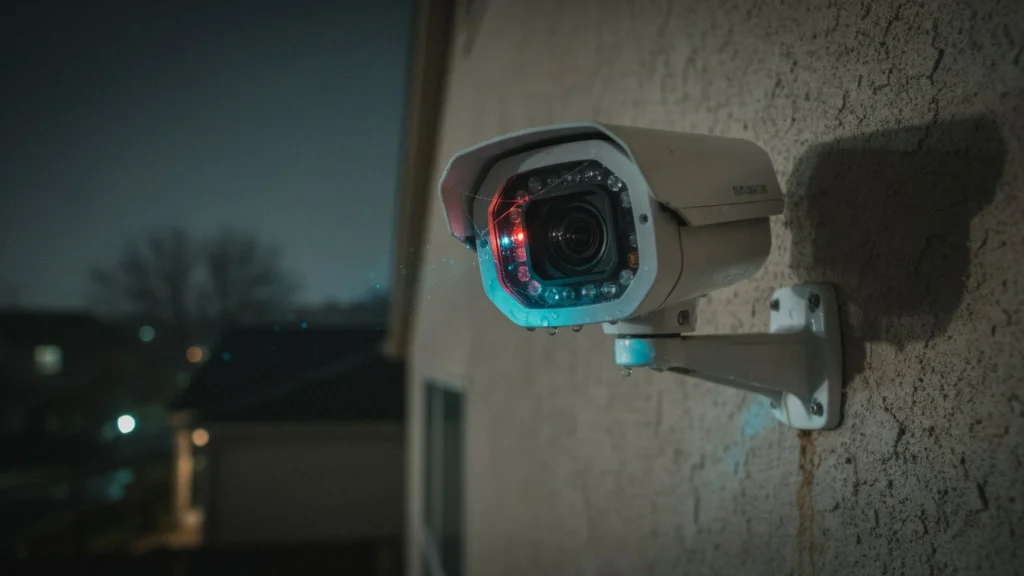
There are a number of reasons that security cameras might have crystal-clear footage in the day but are blurry in the evening. The lens of the camera is able to use natural or artificial light to take still images during the day. At night, the camera runs on infrared or some other low-light mode, which reveals problems that are not visible during daylight.
Common causes include:
- A dirty or scratched lens
- Infrared reflection, spider webs, or insects near the camera
- Moisture or condensation
- Objects too close to the camera
- Incorrect focus
- Poor night-vision settings
- Insufficient lighting
- A broken camera lens or sensor
- Low-quality or aging equipment
If you understand exactly what makes your videos blurry, it becomes much easier to get clear video at night.
Security Camera Night Vision Is Blurry: Typical Reasons
If your security camera’s night vision is blurry frequently, start by checking the camera itself. First, check the lens. Dust, water stains, dirt, and fingerprints can refract infrared light and cause night videos to appear unclear.
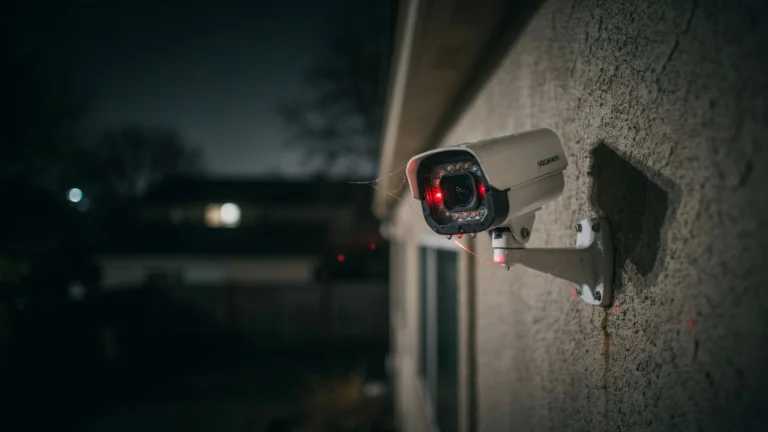
Another frequent problem is the presence of spider webs. Nearby webs are illuminated by infrared LEDs, resulting in bright, blurry patterns on the video. Insects are also attracted by infrared light, and they will tend to show up as large, blurry shapes.
The angle of the camera can also impact image quality. If a wall, fence, plant, or other barrier is close to the lens, the infrared light will reflect back, which can distort your image.
Infrared Reflection on a Security Camera
Infrared reflection is one of the most common causes of a fuzzy night vision picture.
Many security cameras have infrared LEDs to illuminate the scene when there is little or no ambient light. These LEDs are usually placed around the lens. When infrared (IR) radiation hits an object close to the camera — a wall, window, ceiling, or enclosure — it bounces some of the radiation back to the lens, and this reflection can result in a bright white haze or blur.
How to Reduce Infrared Reflection
- Make sure the camera is not pointed at a wall or object that’s too close.
- Clean the lens of any cobwebs and dust.
- Make sure the housing is clean and dry.
- Move the camera away from reflective surfaces where possible.
- Don’t use IR cameras behind glass unless the camera is designed for that.
- Check for external light sources or reflective materials causing the issue.
If you have a great camera during the day but night vision makes it blurry, infrared reflection should be one of the first things you check.
Dirty Lens: A Common Cause of a Blurry CCTV Camera at Night
One of the simplest reasons a CCTV camera blurs an image at night is that its lens is dirty.
Bright daylight with strong ambient light might make the camera good enough to get relatively clear images despite a dirty lens. But small particles, fingerprints, and water stains are much more visible in infrared light at night.
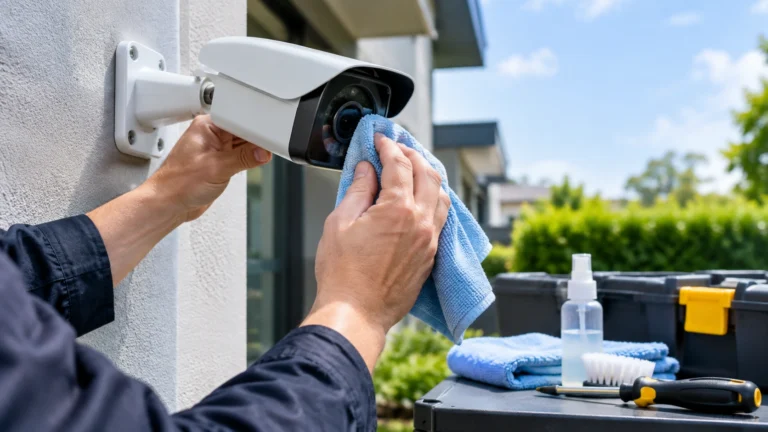
Before you clean the camera, turn it off or disconnect it appropriately. Wipe the lens with a soft, lens-compatible microfiber cloth, and avoid any abrasive material that could scratch the protective surface.
Check your footage again at night after cleaning. If the image improves dramatically, dirt was likely the main culprit.
Moisture and Condensation Problems
Moisture can also cause security camera images to blur. Precipitation, humidity, temperature changes, and condensation can affect outdoor cameras, making the lens foggy. If moisture enters the camera body, the lens can fog up from the inside — this sometimes happens as the camera cools down overnight.
Check the camera body for any cracks, gaps, or fractures in the shell. If your camera is wet, cleaning the front element may not be enough if water has gotten inside.
Be sure weatherproof cameras are installed properly — “weatherproof” does not mean a camera can handle any and all moisture exposure.
How to Make Security Camera Footage Clear
Try these simple fixes before resorting to more involved processes or replacing your equipment.
1. Clean the Lens
Use a soft microfiber cloth to remove dust, fingerprints, water spots, and other contaminants.
2. Remove Spiders and Webs
Take a close look around the camera, especially near the infrared LEDs. Remove cobwebs, bugs, and anything else that could reflect infrared light.
3. Inspect for Moisture
Look for fog or moisture inside the camera housing. If you find any, check the housing and seals.
4. Reposition the Camera
Keep the camera away from walls, windows, fences, plants, or any other surfaces that can bounce infrared light back into the lens.
5. Check Camera Settings
Open your camera’s settings and review night vision, infrared strength, exposure, brightness, and image enhancement options. Change one setting at a time and test the video after each change.
6. Improve the Lighting
Installing the right outdoor lights can make nighttime footage much clearer. Some cameras can also run color night vision if there is enough visible light.
7. Check the Focus
If your camera’s focus is adjustable, make sure it’s properly set. Even a slightly out-of-focus camera can look very blurry at night.
8. Check the Camera Housing
A lens cover that is scratched, fogged, or worn can degrade image quality. If it’s damaged, you may need to replace it.
Camera Settings That Could Influence Night Vision Image Quality
Sometimes adjusting settings actually makes nighttime output worse. Exposure, shutter speed, gain, infrared sensitivity, and image processing all play a role, and the available options depend on your camera type.
If the output image appears too bright or washed out, try reducing overexposure or adjusting infrared parameters. Every camera is different, so check your manufacturer’s instructions before making major changes.
When to Replace the Camera
Not every blurry image can be fixed by cleaning or repositioning the camera. If you’ve ruled out lens issues, infrared reflection, moisture, focus, and settings, the hardware itself may be damaged.
A damaged image sensor, a scratched lens, malfunctioning infrared LEDs, or water damage can all result in poor nighttime performance.
Older cameras may also simply have inferior night vision compared to newer models. A camera that consistently produces low-quality footage even when properly installed and maintained may need to be replaced with one designed specifically for your environment.
Preventing Nighttime Security Camera Blur
Regular upkeep can prevent many common night vision problems. At Cam Security Surveillance, we recommend cleaning outdoor camera lenses periodically and checking for cobwebs, bugs, dirt, and moisture that can interfere with image quality. Keep plants and other obstructions away from cameras to maintain a clear line of sight.
Be sure to check protective covers for scratches, clouding, or hazing, and inspect outdoor camera enclosures for signs of damage or wear. These simple maintenance steps can help your cameras deliver clearer footage when you need it most.
It’s also important to periodically review your nighttime footage. A camera may appear to work perfectly during the day while developing a night vision issue that only becomes noticeable after dark. If you’re considering professional security camera installation Indianapolis services, Cam Security Surveillance can help ensure your surveillance system is properly positioned, maintained, and ready for reliable nighttime monitoring.
Conclusion
What factors contribute to a blurry security camera image at night? Dirt, water, spider webs, poor alignment, bad focus, and infrared reflection are among the usual suspects on IP cameras.
If you’ve been wondering how to fix blur on a security camera at night, start by cleaning the lens, removing obstructions, checking for moisture, and reviewing your camera’s placement then look at the night-vision image again.
A blurry CCTV camera at night can often be fixed with these simple checks. If the image is still unclear afterward, the camera may be defective, or the ambient lighting may be insufficient for that location.
Still dealing with blurry night vision after trying these fixes? Our team can help you diagnose the issue, recommend the right equipment, or handle a full inspection and repair. Contact us today to get clear, reliable night vision back on your security system.
FAQs
Why is my camera fine during the day but blurry at night?
This is usually a result of the camera automatically switching into night vision or low-light mode. Dirt, dust, or moisture on the lens, or nearby surfaces that reflect infrared light, become far more obvious once night vision activates.
Do spider webs blur security camera images?
Yes. Infrared light can reflect off spider webs and other particles near the lens, appearing as bright or blurry spots on nighttime video. Wiping down the camera cover and surrounding area solves the problem in many cases.
Does rain affect security camera night vision?
Light can be scattered by rain, water droplets, fog, or condensation on the lens, degrading the captured image. Keep the lens and camera body or seals clean as needed.
Is there a camera setting that will stop it from taking blurry pictures at night?
Yes. Some cameras have exposure or IR settings you can adjust for better night vision quality. Change settings gradually and check the results on camera after each adjustment.
How do I know if my security camera is too old?
If cleaning, relocating, checking for moisture, and adjusting settings doesn’t improve the image, it may be time to replace the camera. Persistent blurring can indicate a damaged lens, sensor, infrared unit, or other internal hardware issue.