Weak WiFi in the back bedroom? Move your router off the floor, switch to the 2.4 GHz band for range, and add a mesh node halfway between the router and the dead zone. These three steps fix most wall-blocked signals within an hour.
That’s the short version. If you want to know how to boost WiFi signal through walls for good, not just for a day, keep reading. This guide covers every fix that actually works, from free settings changes to gear worth buying.
Why WiFi Signals Struggle to Pass Through Walls
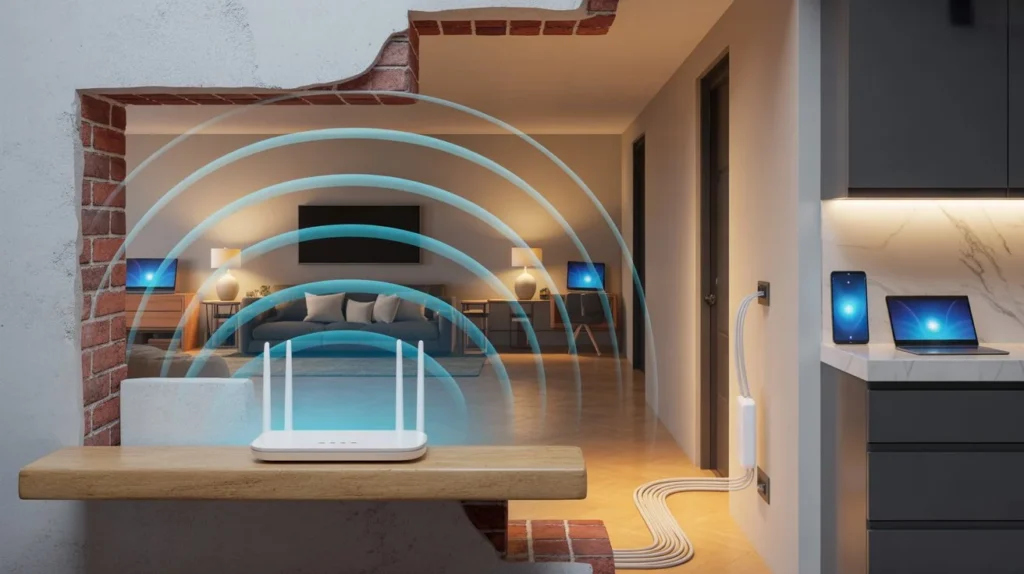
WiFi travels as a radio wave. Radio waves lose energy every time they hit something solid. A wall isn’t just a wall to your router. It’s a barrier made of wood, drywall, insulation, wiring, and sometimes metal mesh or brick.
So does wifi pass through walls at all? Yes, but every material takes a bite out of the signal. Brick and concrete cut strength the most. Wood and drywall are gentler but still slow the signal down. Metal studs, foil insulation, and mirrors can block it almost completely. That answers the common question of can wifi go through walls in older homes with plaster and metal lath. It can, but barely.
This is also why a signal that’s strong in the living room can vanish two rooms away. Every wall in between chips away at the strength. If your home has a tricky layout with thick walls or multiple floors, a professional wifi installation service can map your space and place equipment where it actually performs. Companies like Cam Security Surveillance handle this kind of setup daily, testing signal room by room instead of guessing.
Factors That Reduce WiFi Signal Inside Your Home
Several things work against you at once, not just the walls themselves.
Distance from the router. Signal strength drops fast the farther you move away, even with nothing blocking it.
Wall material and thickness. Concrete and brick absorb far more signal than a thin drywall partition.
Interference from other devices. Microwaves, baby monitors, and older cordless phones can crowd the same frequency your router uses.
Router placement. A router tucked inside a cabinet or behind a TV loses range before the signal even reaches the first wall.
Too many connected devices. Phones, laptops, smart plugs, and cameras all pull from the same bandwidth.
Outdated router hardware. A five-year-old router simply can’t compete with newer wifi standards built for bigger homes.
Understanding these factors matters more than most guides admit, because boosting wifi signal at home means fixing the cause, not just adding another gadget.
15 Proven Ways to Boost WiFi Signal Through Walls
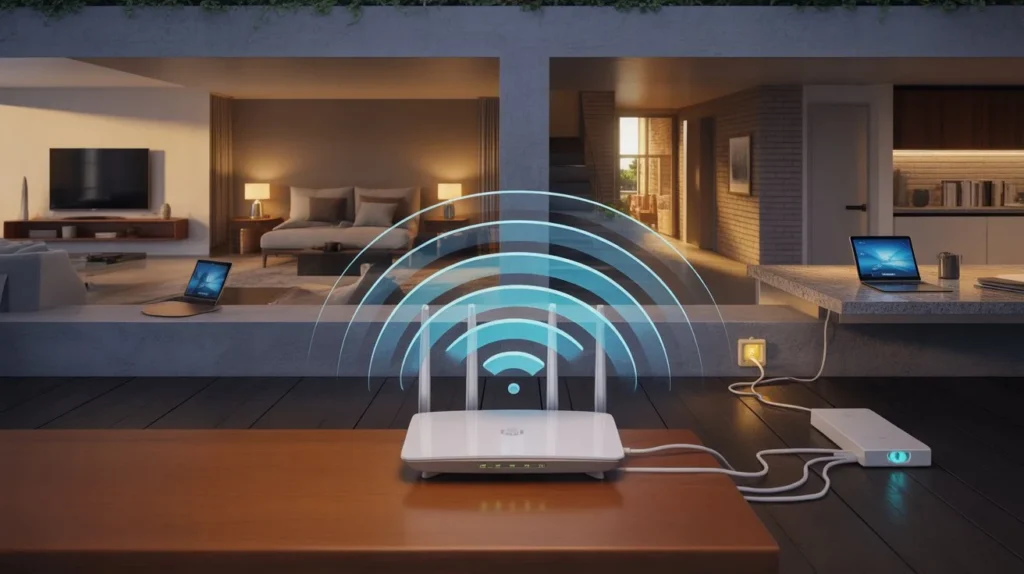
Here’s the full list. Try these in order, since the free fixes come first.
- Move your router to a central spot. Signal spreads outward, so a corner placement wastes half its range.
- Raise it off the floor. Place it on a shelf at least four feet up for a clearer path.
- Keep it away from metal objects. Metal filing cabinets and appliances reflect signal instead of letting it pass.
- Angle the antennas correctly. Point one vertical and one horizontal for better coverage in multi-story homes.
- Switch to the 2.4 GHz band for far rooms. It travels farther through walls than 5 GHz, even though it’s slower.
- Update your router firmware. Manufacturers release fixes that improve range and stability.
- Reduce interference from other electronics. Move the router away from microwaves and cordless phone bases.
- Use a wifi extender for one problem room. It repeats the signal past a single stubborn wall.
- Upgrade to a mesh WiFi system. This is often the single biggest fix for boost wifi signal in house situations with multiple floors.
- Change your WiFi channel. Crowded channels in apartment buildings slow everyone down, so switch to a less busy one.
- Add a signal booster antenna. A high-gain antenna can add real distance for routers that support swappable antennas.
- Limit connected devices on weaker bands. Move smart home gadgets to 2.4 GHz and free up 5 GHz for streaming.
- Use powerline adapters for wired backup. These send internet through your home’s electrical wiring to a far room, then broadcast WiFi from there.
- Set a WiFi schedule for heavy users. Cutting background downloads during peak hours frees up more speed for everyone.
- Replace an old router entirely. If it’s older than five years, no placement trick will fix its limited range.
Put together, these steps show exactly how to boost WiFi signal through walls without guessing which single fix will work.
Best Router Placement Tips for Maximum Wall Penetration
Placement solves more problems than any piece of hardware. Set your router in the most central room of your home, ideally one with the fewest walls between it and your most-used spaces.
Avoid corners, closets, and basements unless your whole home is on one floor. Keep it away from fish tanks and mirrors too, since water and glass block signal almost as well as concrete does. A router placed at chest height in an open hallway will always outperform one hidden behind a couch.
2.4 GHz vs 5 GHz vs 6 GHz: Which Works Better Through Walls?
Each band trades range for speed differently.
2.4 GHz travels the farthest and handles walls best. It’s slower, but it’s the right choice for rooms far from the router.
5 GHz is faster but loses strength quickly through walls. Great for rooms close to the router, weak for distant ones.
6 GHz, found on newer WiFi 6E and WiFi 7 routers, is the fastest of the three but has the shortest range. It works best in open rooms with no obstacles.
If your main goal is reaching a bedroom two walls away, 2.4 GHz will almost always win.
Does a WiFi Extender Really Help Through Walls?
Yes, but only for one room at a time. An extender picks up your existing signal and rebroadcasts it, which helps bridge a single stubborn wall or floor.
The catch is placement. An extender needs to sit somewhere it still receives a strong signal from the router. Put it too far away, and it just repeats a weak signal, which doesn’t help at all. For one dead zone, an extender is a cheap and simple fix.
Mesh WiFi vs WiFi Extender: Which Is Better?
For a whole house, mesh WiFi wins. A mesh system uses multiple small units that talk to each other, creating one seamless network instead of a separate weaker one.
Extenders are fine for a single room. Mesh systems are built for boosting wifi signal at home across multiple floors, thick walls, or larger square footage. They cost more upfront, but most users see fewer dead zones and steadier speeds throughout the house.
How to Test WiFi Signal Strength Around Your Home
Walk through each room with your phone and run a speed test app. Note the signal bars and speed in every spot, especially the rooms that feel slow.
Most routers also have companion apps that show a signal heat map of your home. This tells you exactly where coverage drops, so you know which wall is actually the problem before you buy new gear.
Common Mistakes That Make WiFi Worse
People often place routers inside cabinets to hide the cables, which blocks the signal before it even leaves the room. Others leave old firmware unupdated for years, missing real performance fixes.
A common one: buying an extender before checking router placement first. Fixing placement is free. Buying gear to fix a placement problem is not.
When You Should Upgrade Instead of Troubleshoot
If your router is more than five years old, no setting change will match what a new router offers. Older routers often lack support for mesh systems, WiFi 6, or even basic band steering.
A large home, three or more floors, or thick brick walls are strong signs that it’s time to switch to a mesh WiFi system instead of spending more time troubleshooting. If you need reliable whole-home coverage, Cam Security Surveillance can help you choose and install the right WiFi solution for your property’s size and layout.
Conclusion
Weak signals through walls aren’t random. It comes down to distance, materials, placement, and outdated hardware working against you at the same time. Once you know how to boost WiFi signal through walls using the right band, better placement, and the right extra hardware, most dead zones disappear for good.
Start with the free fixes. Move your router, switch bands, and update the firmware. If the dead zone remains, install a mesh WiFi system. Contact us today for expert WiFi installation and reliable whole-home coverage.
FAQs
How to boost WiFi signal through walls in a two-story house?
Place the router on the ground floor near the stairwell, then add one mesh node upstairs for even coverage on both levels.
Does wifi pass through walls better on 2.4 GHz or 5 GHz?
2.4 GHz passes through walls better. 5 GHz is faster but loses strength much faster through solid materials.
Can wifi go through concrete walls?
It can, but signal strength drops sharply. A mesh node on each side of a concrete wall works better than relying on one router alone.
Is a wifi extender or mesh system better for boosting wifi signal at home?
An extender works for one room. A mesh system works better across an entire house with multiple walls and floors.
How do I know if I need a new router?
If it’s over five years old, doesn’t support WiFi 6, or can’t run a mesh setup, it’s time to replace it.