

Before you install CCTV take time to plan where the cameras will go what you need to record how they will get power and how they connect to your network. Pick cameras that match your property and the details you want to capture. Make sure to check privacy laws how storage you’ll need and if the equipment works together before you buy. Good planning helps you avoid spots, blurry footage and extra costs, during installation.
Knowing what to know before installing CCTV helps you make choices for your home or business. The right setup should cover areas record clear video and keep your saved footage secure. This guide walks you through the decisions you need to make before starting your CCTV installation.
Why Planning Before CCTV Installation Matters
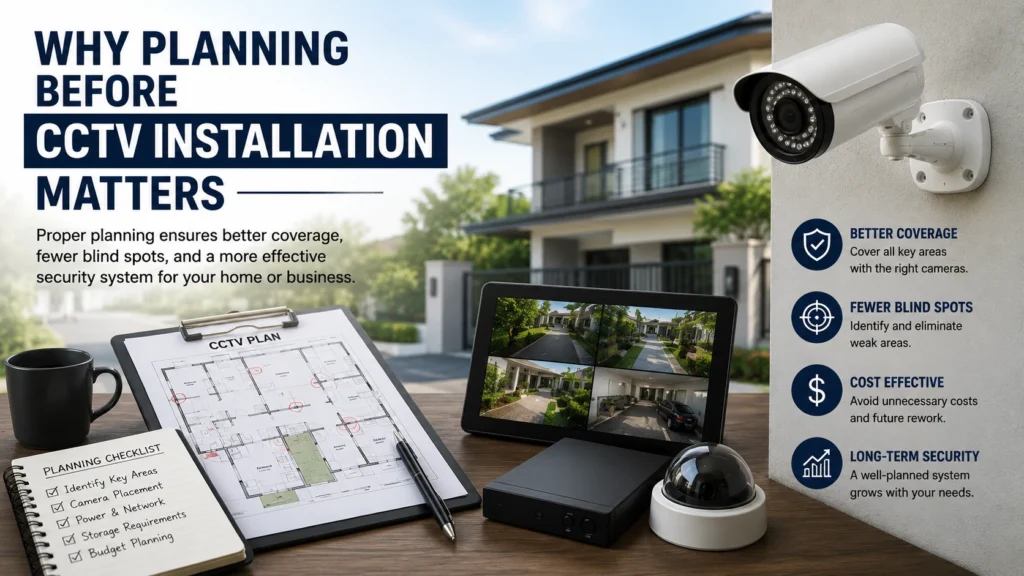
Why you should plan your CCTV setup before you install cameras. In many cases, property owners simply buy a camera without looking at the layout and lighting on their property,goals for installing the devices,their budget or their personal needs.
If cameras are not set up with the help of thoughtful planning you are at greater risk of having poor quality videos, camera coverage, blind spots and unnecessarily high costs.
Proper planning of your CCTV system means:-.
Better camera coverage.
More secure blind spot elimination.
Increased security performance and image quality.
Reduced installation and cabling costs.
Protection of property of value to you.
The certainty that comes with a well organised system. Every camera that is installed has purpose in its coverage area and all cameras are configured to operate collectively for maximum protection.
1. Identify Your Security Needs
Start by deciding what you want the CCTV system to watch. A home CCTV system may need to cover doors, driveways, garages and side gates. A business CCTV system may need to cover entrances, cash areas, stockrooms and loading bays.
Walk around the property. Write down the places that matter most. Consider whether the CCTV system needs to identify faces watch vehicles or simply monitor activity. Doing this will help you pick the cameras and avoid spending money on unnecessary features.
Also decide whether the CCTV system needs viewing, recorded footage, motion alerts or remote access. These answers will guide the equipment and storage choices.
2. Choose the Right CCTV Camera Type
Different camera types suit locations. Dome cameras often work indoors because the dome shape makes it harder to tell which direction the camera is facing. Bullet cameras can work on walls and along long approaches. Turret cameras give another choice, for both outdoor coverage.
You should also compare wired cameras with cameras. Wired cameras can give a connection especially when the camera uses Power over Ethernet. Wireless cameras send video over WiFi. Many wireless cameras still need a power cable.
For areas check the cameras weather protection rating. Pick a camera that is built to handle rain, dust and the temperature changes you expect at your property.
3. Plan Camera Placement Before Installation
Camera placement changes how useful your footage will be. Bad angles can create spots or show pictures that miss key details. I think you should follow these cctv camera placement guidelines before you drill holes or mount any equipment.
- Cover main entrances, driveways, gates, and other key access points.
- Avoid objects that block the camera’s view.
- Check for direct sunlight, bright lights, and deep shadows.
- Position cameras to capture faces or activity at useful angles.
- Test the view before fixing each camera permanently.
An height of eight to ten feet can be a good starting point, for many home cameras. The best height depends on the lens, the location and the target area. A camera mounted high may show only the top of a persons head instead of clear facial details.
4. Understand CCTV Camera Resolution
I think camera resolution determines how detail an image can display. Common resolution choices are 1080p, 4MP and 4K. I think a 1080p camera is suitable for monitoring. A 4MP or 4K camera can capture detail. Higher resolution becomes useful near entrances, payment counters and vehicle access points.
However more pixels do not guarantee footage. Lens quality, lighting, viewing distance and camera angle also matter. A high-resolution camera aimed at the area may produce less useful evidence than a well-positioned lower resolution camera. Choose camera resolution based on what you need to see not the largest number, on the product box.
5. Check Lighting and Night Vision Requirements
Review each camera location during both daytime and nighttime. A spot that looks clear in daylight may become too dark after sunset.
Infrared night vision can record and-white footage, in low light. Some cameras also offer colour night vision, which may require lighting. Check how the camera handles headlights, porch lights and strong backlighting.
For example a driveway camera facing bright vehicle headlights may struggle to capture number plates. Adjusting the angle or adding lighting may improve results.
6. Plan CCTV Recording and Storage
Your system must have storage to keep videos for the time you need. Most systems use a Digital Video Recorder (DVR) a Network Video Recorder (NVR) a memory card or a cloud service. DVRs usually work with analogue cameras. NVRs generally record video from network cameras. PoE cameras can often send video. Get power through one Ethernet cable when connected to the right equipment.
Storage needs depend on the number of cameras the resolution, the frame rate, the compression and the recording schedule. Continuous recording takes up space than motion-based recording. Figure out your needs before buying a recorder or a storage drive. Make sure you know how to search, play and export recordings. A camera that records footage you can’t easily find may not be the choice, for you.
7. Check Internet and Remote Viewing Requirements
Some CCTV systems keep footage on the device and do not need an internet connection. Still to watch the footage from away to get phone alerts or to save it in the cloud you usually need internet access.
Check the WiFi signal before you install any wireless cameras. When I use network cameras I make sure that my router and recorder can handle the data load. If my cameras support it a wired Ethernet cable can give me a connection. I secure access by setting unique passwords for every camera. If my system offers two‑factor authentication I turn it on. I keep the camera firmware up to date. These steps keep the footage safe, from access.
8. Review Privacy and Legal Requirements
Before installing a CCTV system I suggest making sure you understand the laws that’re relevant to your property and where you live. The rules can be different for houses, offices, rented places and buildings that are shared.
Do not record outside of your property like your neighbors windows or other private spaces. Let employees, guests or people living in the building know if the law says you have to. A few people should be able to see the CCTV recordings. Store the videos as long as you need to.
If you are in charge of a business make sure you know the rules, about watching employees and about recorded video. Smart placement of CCTV cameras helps protect privacy and also lets you watch the areas you need to.
9. Check CCTV System Compatibility
I found out that not all cameras are compatible with all recorders. Before I buy any equipment I look into the video formats that are supported the maximum resolution they can handle the network standards they use and how power they need.
For example a PoE camera requires a PoE switch, a recorder that can provide power or an injector to get power through the network cable. I also make sure that my recorder is able to work with the cameras and has storage, for what I need.
Thinking ahead about adding cameras later can help save money. If I know I might add cameras in the future I pick equipment that has extra channels, enough network space and enough storage.
10. Decide Whether to Hire a Professional CCTV Installer
Professional installation can help if your property needs wiring, outdoor mounting or coverage over several buildings. An installer can check camera angles, cable routes, power needs and recorder placement.
When choosing a CCTV installer ask about their experience, equipment warranties, system testing and support, after installation. Ask for a quote that lists equipment and labour costs.
If you need security camera installation Indianapolis, Cam Security Surveillance can help you plan a suitable system for your property. A professional assessment can identify coverage gaps before installation begins.
11. Test the System Before Completing Installation
One of the CCTV installation tips is to test each camera before you finish the job. I always check the video check the recorded footage check night vision and check remote viewing. I make sure the timestamps are correct and that the recorder saves the footage properly.
I walk through each area to confirm that the cameras capture the activity that I need. I test motion alerts if the system supports motion alerts.
12. Common Mistakes to Avoid Before Installing CCTV
Do not buy cameras before you plan your coverage. I have learned that higher resolution does not always give evidence. Check storage, WiFi coverage, power needs and privacy rules ahead of time.
Another common mistake is skipping system tests. I have seen that doing these steps before you finish your cctv installation saves you from having to make changes.
Conclusion
Knowing What to Know Before Installing CCTV helps you choose the right cameras, plan effective coverage, and protect your recordings. Cam Security Surveillance recommends reviewing camera placement, storage, network access, equipment compatibility, and privacy before purchasing your CCTV system. For help planning a system for your home or business contact us today.
FAQs
What should I check before installing CCTV?
Think about your security needs, where the cameras will go how good the lighting is, if there is power how much storage you need if you have internet access and what your privacy rules are before you buy any equipment.
Do CCTV cameras need internet access?
No. Some systems can record on the device without needing the internet. But if you want to watch the cameras from away use cloud storage or get alerts on your phone then you will need a connection.
How high should CCTV cameras be installed?
Typically 8 to 10 feet is a place to start for many homes and buildings. The best height depends on the cameras lens and the area you want to watch.
Is CCTV installation, worth it?
Hiring a professional can help with wiring, where to put the cameras setting up the network and testing the whole system. It can also help avoid missing areas and make sure everything is set up right.










