
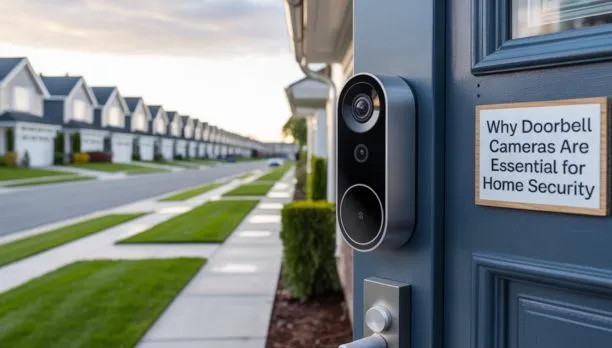
A good doorbell camera lets you see people who come to your door check on packages. Keep an eye on your front entrance using your phone. The best model should have video, helpful motion alerts and good night vision. It should also work well with your homes Wi-Fi and the power source you have. Before making a purchase look at how it records the privacy options and how much it costs over time.
What is the best doorbell camera? The best one is the one that matches your entrance your internet connection and your security needs. A wired camera is good for houses that have the wiring while a battery-powered camera gives more flexibility. The important features are clear video, dependable alerts, two-way audio and simple access, to the videos you save.
What Is the Best Doorbell Camera?
No single doorbell camera fits every home. The best choice depends on where you want to place it and how you plan to use it.
For instance a family that gets a lot of deliveries may need motion alerts that’re clear and a wide view of the front door. Someone who lives in a house without existing doorbell wiring might go for a battery-powered model. A homeowner who wants to avoid charging may prefer a wired doorbell camera.
When comparing the top doorbell camera options don’t just focus on the price. Look into whether the camera requires a subscription if it stores footage locally and if it works with your smartphone. Also check the field of view to make sure it covers the entrance without leaving big blind spots.
What Features Should You Look for in a Doorbell Camera?
The best security doorbell should have features that let you see visitors and handle alerts, for the security doorbell without adding work.
Video Quality and Field of View
A 1080p camera can give you plenty of detail for front doors. Sure higher resolutions might show more but that doesn’t always mean better results. Lighting, lens quality and how away the person is, from the camera all matter too.
Before you buy check the field of view. A wider angle lets you see more of your porch.. If the camera is placed wrong it might miss someone standing right by the door. That’s something to think about.
Night Vision and Motion Alerts
Night vision allows the camera to record whats happening when its dark outside. Some cameras use infrared light to see in the dark while others can show color images if there is some light
Check if the camera has motion zones and person detection features. These can help cut down on alerts from things, like cars driving by or movement near your door. It’s important to test the settings once the camera is installed so you don’t miss anything.
Two-Way Audio and Video Storage
Two-way audio allows you to talk to people who come to your door using your phone. This can be useful when you have to answer the door but’re busy or not, at home.
Find out how the videos are stored. Using the cloud might mean you have to pay a fee but using storage can save you money over time. Make sure you know how long the videos stay available and if you can save the ones.
Wired vs Battery-Powered Doorbell Cameras: Which Is Better?
Both kinds of doorbell cameras can work well. Each fits different homes.
Wired doorbell cameras need a power supply that fits and may rely on the houses doorbell wiring. They cut down on the need to take the unit apart and replace batteries.. You must confirm the required voltage the transformers capacity and whether the wiring will match before you install the doorbell camera.
Battery‑powered doorbell cameras become handy when a house does not have wiring. They are usually simpler to set up in spots. The battery lasts longer or shorter depending on how cold or hot it’s how much motion is detected the video quality you choose and how often you watch live streams of the doorbell camera.
A wired doorbell camera is often a choice for a busy entrance where constant charging would be a hassle. A battery model can be preferable for renters or, for houses where changing the wiring is not feasible.
Before picking either type read the manufacturers installation guide carefully. Do not assume that the current wires will fit a doorbell camera.
Which Doorbell Camera Is Best for Different Homes?
Your daily routine can help you choose the right model.
- For busy households: Choose clear video, reliable alerts, and two-way audio.
- For homes without wiring: Consider a battery-powered model with simple charging.
- For frequent deliveries: Look for a useful field of view and adjustable motion zones.
- For smart homes: Check compatibility with your existing devices and voice assistant.
- For lower ongoing costs: Compare local recording options with cloud subscription fees.
If you are looking for the doorbell camera system, for a larger property make sure it can work with your other security cameras. A doorbell camera usually focuses on the entrance.. It might not capture side gates, garages or the entire driveway. You may need cameras to get full coverage. It is important to plan the placement. This way you can see everything that matters.
How Important Is Wi-Fi for a Doorbell Camera?
Wi‑Fi controls how live viewing works how fast remote alerts arrive and how clear two‑way audio is. Even if a camera has good features it can still perform poorly if the Wi‑Fi signal near the front door is weak.
The distance of the router, thick walls, metal doors and nearby devices can all affect the Wi‑Fi connection. A 2.4 GHz network usually reaches farther than a 5 GHz network. Actual performance depends on the home layout and the equipment used.
Before mounting the camera I always test Wi‑Fi at the planned spot. Open the camera manufacturer’s app. See if the live video loads, without any delays. If the Wi‑Fi signal is weak think about moving the router or using an extender.
A reliable Wi‑Fi connection helps the camera send alerts and record footage just as it should. This does not replace the need to check the camera’s recording settings and storage limits.
What Should You Check Before Buying a Doorbell Camera?
Review these points before placing an order:
- Power: Confirm wiring requirements or expected battery charging needs.
- Phone support: Check that the app works with your smartphone.
- Storage: Compare cloud plans, local storage, and clip retention periods.
- Weather protection: Choose a model rated for the conditions at your entrance.
- Privacy: Review recording controls, account security, and access permissions.
- Total cost: Include any subscription fees, extra storage, or required accessories.
Also look at how the camera works in shared areas. Point it at your front door and make sure you do not record more of your neighbors private space than you have to. Use the privacy settings if they are there and obey the laws, in your area about recording sound and pictures.
Should You Install a Doorbell Camera Yourself or Hire a Professional?
A battery-powered camera can be a choice for a DIY installation if you can mount the camera securely and follow the instructions carefully. You still need to choose the height check the camera’s viewing angle connect the camera to Wi‑Fi and test the camera’s alerts and recordings. Wired camera models can require care with electrical connections and existing doorbell systems. Incorrect wiring or poor camera placement can lead to power issues, weak coverage or unreliable operation.
Professional camera installation can help when wiring needs checking the mounting surface is difficult. The Wi‑Fi signal is poor. An installer can assess the entrance position the camera confirm the camera’s connectivity and test the camera’s features.
Cam Security Surveillance provides security camera installation Indianapolis. Surrounding Central Indiana communities. If you need help planning doorbell camera placement or connecting a camera to a surveillance setup contact Cam Security Surveillance to discuss your camera installation needs.
Conclusion
What Is the Best Doorbell Camera? It is the model that fits your homes wiring, Wi-Fi, budget and daily security needs. Focus on video quality, night vision, motion alerts, audio, storage and privacy, than choosing by price alone.
Before buying, check the power requirements and test the Wi-Fi signal where the camera will sit. Proper placement and setup can help you get more value from your device. If you need professional help, contact us today for advice on your doorbell camera installation.
FAQs
What is the best doorbell camera without a subscription?
Look for a model that uses storage or has helpful basic features that do not require a paid plan. Make sure that viewing, motion alerts and saved clips are still available without a subscription.
Is a wired or wireless doorbell camera better?
A wired camera can help avoid battery charging while a battery-powered camera allows for flexible placement. The best choice depends on your wiring and how you want to install it.
Do doorbell cameras work without Wi-Fi?
Some models might have some functions but most smart doorbell cameras need Wi-Fi for remote alerts live viewing and communication through a phone. Check the models features before making a purchase.










