
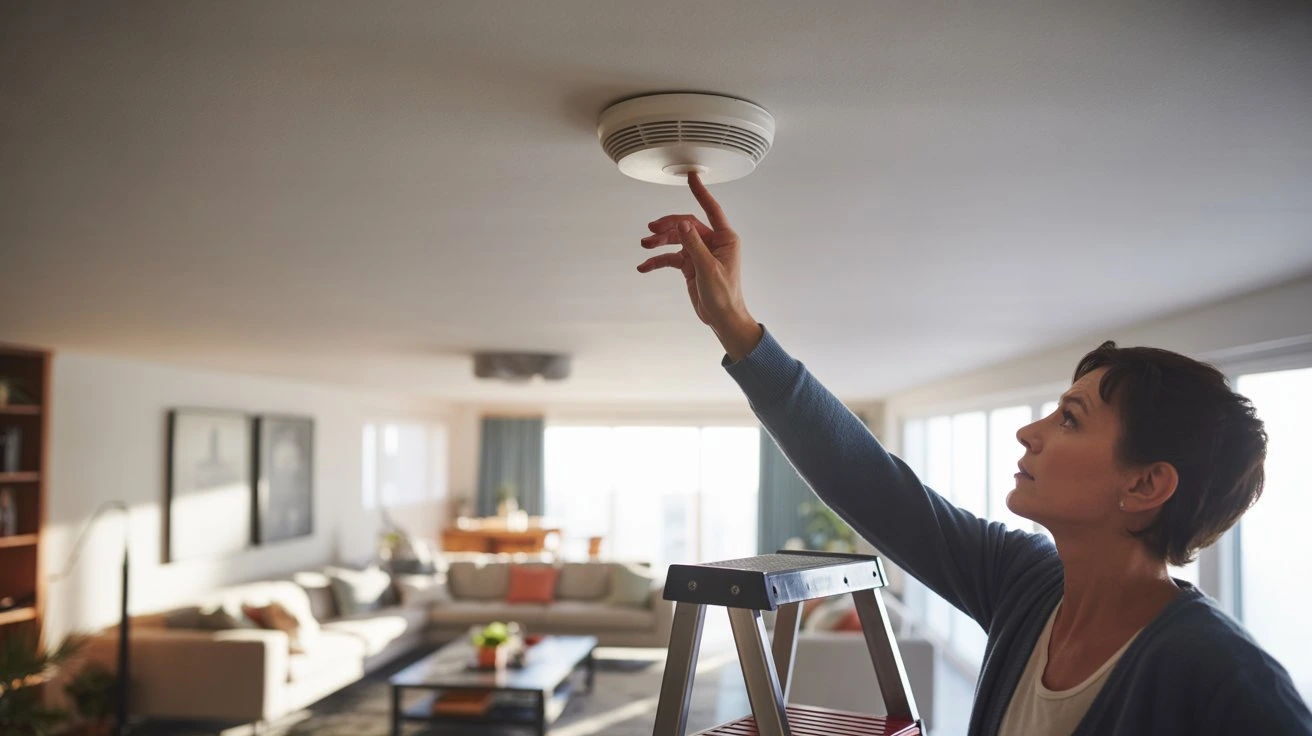
Your smoke alarm is screaming and there’s no fire in sight. Maybe it’s burnt toast. Maybe it’s steam from a shower. Whatever the cause, that noise needs to stop fast. The good news is that silencing it takes less than a minute in most cases.
Knowing how to turn off smoke alarm the right way keeps you calm, avoids damage to the unit, and makes sure you don’t accidentally disable a working detector permanently. This guide covers every method, from battery units to hardwired systems, and tells you exactly what to do step by step.
Why Smoke Alarms Go Off
Before you silence anything, it helps to know why the alarm triggered in the first place.
Smoke alarms don’t just respond to fire. Most modern units use either ionization sensors or photoelectric sensors. Ionization detectors react to fast, flaming fires. Photoelectric ones catch slow, smoldering fires. Many homes now have dual-sensor units that detect both.
Here are the most common reasons a smoke alarm goes off without a real fire:
Cooking smoke. Steam, grease, and burnt food particles all trigger alarms. Kitchens are the number one source of false alarms in homes.
Steam from showers. Hot, moist air can fool a sensor. If your detector is too close to a bathroom, this happens regularly.
Dust and insects. Dust buildup inside the unit can trigger the sensor. Small insects crawling inside do the same thing.
Low battery. A dying battery causes most alarms to chirp repeatedly. Some units beep every 30 to 60 seconds when the battery is low.
Age of the unit. Smoke detectors older than 10 years become unreliable. They may go off randomly due to sensor degradation.
Chemical fumes. Paint, cleaning products, and aerosol sprays can set off sensitive units.
Understanding the cause matters. If your alarm went off and you’re not sure why, investigate before silencing it. A real fire needs a real response.
If you want a smarter, integrated home safety setup that connects smoke detection with a full security system, Cam Security Surveillance offers professional CCTV installation services in Indianapolis that can be paired with fire and smoke monitoring for complete coverage.
How to Turn Off Smoke Alarm Immediately
This is the fastest way to stop the noise right now.
Step 1: Check for Actual Smoke or Fire First
Look around. Smell the air. If there’s a real fire, leave the building and call 911. Do not try to silence the alarm.
Step 2: Ventilate the Area
Open windows and doors. Use a fan to push smoke or steam away from the detector. In many cases, the alarm will shut off on its own within 30 to 60 seconds once the air clears.
Step 3: Press the Silence or Test Button
Most smoke alarms have a button on the front or side. Press and hold it for 3 to 5 seconds. This activates the hush feature and silences the alarm for 5 to 10 minutes. If smoke clears in that time, the alarm won’t restart.
Step 4: Fan the Detector Directly
If pressing the button doesn’t help, wave a folded magazine or use a handheld fan to push air across the detector face. This disperses trapped particles from the sensor.
This method works for most standard battery-powered and hardwired units. It’s the safest and fastest way to turn off a smoke alarm without removing anything or cutting power.
How to Turn Off a Smoke Alarm With Battery
Battery-only smoke alarms are the most common type in homes and apartments. Here’s how to handle them.
Option 1: Use the silence button. Press the test/silence button on the unit. Hold it for 3 to 5 seconds. The alarm should stop. If smoke is still in the air, it may restart after a few minutes.
Option 2: Remove the battery. If the button doesn’t work or the alarm keeps going off, twist the unit counterclockwise to remove it from its bracket. Open the battery compartment on the back and pull out the battery. The alarm will stop immediately.
Important: Replace the battery as soon as the issue is resolved. Never leave a smoke detector without a working battery.
Option 3: Replace the battery entirely. If the alarm is chirping (not full alarm mode), the battery is likely dying. Replace it with a fresh battery of the correct type. Most units use 9V or AA batteries. Check the label on the back of your unit.
After replacing, press the test button to confirm the new battery works. The alarm should sound for 1 to 2 seconds and then go quiet.
Knowing how to turn off a smoke alarm when it runs on battery is straightforward. The key is not to leave the unit disabled for any longer than necessary.
How to Turn Off Hardwired Smoke Alarm
Hardwired smoke alarms are connected to your home’s electrical system. They usually have a battery backup too. Silencing these requires a slightly different approach.
Step 1: Press the silence button. Just like battery units, hardwired alarms have a hush button. Press and hold it for 3 to 5 seconds. This is always your first move.
Step 2: Remove the battery backup. If pressing the button doesn’t stop it, twist the unit off its bracket. You’ll see wires connected to the back. Do not disconnect those wires. Instead, look for the battery compartment and remove the backup battery. This cuts the alarm sound while keeping the wired connection intact.
Step 3: Cut power at the circuit breaker (last resort). If the alarm continues even without the battery, go to your electrical panel. Find the breaker labeled for smoke detectors or the room the alarm is in. Flip it to the off position.
Only do this as a last resort. Turning off the breaker disables all hardwired alarms on that circuit. Your home will have no smoke protection until power is restored.
Step 4: Restore power after the issue is resolved. Once you’ve ventilated the area and confirmed there’s no fire, flip the breaker back on. Reinsert the backup battery. Press the test button to confirm the unit is working.
Learning how to shut off fire alarm systems in hardwired homes is important for every household member, not just adults.
How to Reset a Smoke Alarm
Resetting clears false alarm memory from the sensor and restores normal function.
For battery-powered units: Remove the battery. Press and hold the test button for 15 to 20 seconds. This drains any residual charge. Reinsert a fresh battery. Press the test button once to confirm function.
For hardwired units: Go to your circuit breaker and turn off the circuit powering the alarm. Remove the battery backup. Press and hold the test button for 15 to 20 seconds. Restore power at the breaker. Reinsert the battery. Test the unit.
For interconnected systems: If your alarms are all linked (common in newer homes), one triggered alarm sets off all of them. Find the alarm that triggered first. It usually has a blinking red light more frequently than others. Reset that one first. The others should follow once the source unit is cleared.
After a reset, always test every alarm in the home. Press the test button on each one and confirm it sounds correctly.
Common Smoke Alarm Problems and Fixes
Some issues come up repeatedly with smoke alarms. Here’s how to handle each one.
Alarm keeps going off after silencing. The sensor is still detecting particles. Ventilate better. Check for ongoing cooking smoke, steam, or chemical fumes in the area.
Alarm beeps every 30 to 60 seconds. This is a low battery warning, not a full alarm. Replace the battery immediately. This chirp pattern is designed to be annoying so you don’t ignore it.
Alarm goes off in the middle of the night. Cold air from vents or air conditioning can cause temperature shifts that trigger sensors. Insects entering the unit overnight is another common cause. Clean the unit with compressed air and check its location relative to vents.
The alarm won’t stop even after resetting. The sensor may be damaged or the unit may be too old. If the alarm is more than 10 years old, replace it entirely.
Knowing how to turn off fire alarm behavior that’s chronic requires addressing the root cause, not just repeatedly silencing the unit.
When You Should Replace a Smoke Alarm
Silencing and resetting only go so far. Sometimes the right answer is a full replacement.
Replace your smoke alarm if:
- It is 10 years or older (check the manufacture date on the back)
- It goes off repeatedly with no clear cause even after cleaning
- The test button produces no sound
- The unit has been exposed to heavy smoke from an actual fire
- Physical damage is visible on the casing or sensor area
The National Fire Protection Association (NFPA) recommends replacing smoke detectors every 10 years without exception. Sensors degrade over time and become unreliable.
When buying a replacement, look for units with dual sensors (ionization and photoelectric combined). These provide broader protection and fewer false alarms compared to single-sensor models.
Safety Tips Before Turning Off a Smoke Alarm
Before you reach for that button or pull out the battery, run through this quick checklist.
Confirm there is no actual fire. This sounds obvious, but in the stress of the moment, people skip this step. Look, smell, and check other rooms before assuming it’s a false alarm.
Tell everyone in the home what you’re doing. If you’re silencing an alarm, make sure others know. Don’t let family members think the alarm is off because everything is safe.
Never remove a battery and leave the unit empty. An empty smoke detector is a dead one. Even if you silence it, replace the battery or restore power the same day.
Don’t cover the detector with tape or plastic. Some people do this to stop false alarms long-term. It leaves your home unprotected.
Check interconnected alarms. If one goes off, check all of them. In linked systems, a problem with one unit can affect how the whole network behaves.
Knowing how to turn off fire alarms in house systems safely is as much about the process as it is about the actual steps.
Best Practices to Prevent False Alarms
The best fix is stopping the problem before it starts.
Place alarms correctly. Keep detectors at least 10 feet away from cooking appliances. Don’t install them directly outside bathrooms where steam escapes.
Clean alarms every 6 months. Use a vacuum with a brush attachment or a can of compressed air. Clear out dust and debris from the sensor chamber.
Test alarms monthly. Press the test button once a month to confirm the unit is working. This takes five seconds and could save your life.
Replace batteries annually. Even if the low-battery chirp hasn’t started, swap in a fresh battery once a year. Many people do this when clocks change in spring and fall.
Use the right type of alarm for each room. Photoelectric alarms are better near kitchens and bathrooms because they’re less prone to false alarms from steam and cooking particles.
Upgrade older units. If your alarms are approaching 10 years, don’t wait for them to fail. Replace them ahead of schedule.
Following these habits reduces false alarms significantly and keeps your home genuinely protected.
Conclusion
A blaring smoke alarm doesn’t have to send you into a panic. Press the silence button, ventilate the space, and check for an actual fire first. For battery units, removing and reinserting the battery handles most issues. For hardwired systems, use the hush button before going anywhere near the breaker.
Knowing how to turn off a smoke alarm properly means you can act fast without making things worse. Keep your alarms clean, tested, and under 10 years old, and false alarms will be rare. Your smoke detector is one of the most important safety devices in your home. Treat it that way.
Need professional help integrating smoke and fire alerts into a full home security system? Contact us at Cam Security Surveillance and we’ll find the right setup for your home.
FAQs
How do I turn off a smoke alarm that keeps beeping?
A constant beep every 30 to 60 seconds means the battery is low. Replace the battery with a fresh one of the correct type. The beeping will stop immediately.
How to shut off fire alarm systems that are hardwired?
Press the silence button first. If that fails, remove the backup battery from the unit. As a last resort, trip the breaker for that circuit. Always restore power once the issue is resolved.
Why does my smoke alarm keep going off at night?
Temperature drops, air conditioning airflow, and insects entering the unit are common nighttime triggers. Clean the unit with compressed air and check its placement relative to vents.
Is it safe to remove the battery from a smoke alarm?
Only as a temporary measure while addressing a false alarm. Never leave the unit without a battery for more than a few minutes. Restore power or replace the battery immediately.
How to turn off the fire alarm in the house when all alarms go off together?
Find the alarm that triggered first. It will have a faster-blinking red light. Reset that unit at the source. The interconnected alarms should clear once the primary unit resets.
How long does the hush feature last on a smoke alarm?
Most units stay silenced for 5 to 10 minutes after the hush button is pressed. If the air hasn’t cleared by then, the alarm will restart automatically.
When should I replace it instead of resetting my smoke alarm?
Replace it if it’s 10 or more years old, goes off constantly without cause, or fails the test button check. Aging sensors are not reliable regardless of how many resets you perform.










