

Wireless security cameras let me watch my home or business without having to run video cables through each room. They record video send it over a link and allow me to view live footage or stored clips on my phone. Some models also detect motion send alerts and record video at night.
Understanding How Wireless Security Cameras Work? helps me choose the system for my property. I will learn how wireless security cameras connect, how they get power how they store footage and how they detect movement. I will also discover what affects wireless security camera performance. When professional installation makes sense.
What Is a Wireless Security Camera?
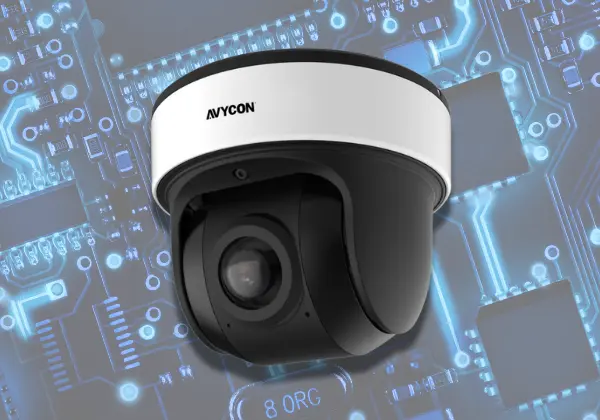
A wireless security camera captures video. Sends it to another device without a video cable. I have seen that most home models use WiFi to send footage to a phone a recorder or a cloud service.
Some wireless security cameras plug into a power outlet while other wireless security cameras rely on batteries or solar panels. The features of each wireless security camera depend on the model. They can include video quality, night vision, motion alerts and storage options.
How Do Wireless Security Cameras Work?
To understand How Wireless Security Cameras Work I follow the steps, from recording to viewing. How Wireless Security Cameras Work becomes clearer as I watch the process.
1. The camera captures video
I notice that a lens gathers light and an image sensor turns image sensor into video. Many models also support night vision and audio recording.
2. The camera sends the footage
I see that the camera uses WiFi or another supported wireless link to send data. A router helps connect the camera to your home network and other devices.
3. The footage is stored or viewed
Depending on the setup video will go to a memory card, a recorder or a cloud service. Then you can watch video or play the saved video clips whenever you want.
For example, a camera facing your driveway may detect a person, save a clip, and send an alert to your phone. You can open the app to check what happened.
Do Wireless Security Cameras Need WiFi?
I have found that most WiFi security cameras need a network to allow remote viewing and app alerts. I also discovered that some models can record locally even without an internet connection.
Here are common options:
- WiFi cameras: These cameras connect to a router so you can access them over a network and watch them from a distance.
- Local-storage cameras: These cameras store video, on a memory card or a recorder that works with them.
- Cameras: These cameras use a mobile network instead of WiFi when there is no WiFi available.
- Bluetooth cameras: These cameras typically use Bluetooth to set them up or control them nearby of sending video over long distances.
If you wonder how home security cameras work without the internet the answer depends on the recording features of home security cameras. A home security camera that stores video locally can keep recording. You may not be able to view the footage from far away.
How Do Wireless Security Cameras Get Power?
Wireless means the video signal moves, without wires. It doesn’t always mean the camera doesn’t need power. Most cameras run on one of these power sources.
- Plug-in cameras: Connect to an outlet or an approved power supply.
- Battery-powered cameras: Use rechargeable batteries or replaceable batteries. Frequent motion events can shorten battery life.
- Solar-powered cameras: Use a solar panel to recharge a battery when sunlight is available.
Check the power requirements before picking a place to mount the camera. A camera that plugs, in still requires a power source. A camera that runs on batteries needs a place where you can charge it or replace the batteries.
How Do Wireless Security Cameras Detect Motion?
Motion detection works by watching for changes in the cameras view or by using a built-in sensor to start recording or send alerts. I have seen cameras that also use video analysis to spot people, vehicles or animals.
When motion detection sees movement the camera may record a clip send a phone alert or start another recording event. These features vary with the camera model and, with its settings.
For results I recommend adjusting motion sensitivity and aiming the camera at the area you want to monitor. Moving trees, passing cars and poor placement can trigger alerts.
What Is the Difference Between Wireless and Wired Security Cameras?
The main difference is how video moves from the camera, to the recording system.
| Feature | Wireless camera | Wired camera |
| Video connection | WiFi or another wireless link | Usually a cable |
| Installation | Often needs less video cabling | Requires cable routes |
| Reliability | Can be affected by wireless interference | Cable connection is usually more stable |
| Power | Outlet, battery, or solar | Often a power cable or PoE |
| Remote viewing | Depends on network and app support | Also possible with a suitable network setup |
Both types can give video and remote viewing. Choosing the option for a building needs a look, at building, video quality, network quality, power access and recording needs.
What Affects the Performance of Wireless Security Cameras?
Even a great camera can have trouble if the connection is bad or if its not placed right. Look at these things before saying the equipment is faulty:
- WiFi signal: When the WiFi signal is weak you will notice delays video may drop or the connection may be lost.
- Walls: Thick walls, metal or other barriers can cut down the signal strength.
- Network traffic: When many devices stream video at the time they can consume most of the available bandwidth.
- Video quality: A higher resolution video needs more network capacity and more storage space.
- Power level: Low batteries can restrict how long the camera works or may cause the camera to shut down.
- Weather and lighting: Outdoor cameras must have proper weather protection and enough light or the night vision must function properly.
Check the signal at the cameras planned spot, not beside the router. A strong connection where you sit might not reach the garage or the back gate.
Are Wireless Security Cameras Secure?
Wireless cameras can help protect your property. Wireless cameras also need digital protection. Weak passwords, outdated software and unsafe network settings can increase security risks.
Follow these steps to protect your system:
- Make sure to set a unique password for your camera account.
- Turn on two-factor authentication when your camera offers two-factor authentication.
- Install firmware updates from the camera manufacturer.
- Use WiFi settings, for your camera and protect your router.
- Review who can access your camera and remove accounts from your camera.
- Check how the camera manufacturer stores and handles recorded footage.
Also think about privacy before you record shared spaces or nearby properties. Privacy matters and recording matters so always follow rules, about video and audio recording.
What Are the Advantages and Limitations of Wireless Security Cameras?
Wireless cameras give you the freedom to put them wherever you want and they usually need video cable. Many models let you view footage get motion alerts and watch your property from a phone app.
Wireless cameras have some shortcomings. A weak WiFi signal can cut off the video. Batteries need to be recharged. Some cloud features might need a paid subscription. Some cameras also stop recording if the power goes out unless they have power.
Before you buy a camera make sure it supports local recording, continuous recording, remote viewing and the storage method you like.
Where Should You Install Wireless Security Cameras?
Choose places that cover entry points and don’t leave big areas unseen. Useful places to start with include:
- Front and back doors
- Driveways and garages
- Side gates and outdoor paths
- Main entrances to offices or shops
- Areas where valuable equipment is stored
Mount cameras high so tampering is hard but make sure faces and entry points are still visible. Check the WiFi signal, lighting and power supply before fixing the camera in place. Avoid pointing cameras into areas where people expect privacy. For use choose a model rated for the weather conditions, at your property.
When Should You Choose Professional Wireless Security Camera Installation?
Professional installation can make a difference if your home or business has poor WiFi coverage, multiple entry points or places that are hard to keep an eye on. A trained professional can look at where the cameras should go test the signal check if there is power available and make sure that the recordings are working properly.
For people who live in Central Indiana Cam Security Surveillance offers security camera installation services. Go to our security camera installation Indianapolis page to find out more about the options, for installing cameras. Professional help is also a choice when you need many cameras to work as a team or if you want to test remote viewing and recording before you trust the system completely.
Conclusion
Understanding How Wireless Security Cameras Work? helps you choose a system that fits your property. Wireless security cameras capture video, send it through a connection and store footage locally or, in the cloud.
Wireless security camera performance depends on signal strength, power, storage, and placement. Check these details before choosing a camera, and test the system after installation. Contact us today for professional security camera installation.
FAQs
How do WiFi security cameras work?
WiFi security cameras capture video. Send it over a wireless network. Depending on the model footage can be viewed through an app. Saved to a memory card, recorder or cloud service.
Do security cameras work without internet?
Some cameras can record locally without internet access. However remote viewing, cloud storage and phone alerts may stop working until the connection returns.
How do Bluetooth cameras work?
Bluetooth cameras use a wireless connection often for setup or nearby control. Most home security cameras use WiFi or another network connection to send video for viewing.
Do wireless security cameras record all the time?
Some support recording, while others record only when they detect motion. Recording options depend on the camera, power source, storage and subscription plan.
Can wireless security cameras work during a power outage?
Battery‑powered cameras may continue working if their batteries have charge. Plug‑in cameras usually need power to keep operating during an outage.
How far can a wireless security camera reach?
There is no range for every camera. The distance depends on the technology, router, walls, interference and camera design. Test the connection, at the mounting spot.











