
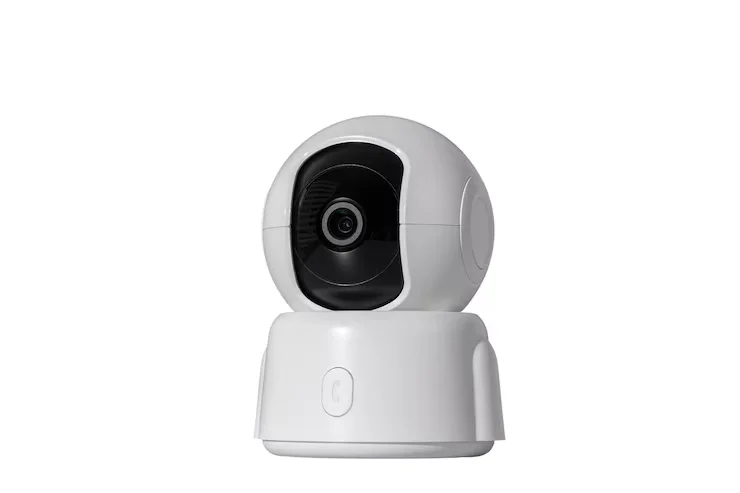
Installing security cameras at home begins by picking the best spots and checking the Wi‑Fi signal. You also require a power source, a phone app and plenty of storage for recordings. A good setup covers entry points and does not leave large blind spots. Test each wireless security camera before drilling holes or fixing the mount.
Learning how to install security cameras at home can help you avoid weak signals, bad angles and missed footage. This guide explains the process, from planning to testing. You will also learn how to improve Wi‑Fi coverage and keep security cameras safe.
What Is a Wireless Security Camera System?
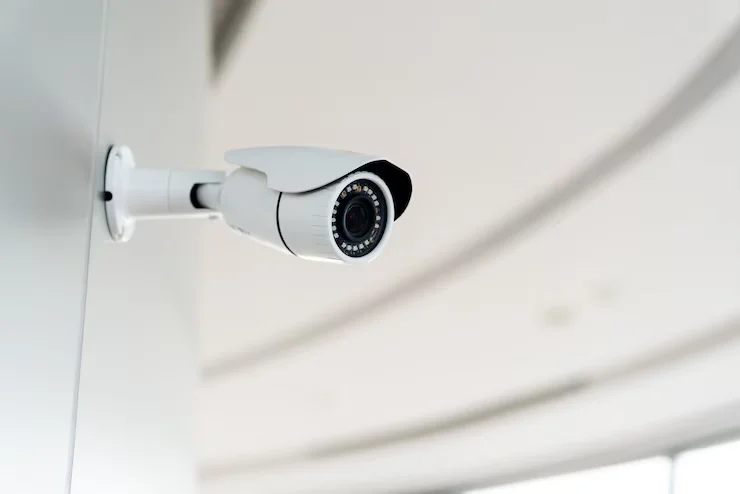
A wireless security camera system uses Wi-Fi to send video through your home network. Many cameras connect to an app so you can watch live video get alerts and watch recordings. Wireless does not always mean no wires. Most Wi-Fi cameras still need electricity from a wall outlet. Battery powered and powered models can help you avoid using a power cable.
Some systems store video on a microSD card. Others use cloud storage or a local recorder. Your choice depends on how you want to keep the videos and how often you plan to watch them. A wireless system can be an option for homes where putting network cables is hard.. Wi-Fi signals need to be strong, at every place where a camera is located.
What You Need Before Installation
Gather everything before starting the installation. This makes the process easier and helps prevent delays.
You may need:
- Wireless security cameras
- Camera mounting brackets
- Screws and wall anchors
- Power adapters or batteries
- A working Wi-Fi router
- Smartphone or tablet
- MicroSD cards if supported
- Cloud storage if selected
- Ladder for high mounting points
- Drill and basic tools
Read the camera manual before connecting anything. Different brands use different setup steps. Also check whether your cameras support your router’s Wi-Fi band. Some models support both 2.4 GHz and 5 GHz, while others may support only one.
How to Choose the Right Camera Locations
Camera placement affects both security coverage and video quality. Start by identifying the areas where a camera provides the most useful view.
Common locations include:
- Front door
- Back door
- Driveway
- Garage
- Side entrances
- Backyard
- Main hallway
- Areas containing valuable equipment
Avoid pointing cameras toward bright lights. Strong sunlight or headlights can wash out the image. Mount outdoor cameras high enough to reduce easy tampering. Keep the camera low enough to capture useful facial details when needed.
Think about the view from each camera. A camera should cover the target area without being blocked by trees, walls, vehicles, or other objects. Privacy also matters. Avoid placing cameras where people have a reasonable expectation of privacy. Check local laws and property rules before recording shared or neighboring areas.
Check Your Wi-Fi Signal Before Installing
Wi-Fi strength is one of the most important parts of a wireless camera setup. A camera can have excellent image quality but still fail if its network connection is weak. Before permanent installation, place the camera near the planned location. Open its live view and watch the video for several minutes.
Check for:
- Video freezing
- Delayed footage
- Connection drops
- Slow loading
- Weak signal warnings
- Failed notifications
The 2.4 GHz band usually travels farther. Goes through walls more easily. The 5 GHz band can give speeds but the range is usually shorter. Concrete, brick, metal doors and thick walls can weaken Wi‑Fi. A camera can work fine in one room yet struggle a few feet farther. Checking the signal before mounting can save time and avoid repeated installation work.
How to Install Wireless Security Camera System at Home
Once the locations and Wi‑Fi coverage are ready you can start the installation.
Step 1: Set Up Your Wi‑Fi Network
Make sure the router provides an internet connection. Place the router in an central location when possible. Avoid putting the router inside a cabinet. Large objects and metal surfaces can reduce Wi‑Fi coverage.
Step 2: Install the Camera App
Download the manufacturer’s official app on your phone. Create an account if required. Use a strong password for the camera account. Enable two-factor authentication if the manufacturer provides it.
Step 2: Install the Camera App
Download the app from the camera manufacturer on your phone. If needed, create an account. Choose a password for the camera account. Turn on two-factor authentication if the app offers it.
Step 3: Power the Camera
Plug in the camera to a power source or install the battery. Wait for the camera to finish starting up. Some cameras show a status light. Give a voice message when they are ready to connect.
Step 4: Connect the Camera to Wi-Fi
Open the app. Pick the option to add a new device. Follow the steps provided by the manufacturer. You might have to scan a QR code or type in your Wi-Fi details. Wait for the app to say the camera is connected.
Step 5: Test the Camera
Look at the video feed before putting the camera in place. Try out night vision, motion detection, notifications and two-way audio if your camera has those features. Walk around the area you want to monitor to check that motion events are detected properly.
Step 6: Mount the Camera
Find where you want to place the camera and mark the holes. Use the anchors for your wall type. Attach the bracket. Then fix the camera to it. Adjust the angle before making it tight. Check the view again to be sure the camera sees the area you want.
Step 7: Set Up Recording
If the camera supports storage put in a compatible memory card. If you prefer cloud recording choose a plan. Set the recording options that work for you. Pick the recording mode, how to keep recordings and motion detection settings based on what you need.
How to Position Wireless Security Cameras for Better Coverage
Good camera placement helps reduce spots and ensures you get useful footage. When setting up a camera for an entry door aim it toward the approach path of pointing directly at a bright window. This avoids glare. Allows the camera to capture clearer images when someone is coming in. For driveways think about the direction cars move and where people usually walk. Position the camera so it covers those areas.
For cameras make sure they aren’t blocked by furniture or objects. A simple test can help: walk around the area where the camera is placed and check what shows up in the feed. If parts of the room are blocked, adjust the camera angle. Move it to a better spot.
In homes installing a security camera system should be done with a full coverage plan in mind. Each camera should work together as part of a system. The aim isn’t to add more cameras. The aim is to make sure the important areas are covered. Focus, on high-traffic zones, entry points and any areas where you want to keep an eye.
How to Improve Wireless Camera Signal
A weak connection can cause delays and repeated camera disconnects. You can often improve the connection without replacing the camera.
Try these steps:
- Move the router closer to the cameras.
- Use 2.4 GHz for longer-range connections.
- Add a Wi-Fi extender.
- Consider a mesh Wi-Fi system.
- Remove large obstacles near the router.
- Keep the router away from metal objects.
- Reduce interference from nearby wireless devices.
If one camera is far from the router, test its connection before changing the entire system. For large homes, adding another access point may provide better coverage than relying on one router.
How to Power Wireless Security Cameras
Wireless cameras still need a reliable power source unless they use batteries or solar power. Plug-in cameras provide continuous power and are useful for cameras that record often. Battery cameras are easier to place because they do not require a nearby outlet. However, battery life depends on motion activity, recording settings, temperature, and camera use.
Solar cameras can help in suitable outdoor locations. They need enough sunlight to maintain the battery. Check the power needs before choosing the camera location. A perfect viewing angle is not useful if the camera cannot receive dependable power.
How to Set Up Remote Viewing
Most modern wireless cameras allow remote viewing through a mobile app.
After connecting the camera to Wi-Fi, open the app while using mobile data. This confirms that remote access works outside your home network.
You should be able to:
- View live footage
- Receive motion alerts
- Review recordings
- Change camera settings
- Check camera status
Do not share your camera account password. Use two-factor authentication when it is available. If remote viewing fails, first check the camera’s internet connection. After that check the app, account settings and router connection.
How to Secure a Wireless Security Camera System
Security cameras protect your home. The cameras themselves also need protection. Begin by choosing a password for your camera account. Do not use passwords that you also use on other websites. Keep the camera app. Firmware updated. Updates can fix security problems. Make the device run better. You should also check which people have access to your camera account. If the camera system allows it, give family members their authorized accounts. Do not share one password with everyone. Physical placement also matters. Outdoor cameras should be mounted where they are hard to reach without tools.
Common Wireless Camera Installation Problems
Several problems appear during or shortly after installation.
Camera will not connect: Check the Wi-Fi password and supported network band.
Camera keeps disconnecting: Test the signal at the camera location and check the power supply.
Video keeps buffering: A weak network connection may be limiting video transmission.
No motion alerts: Check motion zones, sensitivity, and notification permissions.
Poor night footage: Check for glare, nearby lights, and the camera’s night vision settings.
Camera is offline: Check power, Wi-Fi, router status, and the camera app.
A short test after installation can catch most of these issues before you depend on the system.
How to Troubleshoot a Wireless Camera
Start with the simplest checks. Confirm that the camera has power and that your router is working. Restart the camera and router if necessary. Then open the camera app and check its network status. If the problem continues, move the camera closer to the router temporarily. If the connection improves, Wi-Fi coverage may be the main issue.
Update the camera firmware and mobile app if updates are available. Avoid resetting the camera immediately. A factory reset removes existing settings and can create more setup work. For persistent problems, check the manufacturer’s support information or have the system inspected.
DIY Installation vs. Professional Installation
DIY installation can work well for a small system with strong Wi-Fi coverage. It also gives homeowners control over camera placement and setup. Larger systems can require more planning. Several cameras may create network demands, storage needs, and overlapping coverage.
Professional security camera installation can help with camera placement, Wi-Fi coverage, power planning, recording, and final testing. I think a professional installer can also spot spots that may not be obvious from inside the home. For homeowners who want a wireless security camera installation Cam Security Surveillance can help plan the system around the property layout and security needs.
How Wireless Cameras Do You Need?
How Wireless Cameras Do You Need? There is no number of cameras that work for every home. A small home may need cameras covering the door, driveway and backyard. A larger property may need cameras for side entrances, garages and other areas.
Start with entry points instead of placing cameras everywhere. Consider the camera field of view. One camera may cover an area while another may provide a closer view of a door. More cameras also mean network traffic and more storage. Plan the system around coverage rather than camera count alone.
Wireless Security Camera System Maintenance
A wireless camera system needs occasional checks after installation. Clean the camera lens when dust or dirt affects the image. Check outdoor mounts for movement or damage. Review your recordings from time to time. This confirms that the cameras are still recording as expected.
For battery cameras, check battery levels before they become empty.
Also check:
- Wi-Fi connection
- Camera power
- Storage capacity
- Motion alerts
- Firmware updates
- Camera viewing angles
These simple checks can help you find problems before you need recorded footage.
Conclusion
Learning How to Install Wireless Security Camera System at Home is easier when you treat the setup as one system. Camera placement, Wi-Fi coverage, power, recording and security all need to work.Test every camera before mounting. Check the viewing angle, network connection, motion alerts and recording settings.
For homes or difficult layouts professional help can make the installation more reliable. Contact Cam Security Surveillance today to discuss your home camera installation needs.
FAQs
Do security cameras need Wi-Fi?
Most Wi-Fi cameras need Wi-Fi for viewing, remote access, cloud storage and alerts. Some models can still record locally without an internet connection.
Do security cameras need to be plugged in?
Not always. Plug-in, battery and solar-powered models are available. Check the cameras power requirements before installation.
Can wireless security cameras work without the internet?
Some cameras can record locally without internet access. Remote viewing, cloud storage and online alerts usually require an internet connection.
Where should I place security cameras?
Common locations include doors, back doors, driveways, garages, side entrances and backyards. Avoid areas and major viewing obstructions.
How high should I mount a wireless security camera?
Mounting height depends on the camera and viewing area. Place it high enough to reduce tampering while keeping views of faces and entry points.
Do wireless cameras record all the time?
Some models support recording while others focus on motion-based recording. Storage capacity and power requirements should be considered before choosing recording.
How can I improve Wi-Fi for my security cameras?
Move the router closer, use 2.4 GHz, for longer-range connections, add an extender or install a mesh Wi-Fi system when needed.
How much does wireless security camera installation cost?
The cost varies based on camera count, equipment, mounting locations, wiring or power needs, network coverage, storage and installation requirements.










