
Security camera footage does not stay stored forever. Most systems keep recordings for several days to several weeks, while some cloud plans and large hard drives can store footage for months. The exact time depends on storage size, camera count, video quality, and recording mode.
So, How Long Do Security Cameras Keep Footage Before It Is Deleted? There is no single answer for every system. A camera may overwrite footage after seven days, while another system can keep recordings for 30, 60, or 90 days.
How Long Do Security Cameras Usually Keep Footage?
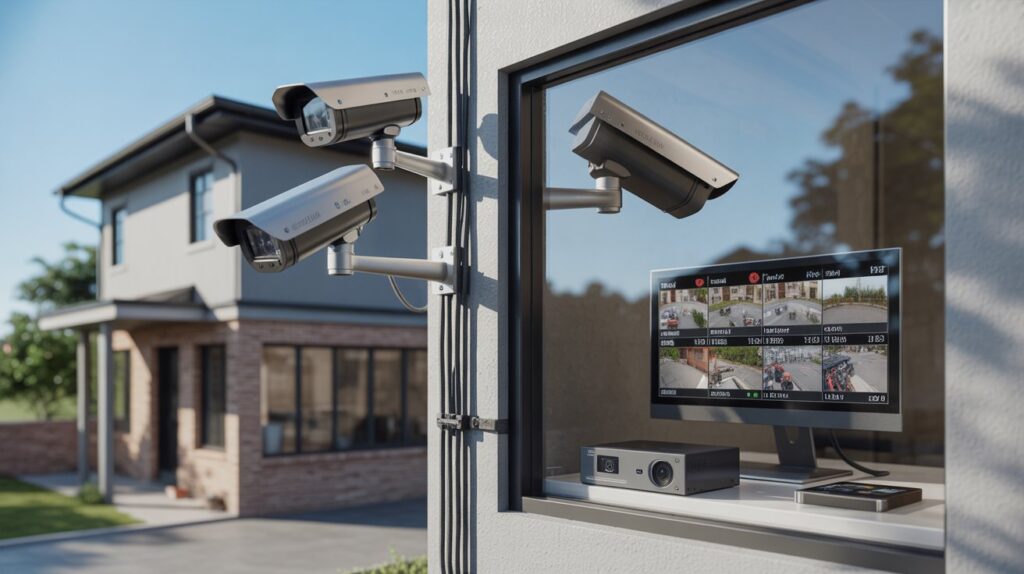
Most security camera systems store footage until the available storage becomes full. The system then starts replacing the oldest recordings with new ones. This is called automatic overwriting.
A typical home system may keep footage for:
- 3 to 14 days with smaller storage
- 14 to 30 days with moderate storage
- 30 to 90 days with larger storage
- Several months with large drives and limited recording
Cloud cameras work differently. A provider may offer a fixed retention period, such as 30 or 60 days. After that period, older clips may disappear unless you download or save them. The biggest mistake is assuming every camera keeps footage for 30 days. Storage rules vary by camera and recording system.
If you search how long does CCTV footage last, the answer depends on the equipment rather than CCTV itself. A four-camera NVR with a large hard drive can store much more footage than a single camera using an SD card. Cam Security Surveillance can help you choose the right camera system and storage capacity based on your property’s recording needs.
What Determines How Long Security Camera Footage Is Stored?
Several factors control your actual retention time.
1. Storage Capacity
A 1TB hard drive stores less footage than a 4TB or 8TB drive. The more storage you have, the longer your recordings can remain available.
2. Number of Cameras
Every camera uses part of the available storage. Eight cameras will normally fill a hard drive faster than four cameras using the same settings.
3. Video Resolution
Higher resolution creates larger video files. A 4K camera generally uses more storage than a 1080p camera. Higher frame rates can also increase storage use.
4. Recording Mode
Continuous recording uses storage around the clock. Motion recording only saves video when activity is detected. For many homes, motion recording can greatly extend retention time.
5. Compression
Modern systems often use H.264 or H.265 video compression. H.265 can reduce storage use while maintaining good image quality.
6. Frame Rate
A camera recording at 30 frames per second usually creates more data than one recording at 15 FPS. You should balance smooth video with your actual security needs.
How Long Does a DVR or NVR Store Security Camera Footage?
DVR and NVR systems normally store recordings on an internal hard drive. Once the drive reaches its storage limit, the recorder can overwrite the oldest footage. For example, imagine a home has four 1080p cameras and a 2TB hard drive. If those cameras record continuously, the available footage may last for a few weeks. Now change the system to motion recording. The cameras may record far less video each day. The same hard drive can then retain footage for much longer. This is why asking only about hard-drive size is not enough.
When estimating retention, consider:
Camera count + resolution + frame rate + recording mode + compression + hard-drive capacity
A professional installer can calculate storage needs before installation. This helps prevent the common problem of buying cameras with excellent image quality but not enough storage.
How Long Does Cloud Security Camera Footage Stay Available?
Cloud storage follows the retention rules of the camera provider and subscription plan. Some services keep recordings for a short period. Others offer longer plans. Your footage may be automatically removed when the retention period ends. Cloud storage has one major advantage. The recordings are stored away from the physical camera or recorder. If someone steals or damages the NVR, local footage may be lost. Cloud footage can remain available if it was already uploaded.
Before choosing cloud recording, check:
- How many days are included
- Whether continuous recording is supported
- How many cameras are covered
- Whether important clips can be downloaded
- What happens when the subscription ends
- Whether the plan limits storage or video quality
This is also why does CCTV delete after 30 days does not have a universal yes or no answer. Some cloud plans may use 30 days, while other systems use a different period.
Can Deleted Security Camera Footage Be Recovered?
Sometimes, but recovery is not guaranteed. There is an important difference between deleting a clip and overwriting it. If a recording was recently deleted from a storage device, recovery may sometimes be possible with professional tools. Once new video has overwritten the old data, recovery becomes much harder. For important footage, do not wait. Download the recording and save it to a secure computer, external drive, or approved cloud location.
This matters after events such as:
- Theft
- Property damage
- Vehicle accidents
- Workplace incidents
- Vandalism
- Insurance claims
- Disputes
If you need to delete CCTV footage permanently, understand that simply pressing a delete button may not guarantee complete removal from every type of storage device. Retention and deletion practices should also follow applicable privacy and legal requirements.
How to Make Security Camera Footage Last Longer
You can increase retention without simply buying a larger hard drive.
Use Motion Recording
Continuous recording creates a large amount of unnecessary video. Motion recording saves storage by focusing on periods when activity occurs.
Use Efficient Compression
H.265 can reduce storage requirements compared with older compression methods.
Choose the Right Resolution
Use 4K where detailed identification is important. For less critical areas, 1080p may provide enough detail.
Increase Storage
A larger surveillance-grade hard drive gives your system more recording capacity.
Reduce Unnecessary Activity
Point cameras away from busy roads, trees, or areas that trigger constant motion alerts. This can reduce unwanted recordings.
Review Your Recording Settings
Check your FPS, resolution, motion sensitivity, and recording schedule. Small setting changes can have a large effect on retention.
How Long Should You Keep Security Camera Footage?
The right retention period depends on the property and its risks. A homeowner may only need several weeks of footage. A business may need a longer period because an incident might not be reported immediately. For example, a retail store may want enough footage to investigate an incident discovered several days later. An apartment property may also need longer retention because residents may report problems after some time has passed.
There is no universal retention period that fits every property. You should also consider local privacy rules, workplace policies, insurance needs, and any legal requirements that apply to your situation. For sensitive areas, avoid recording places where people have a reasonable expectation of privacy.
How to Check How Many Days of Footage Your Camera Stores
You can check your retention period without guessing.
- Open your DVR or NVR settings.
- Find the storage or hard-drive section.
- Check the total and available capacity.
- Review your recording schedule.
- Check camera resolution and frame rate.
- Look at the date of the oldest available recording.
- Compare that date with today’s date.
The oldest available recording gives you a practical answer. For example, if today’s date is September 9 and the oldest recording is August 15, your system currently provides about 25 days of available footage. Remember that this number can change. More motion, higher resolution, or additional cameras can reduce retention.
Security Camera Storage Example
Consider a home with six cameras. Each camera records at 1080p. The system uses a 4TB hard drive and H.265 compression. With continuous recording, the system may store several weeks of footage. If the same cameras use motion recording, retention can increase because the system records less video. Now imagine the homeowner upgrades the cameras to 4K while keeping the same hard drive. Storage will fill faster.
This example shows why there is no reliable answer based on camera count alone. If you want a precise estimate, calculate storage based on the exact camera bitrate, recording hours, number of cameras, and hard-drive capacity.
Local Storage vs. Cloud Storage for Security Footage
| Feature | Local Storage | Cloud Storage |
| Storage location | DVR, NVR, or SD card | Remote server |
| Monthly fee | Usually none | Often subscription-based |
| Internet for recording | Usually not required | Usually required |
| Remote access | Depends on system | Usually available |
| Storage expansion | Add or replace storage | Upgrade plan |
| Theft protection | Limited if recorder is stolen | Better protection from local theft |
Local storage gives you more direct control. Cloud storage can provide easier remote access and an off-site copy.
Some systems can use both. This can provide local recording with cloud backup for important events.
A Simple Way to Estimate Storage
A useful approach is to look at the camera’s bitrate. Higher bitrate means more data is recorded every second. You can estimate daily storage using:
Daily storage = bitrate × recording time × number of cameras
The exact result depends on compression and system settings. This calculation is more useful than simply asking how many terabytes a recorder has. It also helps installers recommend storage based on the customer’s actual needs.
When Should You Back Up Security Camera Footage?
Back up important footage as soon as you identify an incident. Do not assume the recording will remain available until you need it. For example, if a theft occurred five days ago, export the relevant footage immediately. Waiting another few weeks could allow the recorder to overwrite it.
If you need professional security camera installation Indianapolis, Cam Security Surveillance can help plan camera placement, recording settings, storage capacity, and system configuration based on your property’s needs.
A good backup should include enough time before and after the event. This gives you context instead of saving only the exact moment something happened.
How Long Do Security Cameras Keep Footage Before It Is Deleted?
How Long Do Security Cameras Keep Footage Before It Is Deleted? Usually, the answer ranges from several days to several weeks, but some systems can retain recordings for several months. The exact retention period depends on storage capacity, camera resolution, recording mode, frame rate, compression, and the number of cameras.
If your system overwrites footage every 14 days, an important recording can disappear quickly. Check your storage settings now instead of discovering the limit after an incident.
How Long Does CCTV Last as a Recording System?
The phrase how long does CCTV last can mean two different things. It can refer to how long footage is stored or how long the physical CCTV equipment operates. For footage, storage capacity determines retention. For equipment, cameras, recorders, hard drives, cables, and power supplies all have different service lives.
A well-maintained surveillance system can remain useful for years, but storage drives may need replacement before the cameras themselves.
Conclusion
Security camera footage does not have one fixed expiration date. A small SD card system may keep recordings for only a few days, while a large NVR can retain footage for weeks or months. The most important factors are storage capacity, camera count, resolution, frame rate, compression, and recording mode.
If a recording could matter later, back it up before the system overwrites it. A properly planned surveillance system should provide enough storage for the risks and needs of the property. For businesses and homeowners who need reliable camera coverage, professional planning can help prevent storage gaps and missed recordings. Contact us today to discuss your security camera needs and find the right recording and storage solution for your property.
FAQs
Does CCTV delete after 30 days?
Not always. Some systems may overwrite footage after 30 days, while others keep it for only a few days or much longer. Storage capacity and recording settings determine the actual retention period.
How long does CCTV footage last?
CCTV footage can last from several days to several months. The exact period depends on storage capacity, resolution, camera count, recording mode, compression, and frame rate.
Do security cameras automatically delete old footage?
Most DVR and NVR systems overwrite the oldest recordings when storage becomes full. Cloud systems usually remove recordings according to their retention plan.
Can CCTV footage be permanently deleted?
Footage can be removed, but the exact deletion process depends on the storage system. Overwritten footage is generally much harder to recover than recently deleted footage.
How can I keep security camera footage longer?
Use a larger hard drive, motion recording, efficient compression, and suitable resolution. You can also choose a cloud plan with a longer retention period.
Is 30 days enough for security camera footage?
Thirty days may be enough for many homes and small businesses, but higher-risk properties may need longer retention. Consider how quickly incidents are normally reported and investigated.










