
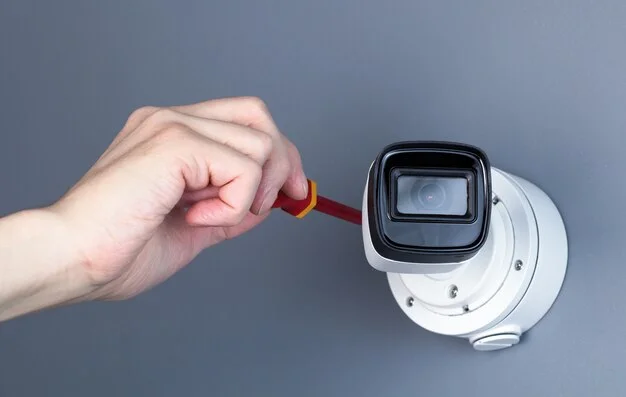
Security cameras are no longer a luxury. They are a smart investment for homeowners and business owners alike. Whether you want to protect your family or your storefront, the first question is always the same: what will it cost?
How much does security camera installation cost in 2026? On average, you will pay between $150 and $2,500 for a full installation. The exact number depends on camera type, number of cameras, wiring needs, and your location. This guide breaks it all down, with real numbers.
Average Security Camera Installation Cost in 2026
Average Security Camera Installation Cost in 2026
Here is a quick overview of what most people pay:
| Installation Type | Average Cost |
| Single camera (basic) | $100 – $350 |
| 4-camera home system | $600 – $1,600 |
| 8-camera home system | $1,200 – $2,800 |
| Small business system | $1,500 – $5,000 |
| Large commercial setup | $5,000 – $50,000+ |
Labor alone typically runs $80 to $200 per camera. Equipment adds to that cost. If you are hiring a professional, expect to pay both.
Most homeowners spend around $1,300 total for a 4-camera system with professional installation. That number climbs fast for businesses or larger properties.
Security Camera Installation Cost by Number of Cameras
The number of cameras is the biggest cost driver. More cameras mean more equipment, more labor, and more wiring.
1 Camera: $100 – $350 Good for a front door or a small apartment entry point.
2 Cameras: $250 – $650 Covers front and back. A solid starter setup for most homes.
4 Cameras: $600 – $1,600 The most popular choice for average-sized homes. Covers all main entry points.
6 Cameras: $1,000 – $2,500 Better for larger homes or properties with garages and side yards.
8 Cameras: $1,200 – $3,500 Recommended for large homes, small businesses, or multi-unit buildings.
16+ Cameras: $3,000 – $10,000+ Designed for commercial properties, warehouses, or multi-location businesses.
A professional installer can advise you on how many cameras actually make sense for your property. Don’t buy more than you need.
Security Camera Installation Cost by Camera Type
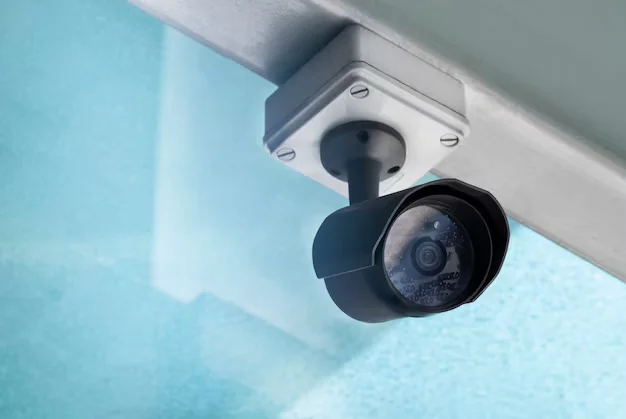
Not all cameras are priced the same. The type of camera you choose directly affects your total bill.
Bullet Cameras
Cost: $50 – $200 per camera These are long and cylindrical. Great for outdoor use and covering long, straight areas like driveways or parking lots.
Dome Cameras
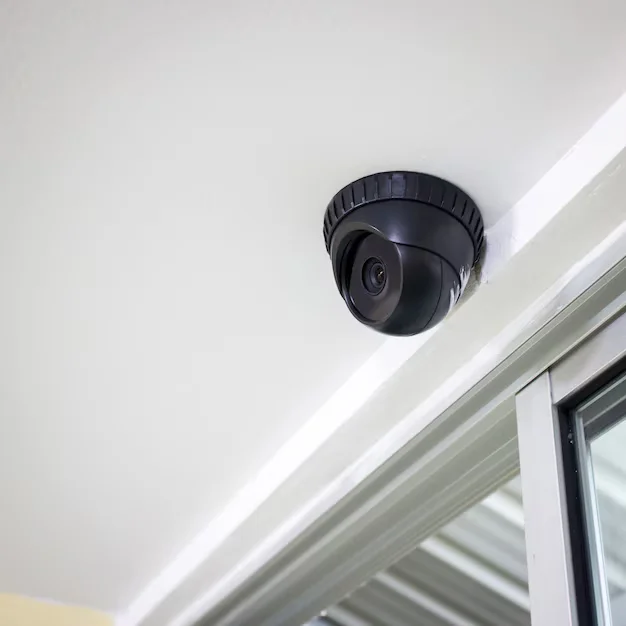
Cost: $60 – $250 per camera Round and compact. Hard to tamper with. Common in retail stores and hallways. Good all-around choice.
PTZ Cameras (Pan-Tilt-Zoom)
Cost: $200 – $800 per camera These can rotate and zoom remotely. Often used in large commercial spaces or parking areas.
Hidden / Covert Cameras
Cost: $50 – $300 per camera Designed to blend in. Used in offices or retail to catch internal theft.
License Plate Recognition Cameras
Cost: $300 – $1,200 per camera Specialized cameras for parking lots, gated communities, or business driveways.
Thermal Cameras
Cost: $1,000 – $10,000+ per camera High-end option for critical infrastructure, large facilities, or industrial properties.
The CCTV camera installation price also depends on resolution. 4K cameras cost more than 1080p, but offer significantly better image quality.
Factors That Affect Security Camera Installation Costs
Several things change how much you end up paying. Here is what matters most.
1. Wired vs Wireless
Wired systems require drilling, cable runs, and more labor. Wireless systems are quicker to install but may have range or reliability limitations.
2. Indoor vs Outdoor
Outdoor cameras need weatherproofing, proper mounting hardware, and sometimes conduit for cables. This adds time and cost.
3. Property Size
Larger properties need more cameras, longer cable runs, and more complex configuration. Every extra foot of cable run adds to your labor bill.
4. Existing Infrastructure
If your home or business already has conduit, cable pathways, or a network video recorder (NVR) in place, installation will be faster and cheaper.
5. Camera Resolution
Higher resolution cameras (4K, 8MP) cost more to buy and sometimes need more storage.
6. Storage Type
Cloud storage plans run $3 – $30 per month. Local storage (DVR/NVR) requires a one-time hardware purchase of $150 – $500 but no monthly fees.
7. Night Vision and AI Features
Cameras with color night vision, facial recognition, or motion analytics cost more upfront.
8. Permits
Some cities require permits for commercial surveillance systems. This adds $50 – $200 to your project.
9. Installer Experience
Certified security installers charge more than general handymen, but the quality of work and warranty coverage is usually much better.
Home Security Camera Installation Cost in 2026
For most homeowners, the total cost falls between $600 and $2,500. This covers a basic 4 to 8 camera setup with professional labor.
Here is a realistic budget breakdown for a 4-camera home system:
| Item | Estimated Cost |
| 4 outdoor cameras (1080p) | $200 – $600 |
| NVR / DVR recorder | $150 – $350 |
| Labor (4 cameras) | $300 – $700 |
| Cables and mounting hardware | $50 – $150 |
| Total | $700 – $1,800 |
If you are in Indianapolis and looking for reliable home protection, Cam Security Surveillance offers professional home security systems Indianapolis residents trust. From basic packages to full smart home integrations, they handle everything from site survey to final setup.
Going DIY on a home system can save you $300 – $700 in labor. But improper placement, missed blind spots, or weak cable connections can leave gaps in your coverage that cost you more in the long run.
Business Security Camera Installation Cost in 2026
The security camera installation business cost for commercial properties is significantly higher than residential. More cameras, more complex setups, and higher compliance requirements all drive up the price.
Small Business (4 – 8 cameras): $1,500 – $5,000 Medium Business (8 – 16 cameras): $4,000 – $12,000 Large Business / Warehouse (16 – 64 cameras): $10,000 – $50,000+
Businesses often need features that homes do not:
- License plate recognition
- High-frame-rate cameras for fast movement
- Integration with access control systems
- Remote monitoring with security guard notification
- Redundant recording storage (on-site + cloud backup)
The CCTV installation cost for a commercial property also includes proper system documentation, which may be required by insurance providers or local regulations.
Cam Security Surveillance specializes in commercial builds. Their team handles everything from blueprint-stage camera placement planning to post-installation monitoring setup.
Cost of Wired vs Wireless Security Camera Installation
This is one of the most common questions people ask before budgeting.
Wired Systems
Installation cost: $150 – $300 per camera (labor included)
Wired systems use physical cables (usually coaxial or Cat6) to transmit video and power. They are more reliable. No signal interference. No Wi-Fi dependency. Best for long-term, permanent setups.
The downside is higher labor costs. Running cable through walls, ceilings, or conduit takes time.
Wireless Systems
Installation cost: $80 – $200 per camera (labor included)
Wireless cameras use Wi-Fi or cellular to send video. They are faster to install. No drilling needed in many cases. But they depend on your internet connection and can be affected by signal interference or power outages.
Which is better?
For permanent homes and businesses, wired wins on reliability. For rentals, temporary setups, or locations where drilling is not allowed, wireless is the smarter pick.
Additional Costs Homeowners Should Consider
When budgeting for security cameras, do not forget these extra costs.
Monitoring Service: $10 – $50/month. Some homeowners pay for 24/7 professional monitoring.
Cloud Storage: $3 – $30/month depending on camera count and retention length.
Extended Warranty: $50 – $200. Especially worth it for outdoor cameras exposed to weather.
Smart Home Integration: $100 – $500 if you want your cameras connected to Alexa, Google Home, or a full smart home hub.
System Upgrade / Retrofit: If you have old analog cameras and want to upgrade to IP cameras, you may need new cabling or adapters. Budget $200 – $600 extra.
Repairs and Maintenance: Annual maintenance visits run $75 – $200 and can catch failing hardware early.
Professional Security Camera Installation vs DIY
Should you hire a pro or do it yourself? Here is an honest comparison.
DIY Installation
Pros:
- Saves $200 – $700 in labor
- Good for tech-savvy homeowners
- Faster for simple 1-2 camera setups
Cons:
- Easy to miss optimal camera angles
- Wiring mistakes can cause signal issues
- No warranty on installation labor
- Takes more time than expected
Professional Installation
Pros:
- Correct placement from the start
- Cleaner cable management
- Warranty on labor and equipment
- Faster overall when done by experienced hands
- Better long-term reliability
Cons:
- Higher upfront cost
- Need to schedule and coordinate
For most homeowners, professional installation is worth it for systems with 4+ cameras or any wired setup. For a single wireless camera at the front door, DIY is perfectly reasonable.
How to Save Money on Security Camera Installation
You do not have to overspend to get solid protection. Here are real ways to cut costs without cutting corners.
- Get 3 quotes. Prices vary widely between installers. Getting multiple bids gives you negotiating power.
- Buy your own equipment. Many installers will install owner-supplied equipment, saving you the markup on cameras.
- Start small. Begin with 2 to 4 cameras in the most critical areas. Expand later.
- Bundle with other services. Some companies offer discounts when you combine camera installation with alarm systems or access control.
- Use wireless cameras where possible. Cutting wiring labor can save $50 – $150 per camera.
- Skip unnecessary features. You do not always need 4K or AI analytics for a residential setup. 1080p covers most needs.
- Check for tax incentives. Some states and municipalities offer tax credits for security upgrades, especially for businesses.
How Many Security Cameras Do You Really Need?
This depends on your property, not a sales pitch. Here is a practical guide.
Studio or 1-bedroom apartment: 1 – 2 cameras (front door, back door)
Standard 3-bedroom home: 4 cameras (front door, back door, garage, yard)
Large home with multiple entry points: 6 – 8 cameras
Small retail shop: 4 – 6 cameras (entrance, cash register, stockroom, exterior)
Office building or warehouse: 8 – 24+ cameras depending on layout
A good rule of thumb: cover every entry point, plus any high-value area (garage, server room, stockroom). Do not waste money on cameras in areas with no real risk.
Is Security Camera Installation Worth the Cost in 2026?
Yes. And the data backs that up.
Studies from multiple law enforcement agencies consistently show that visible cameras reduce property crime. Burglars are far less likely to target a property with clearly visible cameras. Insurance companies recognize this too. Many offer premium discounts of 5 – 20% for properties with verified security systems.
Beyond deterrence, cameras provide evidence. In the event of a break-in, vandalism, or workplace incident, recorded footage is often the deciding factor in insurance claims, police investigations, or legal cases.
The security camera installation cost also continues to drop as technology improves. You get more for your money today than ever before. A system that would have cost $5,000 five years ago now runs $1,500 to $2,000 with better resolution and features.
For homeowners, the peace of mind alone is worth the investment. For businesses, it is simply a cost of doing business responsibly.
Why Choose Cam Security Surveillance for Security Camera Installation?
Cam Security Surveillance is a trusted name in both residential and commercial security. Here is what sets them apart:
- Licensed and certified installers with years of hands-on experience
- Transparent pricing with no hidden fees
- Custom system design based on your actual property, not a cookie-cutter package
- Full-service support from installation through ongoing maintenance
- Trusted by homeowners and businesses across Indianapolis and surrounding areas
Whether you need a 2-camera home setup or a 32-camera commercial build, Cam Security Surveillance delivers professional results at honest prices.
They also offer free site consultations so you know exactly what you need before you spend a dollar.
Conclusion
How much does security camera installation cost in 2026 depends on several factors. Camera count, type, wiring method, and location all play a role. Most homeowners pay between $600 and $2,500. Businesses can expect to spend $1,500 to $50,000 depending on size and complexity.
The bottom line: do not skip professional installation to save a few hundred dollars. The right placement and proper setup make all the difference in real-world performance. Work with a trusted company like Cam Security Surveillance to get a system that actually protects you. Contact Us today and get a free consultation.
FAQs
How much does it cost to install 4 security cameras?
Most homeowners pay $600 to $1,600 for a 4-camera system installed professionally. This includes equipment and labor.
What is the average CCTV installation cost for a small business?
Small businesses typically spend $1,500 to $5,000 for a professional CCTV setup with 4 to 8 cameras.
Is it cheaper to install wireless or wired cameras?
Wireless cameras cost less to install (lower labor). Wired cameras cost more upfront but tend to be more reliable long-term.
How long does a security camera installation take?
A basic 4-camera home installation usually takes 3 to 6 hours. Larger commercial systems can take 1 to 3 days.
Do I need a permit to install security cameras?
Residential setups rarely need permits. Some commercial or multi-tenant properties may require local permits. Check with your city.
How much does professional monitoring cost?
Most monitoring plans run $10 to $50 per month depending on the provider and level of service.
Can security cameras lower my home insurance?
Yes. Many insurers offer discounts of 5 to 20% for verified security systems. Contact your provider for details.
What is the best number of cameras for a home?
Most homes are well covered with 4 cameras. Larger properties benefit from 6 to 8.










