
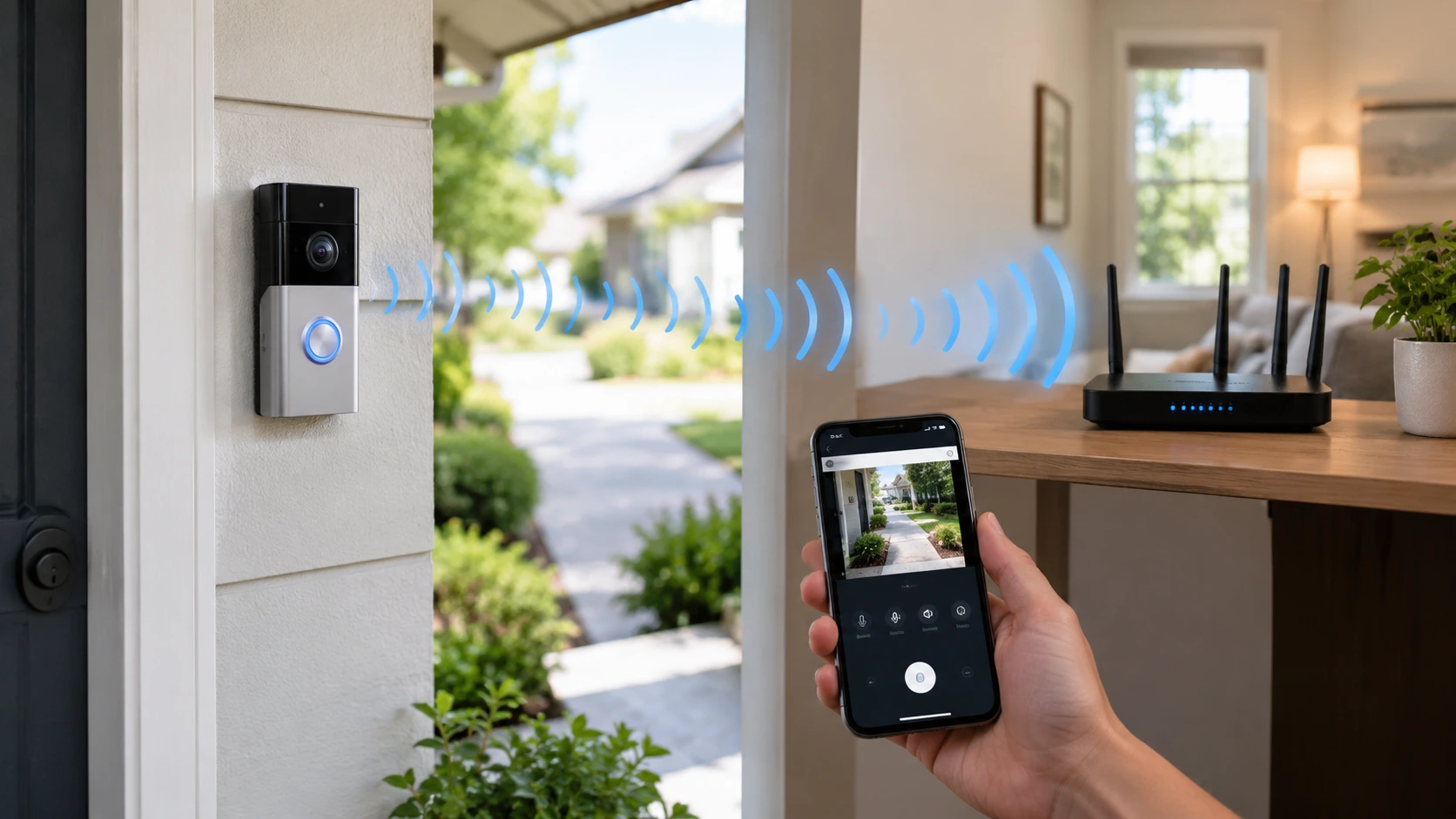
A Ring Doorbell does not have one set distance from a Wi-Fi router. The working range depends on signal strength, walls, interference, where the router is placed and which Ring model you have. A strong signal is more important than how many feet’re between the devices.
So How Far Can a Ring Doorbell Be Away From a Router? The real answer is easy: put it where the Ring app shows a Wi-Fi signal. Ring suggests checking RSSI, which measures the strength of the connection, between your device and Wi-Fi network.
How Far Can a Ring Doorbell Be From a Router?
Many homeowners think about a distance like 30, 50 or 100 feet. That can be wrong because Wi-Fi range is different in every home. A Ring Doorbell can work well when it is far from the router if there are not things in the way. The same distance can cause issues in a house with brick walls, metal surfaces, multiple floors or a lot of other Wi-Fi networks nearby. Ring says its devices need an internet connection. All Ring devices work with 2.4 GHz Wi-Fi. Some models also work with 5 GHz.
For an example think about a router in a living room and a Ring Doorbell at the front door. If there is one drywall between them the connection might stay good. If the signal has to go through brick walls and a metal door the same distance might not work as well. This is why Ring camera Wi-Fi range should not be judged by distance. The best way is to put the doorbell where it gets a signal and then check the connection, in the Ring app.
What Is the Best Distance Between a Ring Doorbell and Router?
There is no one distance. A shorter distance usually helps,. The way between the two devices is just as important. Think about the path the Wi-Fi signal has to take. A router placed 40 feet away with nothing blocking the way may give a connection than one placed 20 feet away behind many thick walls.
For homes putting the router in a central open area is a better choice than putting it inside a cabinet or a corner. Keep objects and thick building materials away from the signal path whenever possible. You should also stay away from putting the router next to appliances or other electronics that can cause interference. The real goal is not to make the distance as short, as possible. The goal is to have enough ring doorbell wifi signal strength at the door.
Ring measures this connection with RSSI. Its current guidance lists these ranges:
| Ring RSSI | Signal quality | What it means |
| 0 to -60 | Great | Strong connection |
| -60 to -70 | Okay | Could be improved |
| -70 to -80 | Poor | Delays or interruptions may occur |
| -80 or worse | Very poor | Device may go offline |
This gives you a much better answer than simply measuring the number of feet.
What Can Reduce Ring Doorbell Wi-Fi Range?
Several things can weaken the connection between your router and doorbell.
Thick Walls
Brick, concrete, stucco and other heavy materials can weaken Wi-Fi signals. A doorbell placed on a wall might have a weaker connection compared to a device, inside the home.
Metal
I have seen that metal doors, frames, siding, security screens and other metal objects can interfere with the signal. Ring lists brick, stucco and metal walls among the objects that can weaken Wi‑Fi signals.
Multiple Floors
A router that is upstairs might not give the level of signal strength at a doorbell that is downstairs. Walls and ceilings can get in the way. Make the signal weaker.
Large Appliances
Refrigerators, ovens and other big objects can weaken the Wi-Fi signal. Ring also notices these objects and electronic devices as possible causes of a weaker Wi-Fi connection.
Wi-Fi Congestion
When many nearby networks share the wireless channels your connection often feels less stable. The problem shows up clearly in apartments, townhomes or neighborhoods, with many close homes.
Does a Ring Doorbell Need to Be Close to the Router?
No. A Ring Doorbell does not have to sit next to your router. It only needs a Wi‑Fi connection. A Ring Doorbell can work in another room or on the side of the house if the signal is strong enough. The key point is that distance and signal strength are not the thing.
For example a 25‑foot link that goes through thick walls can be weaker than a 50‑foot link that goes through an open hallway. Your Ring model also matters. Some Ring devices support both 2.4 GHz and 5 GHz while others support 2.4 GHz. Ring says 2.4 GHz usually gives range than 5 GHz but 5 GHz can give benefits when the Ring is close enough, to the router.
If you are not sure which network your Ring Doorbell supports check the model in the Ring app before changing your router settings.
How to Check the Wi-Fi Signal at Your Ring Doorbell
You do not need to guess whether your doorbell is too far away.
Ring provides a built-in way to check its connection.
Open the Ring app and follow these steps:
- Open the Ring app.
- Tap the menu icon.
- Select Devices.
- Choose your Ring Doorbell.
- Open Device Settings.
- Select Device Health.
- Check Signal Strength.
Ring uses RSSI to show how strong the Wi-Fi connection is. A value between 0 and -60 is considered good. A value between -60 and -70 is okay. Might need some improvement. A value between -70 and -80 could mean delays or problems. A value of -80 or lower means the connection is very weak.
This is one of the useful checks when deciding How Far Can a Ring Doorbell Be Away From a Router? Of thinking about a general distance you can check the real connection, at your door.
What Happens If a Ring Doorbell Is Too Far From the Router?
A weak connection can cause several problems.
You may notice:
- Delayed motion alerts
- Slow Live View
- Video loading problems
- Interrupted video
- Delayed two-way audio
- The doorbell going offline
- Trouble completing setup
- Reduced reliability during busy periods
A weak Wi‑Fi signal does not always mean the doorbell is broken. For example imagine your Ring Doorbell works fine during the day but often goes offline at night. Before you replace the device check its RSSI and the network connection. The issue may be quality, network congestion or another Wi‑Fi problem.
Ring also notes that video quality affects the required upload speed. Ring’s current guidance lists 2 Mbps upload speed for 1080p devices, 2.5 Mbps for 1536p 10 Mbps for 2K and 15 Mbps, for 4K devices.
How to Improve Ring Doorbell Wi-Fi Signal
If your ring signal strength is poor, start with the simplest fixes.
Move the Router
If possible put the router in an area that is not blocked. Stay away from placing it inside a box or, behind things. Moving the router a few feet might help make the connection to a door better.
Use the 2.4 GHz Network
I have found that 2.4 GHz Wi‑Fi usually travels than 5 GHz. Ring tells me that every one of its devices supports 2.4 GHz but only some of them support 5 GHz. If my doorbell is far, from the router 2.4 GHz may be a choice but only if my model supports 2.4 GHz.
Add a Wi-Fi Extender
If the routers signal is weak at the door a Wi‑Fi extender can help. Ring recommends using Chime Pro or a compatible mesh router when a Ring device is far, from the router.
Use a Mesh Wi-Fi System
A mesh system can help cover homes more effectively. It works well if the doorbell is far, from the router or if thick walls are blocking the signal.
Test Before Final Installation
Do not think that a place will have connection just because your phone shows Wi-Fi there. Check the connection close, to where the doorbell will be placed. A phone and a Ring Doorbell can act differently because they have antennas and different network needs.
How Far Can a Ring Doorbell Be From a Wi-Fi Extender?
There is no distance that works for every Ring Doorbell and extender configuration. The extender must first receive a signal from the router. After that the extender must have range to reach the Ring Doorbell. Ring recommends placing a Chime Pro halfway between the router and the Ring Doorbell when using it to boost Wi‑Fi. The Ring app contains a Chime Pro Placement Test that can help you locate the position.
Do not place the extender in an area. For example if the router is inside the house and the Ring Doorbell is at the end of the property placing the extender right next to the Ring Doorbell may not work. The extender still requires a connection, to the router in order to function properly.
A better setup may look like this:
Router → strong Wi-Fi area → extender → Ring Doorbell
The exact placement should be tested rather than guessed.
Ring Doorbell Wi-Fi Range: What Homeowners Should Consider
When planning ring doorbell wifi range, look at the whole property rather than only the distance between two devices.
Consider these factors:
- Router location
- Doorbell location
- Number of walls
- Wall materials
- Floors between devices
- Metal doors and frames
- Nearby Wi-Fi networks
- Number of connected devices
- Doorbell model
- 2.4 GHz or 5 GHz support
- Internet upload speed
- Need for a mesh system or extender
For homeowners in Indianapolis, professional network planning can also help when a doorbell or other camera has weak coverage. If you need broader camera coverage, security camera installation indianapolis services can help assess camera locations, network needs, and property layout.
Cam Security Surveillance can also help homeowners plan security camera placement around the property instead of choosing locations based only on convenience. A good security camera installation should consider both camera coverage and the network connection needed to support the devices.
A Simple Way to Decide If Your Ring Doorbell Is Too Far Away
Use this three-step check before buying another device.
Step 1: Check the Ring app.
Look at Device Health and note the RSSI reading.
Step 2: Check the location.
Look for thick walls, metal, appliances, and other objects between the router and doorbell.
Step 3: Improve the weakest point.
Move the router, use 2.4 GHz when suitable, or add an extender or mesh system.
This approach is more useful than following a fixed distance such as 50 or 100 feet.
Conclusion
So how far can a Ring Doorbell be from a router? There is no one distance that works the same in every house. The real test is the Wi-Fi signal, at the doorbell itself. Open the Ring app. Check the RSSI value. That number tells you how strong the signal is. Then look at what’s between the router and the doorbell like walls, floors, metal objects and the location of the router. All of these things affect the signal strength.
A strong Wi-Fi signal can reach far across a large home.. Even if the router is close a weak signal can still cause issues. If your Ring Doorbell keeps going offline takes long to start Live View or doesn’t send alerts the problem might not be the device. It could be the Wi-Fi. Before replacing the doorbell test the signal. Try moving the router. Adding a Wi-Fi extender to boost coverage
For people planning to install Ring cameras, it’s smart to check Wi-Fi coverage in advance. Make sure each camera location gets a strong and reliable signal. This helps your cameras work properly and reduces connection problems later. Contact us today to discuss your camera installation and Wi-Fi coverage needs.
FAQs
How far can a Ring Doorbell be from a Wi‑Fi router?
There is no maximum distance that applies to every Ring Doorbell. The strength of the signal depends on the Wi‑Fi router on the walls that lie between the Ring Doorbell and the router on any interference on the Ring Doorbell model and on how the network is set up. The useful measurement is the RSSI that appears in the Ring app.
What is a good Ring Doorbell signal strength?
Ring shows an RSSI value from 0 to –60 great. A reading from –60 to –70 is acceptable. It could be better. Readings from –70 to –80 are poor and anything at –80 or lower is very weak.
Does a Ring Doorbell work better on 2.4 GHz or 5 GHz?
It depends on the Ring Doorbell model and on the location. All Ring devices can use 2.4 GHz. Some Ring devices can also use 5 GHz. Usually 2.4 GHz has a range, which can help when the Ring Doorbell is far from the Wi‑Fi router.
Will a Wi‑Fi extender help my Ring Doorbell?
Yes. A Wi‑Fi extender can improve coverage when the Wi‑Fi router’s signal is weak at the Ring Doorbell location. Ring suggests options such as a Chime Pro or a mesh router for Ring Doorbells that’re far from the main Wi‑Fi router.
Why does my Ring Doorbell keep going offline?
A weak Wi‑Fi signal can be one reason. First check the RSSI in Device Health. Also look at where the Wi‑Fi router sits at any interference at the internet speed and at whether other devices on the network’re causing congestion.
How can I improve my Ring Doorbell Wi‑Fi signal?
Move the Wi‑Fi router to an open spot. Use 2.4 GHz when it is suitable. Reduce obstacles. Add a Wi‑Fi extender or a mesh system. Test the connection at the Ring Doorbell’s location after you make changes.
Is Ring Doorbell Wi‑Fi range affected by walls?
Yes. Brick, stucco, metal, large objects and electronics can weaken Wi‑Fi signals. A Ring Doorbell that is separated from the Wi‑Fi router by dense walls may have a weaker connection than one at the same distance, with a clear line of sight.










