The best doorbell camera gives you clear video, useful alerts, two-way talk, and reliable performance. For most homes, a 2K model with person detection is a strong starting point.
Wired models are better for constant power, while battery models offer easier installation. Your Wi-Fi strength, front-door layout, storage needs, and budget also matter. A camera with great video is not useful if alerts arrive late or the signal keeps dropping.
So, what is the best doorbell camera? Cam Security Surveillance recommends choosing a model based on your home’s layout, security needs, and daily activity. The right doorbell camera should protect your entryway with clear video and useful alerts without making you pay for features you do not need.
What Makes a Doorbell Camera the Best?
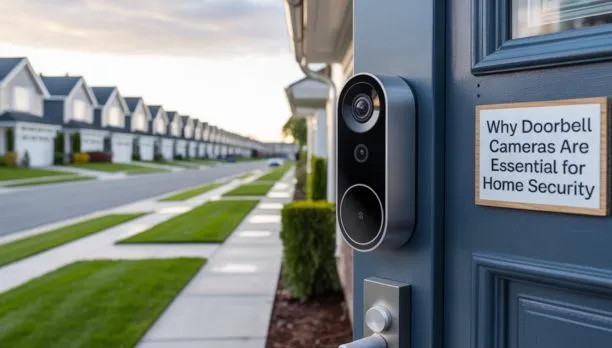
A good doorbell camera does more than show who is at your door. It should help you understand what happened before, during, and after an event. Start with the image quality. A clear picture helps you identify visitors, read package labels, and review activity at night. Motion detection is another key feature. Basic motion alerts can become annoying when cars, trees, or passing animals trigger the camera. Person detection can reduce some of these unwanted alerts.
Two-way audio is also useful. It lets you speak with visitors through your phone. You can tell a delivery driver where to leave a package without opening the door.
Look for these features when comparing models:
- 1080p, 2K, or higher video
- Clear night vision
- Wide viewing angle
- Person detection
- Package detection
- Two-way audio
- Custom motion zones
- Mobile alerts
- Local or cloud storage
- Strong weather protection
- Good Wi-Fi performance
- Privacy controls
The best doorbell camera is not always the most expensive model. It is the one that performs well in your home’s actual conditions.
Wired vs. Wireless Doorbell Cameras
The power source is one of the biggest decisions you need to make.
Wired Doorbell Cameras
A wired model connects to existing doorbell wiring or another suitable power source. It does not depend on a rechargeable battery for normal operation. This makes wired cameras useful for homes with frequent activity at the front door. The camera can remain powered without regular charging.
A wired setup may also support longer recording periods, depending on the camera and recording plan. The downside is installation. You may need existing wiring or professional help to install new wiring.
Battery-Powered Doorbell Cameras
Battery models are easier to install in many homes. They can be useful when there is no existing doorbell wiring. The main drawback is charging. Battery life depends on motion activity, recording settings, weather, Wi-Fi quality, and how often you use live video.
A busy entrance can drain a battery much faster than a quiet entrance. Cold weather can also affect battery performance. Before choosing a battery model, check how the manufacturer rates it for your local climate.
Which one should you choose?
Choose wired power when you want dependable, continuous power. Choose battery power when simple installation and flexible placement matter more. If both options are practical, wired power is usually the better choice for a permanent security setup.
What Resolution Should a Doorbell Camera Have?
For most homes, 1080p provides a useful starting point. A 2K camera can provide more detail when the image quality and lighting are good. Higher resolution can help when you need to inspect a face, package, or small detail. But resolution is not everything.
A poorly placed 4K camera can produce worse evidence than a well-positioned 2K camera. Lighting, lens quality, compression, viewing angle, and night performance all affect the final image. For a front door, also consider the camera’s vertical view. A tall viewing angle can help you see people from head to toe. It can also make it easier to see packages placed near the door. Do not buy a camera based only on the number printed on the box.
Do Doorbell Cameras Need Wi-Fi?
Most smart doorbell cameras need Wi-Fi to send video and alerts to your phone. That means Wi-Fi strength at the front door matters. A router located on another floor may provide a weak signal near an outside wall. Brick, concrete, metal, and multiple walls can make the problem worse.
A weak connection can cause:
- Delayed notifications
- Slow live video
- Camera disconnections
- Missed events
- Poor video quality
Before installation, test the wireless signal where the doorbell will sit. If the signal is weak, improve your network before blaming the camera. A nearby access point or mesh system may help. In some homes, a wired security camera system may be a better long-term choice.
What Features Should You Look for in a Doorbell Camera?
Person Detection
Person detection can help separate people from general movement. This is useful when your front door faces a busy street. Without smart detection, passing cars or animals may create too many alerts.
Two-Way Talk
Two-way audio lets you communicate with someone outside. It is useful for deliveries, visitors, contractors, and unexpected guests. Check the microphone and speaker quality before buying. A feature is only useful when both sides can hear clearly.
Night Vision
Night performance is just as important as daytime video. Look for a camera that can produce clear footage in low light. Infrared night vision is common, while some models use other low-light methods. Your porch lighting also matters. A well-lit entrance can improve video quality and reduce the need for heavy digital processing.
Package Detection
Package detection can help alert you when a delivery reaches your door. This feature works best when the camera has a clear view of the area where packages are normally placed.
Motion Zones
Custom motion zones let you choose which parts of the image should trigger alerts. For example, you may want to monitor your walkway while ignoring a busy road.
Storage Options
Doorbell cameras commonly use cloud storage, local storage, or both. Cloud storage makes footage easy to access from your phone. It may require a monthly subscription. Local storage can reduce recurring fees and give you more control over recordings. Always check what happens to footage when the internet connection goes down.
How Much Does a Good Doorbell Camera Cost?
The camera price is only part of the total cost. A basic model may provide video, motion alerts, and two-way audio. More advanced models can add better resolution, smart detection, package alerts, and stronger storage options.
You should also consider:
- Installation
- Wiring
- Chime compatibility
- Cloud subscriptions
- Storage equipment
- Wi-Fi upgrades
- Replacement batteries
A cheap camera can become expensive if it requires a subscription you did not expect. Before buying, calculate the cost for the first year and the years after that. This gives you a more realistic comparison.
Do Doorbell Cameras Record All the Time?
Not every doorbell camera records continuously. Many battery-powered models focus on motion events because constant recording uses more power. Wired models may support continuous recording, but this depends on the camera and recording system. There are three common approaches:
Event recording: The camera records when it detects activity.
Continuous recording: The camera records throughout the day when supported.
Local recording: Footage is saved to storage at the property rather than only in the cloud.
For a quiet home entrance, event recording may be enough. For a business or high-risk property, continuous recording may be more useful.
Which Is Better: Doorbell Camera or Security Camera?
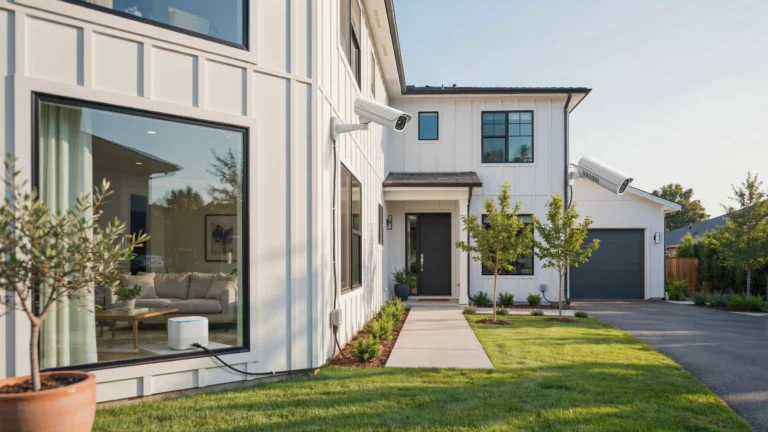
A doorbell camera and a security camera serve different jobs. A doorbell camera focuses on the front entrance. It is useful for visitors, packages, and activity directly around the door. A security camera can cover a much larger area. For example, a camera mounted above a garage may capture the driveway, while another camera can monitor a side entrance.
This is why a doorbell camera should not always replace a full security camera system. For basic front-door monitoring, a doorbell may be enough. For complete property coverage, combine a doorbell camera with strategically placed security cameras.
Are Doorbell Cameras Safe and Private?
Security starts with the camera itself, but account protection matters too. Use a strong, unique password for your camera account. Turn on two-factor authentication when available. Keep the camera firmware updated. Updates can address security problems and improve performance. Also think about what the camera records.
Avoid pointing the camera into areas where people have a reasonable expectation of privacy. Adjust motion zones when possible. Cloud storage also deserves attention. Understand where your footage is stored, how long it remains available, and who can access your account. Privacy laws can vary by location. If your camera captures areas outside your property, check the rules that apply where you live.
Common Doorbell Camera Problems
Even a good camera can have problems when the installation is poor.
Weak Wi-Fi
This is one of the most common issues with wireless doorbells. Move or upgrade the network equipment if the signal near the door is weak.
Short Battery Life
Heavy motion activity can cause frequent battery drain. Reduce unnecessary motion alerts or consider a wired model if suitable.
False Alerts
Trees, cars, pets, and changing shadows can trigger motion detection. Use activity zones and person detection where available.
Poor Night Video
Insufficient lighting can make faces difficult to identify. Adding suitable porch lighting can improve results.
Delayed Notifications
A weak Wi-Fi connection, slow internet service, or cloud processing can delay alerts. Check the network before replacing the camera.
Camera Disconnects
Frequent disconnections can come from weak Wi-Fi, power problems, router issues, or firmware problems. Test the camera connection before assuming the device is defective.
How to Choose the Right Doorbell Camera for Your Home
Use this simple process before buying.
- Check your power options.
Determine whether existing doorbell wiring is available. - Test your Wi-Fi.
Check signal strength at the actual installation point. - Decide how much detail you need.
1080p works for many homes, while 2K can provide more detail. - Choose your storage method.
Compare cloud fees with local storage options. - Check detection features.
Person and package detection can make alerts more useful. - Review the viewing angle.
Make sure the camera can see faces, packages, and the approach to your door. - Consider nighttime performances.
Daytime samples do not tell the whole story. - Calculate the full cost.
Include installation, subscriptions, batteries, and network upgrades.
This process can help you avoid paying for features that do not solve your actual security needs.
When Should You Choose Professional Doorbell Camera Installation?
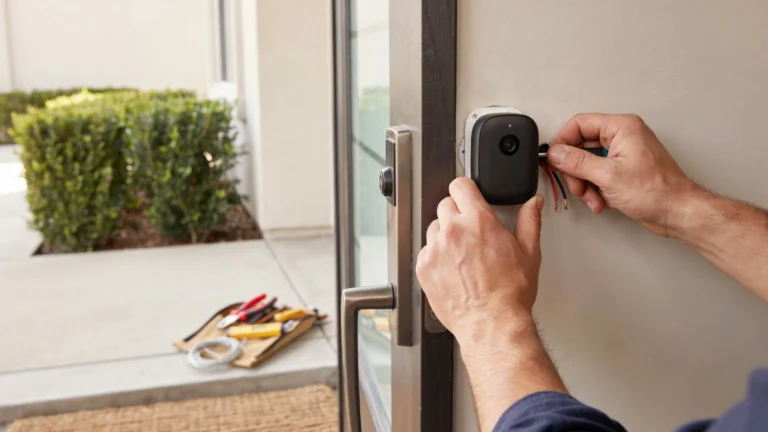
Professional installation makes sense when wiring, placement, or network coverage is difficult. A professional can check the mounting position and viewing angle before making permanent changes. They can also assess your existing doorbell wiring and network connection. For homeowners planning a larger surveillance system, the doorbell should work with the rest of the cameras rather than operate as an isolated device.
If you are searching for security camera installation Indianapolis, Cam Security Surveillance can help plan and install security camera solutions based on your property’s layout and coverage needs. Professional installation can also help reduce common problems such as poor camera angles, weak connections, exposed wiring, and unreliable power.
Doorbell Camera Comparison Checklist
| Feature | What to Check |
| Video | 1080p or higher |
| Power | Wired or battery |
| Wi-Fi | Strong signal at the door |
| Night vision | Clear low-light footage |
| Detection | Person and motion alerts |
| Audio | Two-way communication |
| Storage | Local, cloud, or both |
| Viewing angle | Door, walkway, and package area |
| Weather protection | Suitable for outdoor use |
| Privacy | Account and data controls |
| Cost | Camera plus ongoing fees |
If you are looking for the best security doorbell, compare the complete system rather than one feature. A best door camera should provide useful footage, reliable alerts, and easy access to recordings. For homes with existing wiring, a best wired camera doorbell can be a strong choice when dependable power is a priority.
Conclusion
So, what is the best doorbell camera? There is no single model that fits every home. For many homeowners, a 2K camera with strong night vision, person detection, two-way audio, and reliable storage is a practical choice. Choose wired power when you want constant power and less battery maintenance. Choose a battery model when simple installation is more important.
Do not overlook Wi-Fi. Even the best doorbell camera can perform poorly when the network connection is weak. Good placement, strong connectivity, suitable lighting, secure account settings, and the right storage plan all affect your results. Cam Security Surveillance can help homeowners and businesses choose the right camera setup for their property. Contact us today to discuss your doorbell camera and security needs.
FAQs
What is the best doorbell camera for home security?
The best option depends on your power, Wi-Fi, recording, and coverage needs. A 2K camera with person detection, night vision, two-way audio, and reliable storage is a strong choice for many homes.
Is a wired or wireless doorbell camera better?
A wired doorbell is better when constant power and reliability matter. A battery model is useful when you want easier installation without existing doorbell wiring.
Do doorbell cameras work without Wi-Fi?
Most smart doorbell cameras need Wi-Fi for remote access and alerts. Some systems may still record locally, depending on the model and storage setup.
Do doorbell cameras record all the time?
Not all models record continuously. Many battery-powered cameras mainly record motion events, while some wired models support continuous recording.
Is 2K better than 1080p for a doorbell camera?
2K can provide more image detail than 1080p. However, lighting, lens quality, placement, and compression also have a major effect on video quality.
Do doorbell cameras require a monthly subscription?
Some models offer useful features without a subscription, while others charge for cloud storage and advanced detection. Check the ongoing cost before buying.
Can a doorbell camera replace a security camera?
A doorbell camera can cover the front entrance but may not protect the driveway, side yard, backyard, or other areas. A full camera system provides wider coverage.
How can I improve my doorbell camera’s Wi-Fi connection?
Check the signal at the door first. If it is weak, improve access-point placement, consider a mesh system, or use a wired security solution when practical.
What should I look for in a doorbell camera?
Focus on video quality, night vision, motion detection, two-way audio, storage, power, Wi-Fi performance, viewing angle, weather protection, privacy, and total cost.