
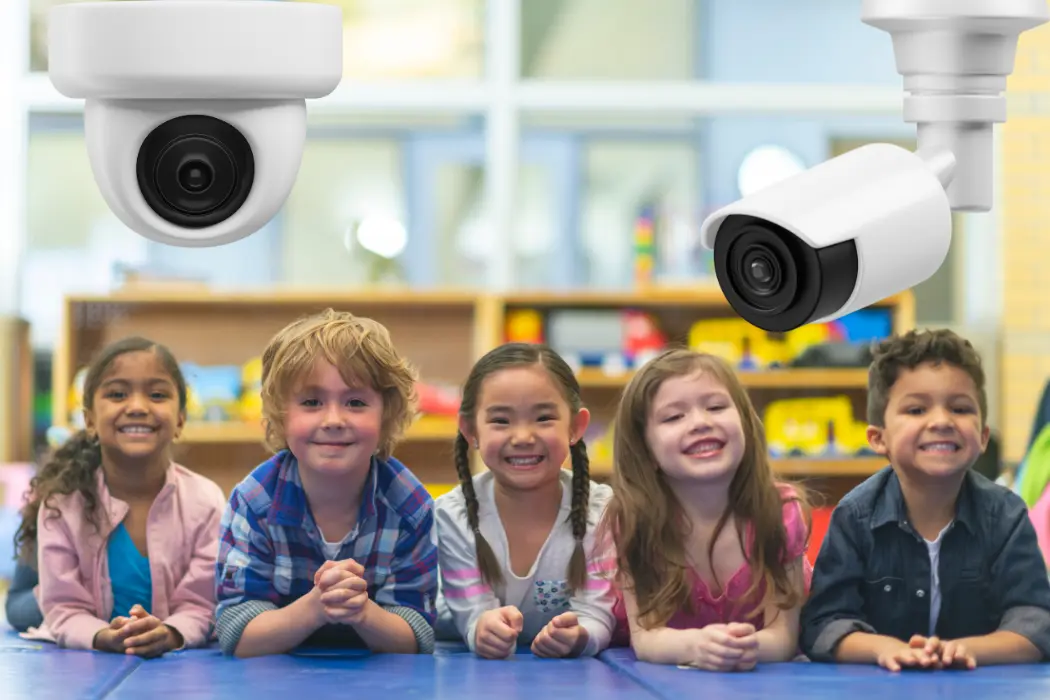
Parents drop off their children every morning trusting that daycare staff will keep them safe. That trust is not small. It carries real weight, and daycare centers have a responsibility to honor it every single day. Cameras help make that possible.
A proper Daycare Security Camera Solution gives facilities the tools to monitor activity, respond to incidents fast, and show parents their child is in good hands. This guide covers everything, from camera types to legal rules to choosing the right provider.
What Are Daycare Security Camera Solutions?
Daycare Security Camera Solutions for Safe and Secure Facilities
Parents drop off their children every morning trusting that daycare staff will keep them safe. That trust is not small. It carries real weight, and daycare centers have a responsibility to honor it every single day. Cameras help make that possible.
A proper Daycare Security Camera Solution gives facilities the tools to monitor activity, respond to incidents fast, and show parents their child is in good hands. This guide covers everything, from camera types to legal rules to choosing the right provider.
What Are Daycare Security Camera Solutions?
A daycare security camera solution is a complete video monitoring system built for childcare environments. It includes cameras, recording equipment, storage, and software.
These systems are designed with children in mind. They cover play areas, entrances, classrooms, and outdoor spaces. Some systems also let parents watch live footage from their phones.
It is not just about surveillance. It is about creating a safe, accountable environment where children thrive.
Why Daycare Centers Need Security Cameras
The need for security cameras for daycare is clear. Children cannot protect themselves. Staff cannot be everywhere at once.
Here is why cameras matter:
- Unauthorized pickup prevention. Cameras help staff verify who is picking up a child.
- Incident documentation. If a child gets hurt, footage shows exactly what happened.
- Staff accountability. Cameras encourage proper conduct among caregivers at all times.
- Deterrence. Visible cameras reduce the chance of misconduct or unauthorized entry.
- Peace of mind. Parents feel more confident knowing cameras are in place.
A daycare without cameras is relying entirely on human memory and word of mouth. That is not enough.
Benefits of Daycare Security Camera Systems
A well-planned Daycare Security Camera Solution delivers real, measurable benefits.
- Real-Time Monitoring Staff and administrators can watch live feeds from any room. Problems get spotted and handled quickly.
- Faster Incident Response Whether it is a fall, a conflict, or an unauthorized visitor, cameras help staff respond in seconds rather than minutes.
- Stronger Parent Trust When parents know cameras are active, confidence in your facility grows. It becomes a selling point, not just a safety tool.
- Legal Protection Footage protects your facility from false claims. It provides clear evidence when disputes arise.
- Improved Staff Performance Staff tend to follow protocols more carefully when they know cameras are recording. This benefits children directly.
- Insurance Benefits Some insurance providers offer lower premiums to facilities with active surveillance systems in place.
A childcare camera system is not an expense. It is an investment in your reputation, your staff, and the children you serve.
Types of Security Cameras Used in Daycare Facilities
Choosing the right camera type is important. Different spaces need different solutions.
Dome Cameras Mounted on ceilings. Wide coverage. Hard to tamper with. Ideal for classrooms and common areas.
Bullet Cameras Best for outdoor areas. Weather-resistant. Clear footage of entrances and parking lots.
PTZ Cameras Pan, tilt, and zoom remotely. Great for large playgrounds or open indoor spaces.
IP Cameras High-resolution network cameras. Allow remote viewing from phones and computers. Easy to scale.
Fisheye Cameras One camera covers 360 degrees. Perfect for gyms, large play areas, and open rooms.
Indoor/Outdoor Cameras Some facilities use dual-purpose cameras near covered outdoor play areas where weather protection is needed.
Each space in your facility has different needs. A mix of camera types usually works best.
Best Locations to Install Daycare Security Cameras
Placement is everything. Poor placement creates blind spots and wasted coverage.
Key locations:
- Front entrance and reception Every visitor and parent must pass through here.
- Classrooms and activity rooms Where children spend most of their time.
- Outdoor play areas High-energy zones where accidents and incidents happen most.
- Nap rooms Quiet but important spaces that need monitoring.
- Hallways and corridors Transition areas between rooms.
- Parking lot Monitor arrivals, departures, and unauthorized vehicles.
- Kitchen and food prep areas Safety and hygiene accountability.
- Back doors and secondary exits Prevent unauthorized access or exit.
Where cameras must NOT go:
- Bathrooms
- Changing areas
- Any space where children or staff have a reasonable expectation of privacy
A professional site survey before installation ensures every important area is covered without violating privacy.
Essential Features to Look for in Daycare Security Camera Solutions
Not all systems are equal. These features matter most for childcare environments.
High Resolution 1080p minimum. 4K is better for entrances where you need to identify faces clearly.
Night Vision Infrared or low-light cameras keep coverage going during nap time and after hours.
Wide Dynamic Range (WDR) Handles bright windows and darker corners in the same frame without losing detail.
Motion Detection and Alerts Get notified instantly when movement is detected in restricted or after-hours areas.
Remote Access Administrators should view footage from any device, anywhere, at any time.
Secure Cloud Storage Cloud storage protects footage from physical damage and theft. Local backup adds extra security.
Tamper Detection Alerts staff if a camera is blocked, moved, or disabled.
Easy-to-Use Interface Staff should be able to pull up footage quickly without technical training.
Live Streaming and Parent Viewing Systems
One of the biggest trends in cameras in daycare is parent viewing access. Many facilities now offer secure live streams that parents can access from their phones during the day.
This builds enormous trust. Parents feel connected even when they are at work.
Key considerations for parent viewing systems:
- Use encrypted, password-protected streams
- Give each parent access only to areas their child uses
- Set clear policies on recording and sharing footage
- Notify all parents that a live system is in use
This feature is a powerful trust builder. It also reduces the number of check-in calls staff receive during the day.
Privacy and Legal Considerations for Daycare Surveillance
Cameras in daycare facilities raise important legal questions. Every facility must understand the rules.
Consent and Notification In most states, daycare centers must inform parents and staff that surveillance is in use. This is usually done through enrollment paperwork and posted signage.
State Licensing Requirements Some states require cameras in daycares. Others regulate where they can be placed. Check your state licensing board for specific rules.
Data Storage and Access Who can view footage? How long is it kept? These questions need written answers in a formal policy.
COPPA Awareness If your parent viewing system involves any online platform, be aware of children’s online privacy rules.
Staff Privacy Rights Staff should be informed they are being recorded in work areas. Most employment attorneys recommend including this in hiring paperwork.
Transparency is your best protection. A clear written policy shared with parents and staff prevents most legal issues before they start.
Common Daycare Security Challenges and Solutions
Even good facilities run into problems. Here is what comes up most often.
Challenge: Budget Constraints Quality systems cost money. Start with the highest-risk areas first. Many state childcare safety grants can help offset costs.
Challenge: Staff Resistance Some staff feel uncomfortable being monitored. Address this early. Frame cameras as protection for staff too, not just oversight.
Challenge: Poor Wi-Fi Coverage IP cameras need a strong network. A weak signal causes dropped footage. Upgrade your router or use a wired system in critical areas.
Challenge: Blind Spots Common in older buildings with odd layouts. A professional walkthrough before installation solves this. Use wide-angle cameras in tricky spaces.
Challenge: Outdated Equipment Old analog cameras produce blurry footage that is not useful in investigations. Upgrade to HD IP cameras when possible.
Best Practices for Daycare Security Camera Installation
A good plan makes installation smoother and the system more effective.
- Do a full site survey first. Map every room, entrance, and outdoor area before buying cameras.
- Use professional installers. Improper installation leads to blind spots and system failures.
- Label camera locations in your policy. Parents and staff should know where cameras are.
- Test every camera before going live. Check angles, night vision, motion alerts, and remote access.
- Set up redundant storage. Local plus cloud. Never rely on just one backup.
- Create a written access policy. Only authorized staff should view or pull footage.
- Review placement every year. Facilities change. Camera placement should too.
Integrating Security Cameras with Other Daycare Security Systems
Cameras work best as part of a bigger security plan.
Access Control Systems Key fob or keypad entry at doors ensures only authorized adults enter the building. Cameras record every access event.
Intercom and Video Doorbell Systems Staff can see and speak to visitors before buzzing them in. A critical layer for preventing unauthorized entry.
Alarm Systems Motion alarms paired with cameras create a stronger after-hours security net.
Emergency Lockdown Systems Some systems allow cameras to feed directly into lockdown protocols, giving staff a real-time view during emergencies.
Visitor Management Software Log every visitor digitally. Pair with camera footage for a complete record of who was in your facility and when.
An integrated daycare security system is far more effective than cameras alone. Each piece works with the others.
Future Trends in Daycare Security Technology
The next few years will bring meaningful improvements to childcare camera systems.
AI-Powered Monitoring Cameras with built-in AI will detect falls, unusual behavior, or unattended children and alert staff automatically.
Facial Recognition for Authorized Pickup Some systems are testing facial recognition to confirm that the person picking up a child matches an approved list.
Cloud-Based Multi-Site Management Daycare chains will manage cameras across all locations from one dashboard.
Wearable Safety Devices Children wearing small RFID tags can be tracked within the facility, adding a location layer to visual surveillance.
Two-Way Audio Integration Cameras with built-in microphones and speakers allow remote communication between staff and specific rooms.
These tools are not all standard yet. But they are coming, and early adopters will have a real advantage.
Choosing the Right Daycare Security Camera Provider
Your provider matters as much as the equipment itself.
Look for these qualities:
- Experience with childcare facilities. Ask for references from other daycares or preschools.
- Knowledge of state licensing requirements. Your provider should understand the legal side, not just the technical side.
- End-to-end service. Consultation, installation, training, and ongoing support in one place.
- Scalable systems. Your facility may grow. Your system should grow with it.
- Clear pricing. No hidden fees for maintenance or storage.
- Fast support response. When a camera goes down, you need it fixed the same day.
Cam Security Surveillance works specifically with childcare environments. Their team understands what daycares need, from placement planning to compliance, making them a reliable partner for facilities that take child safety seriously.
Why Professional Daycare Security Camera Installation Matters
DIY installation might seem like a cost saver. It rarely is.
Improper mounting creates blind spots. Poor wiring causes system failures. Incorrect network setup leads to dropped footage at the worst possible time.
Professional video surveillance installation ensures your system works correctly from day one. Certified technicians handle everything, from running cables to configuring remote access to testing every camera angle.
Cam Security Surveillance provides full-service installation for daycare facilities. Their team conducts a site survey, designs a custom layout, installs the equipment, and trains your staff on how to use it. No guesswork. No gaps.
When child safety is involved, professional installation is not optional. It is the standard.
Conclusion
Children deserve to be safe at daycare. Parents deserve to know they are. A proper Daycare Security Camera Solution makes both possible. From choosing the right cameras to placing them correctly, following the law, and integrating with other security tools, every decision matters. This is not a purchase you make once and forget. It is an ongoing commitment to the children and families who trust your facility.
Start with a clear plan. Work with experienced professionals. Review your system regularly. And make sure every child in your care is protected every single day. Have questions or need help finding the right setup? Contact Us at Cam Security Surveillance and let our team build the right solution for your facility.
FAQs
Are security cameras for daycare required by law?
It depends on your state. Some states require cameras in licensed daycare facilities. Others leave it to the facility. Always check your state childcare licensing board.
Can parents view live footage from daycare cameras?
Many facilities offer secure parent viewing portals. Parents get encrypted access to areas their child uses. Policies vary by facility.
Where should cameras NOT be placed in a daycare?
Never in bathrooms, changing areas, or any space where children or staff have a reasonable expectation of privacy.
How long should daycare facilities keep camera footage?
Most facilities keep footage for 30 to 60 days. Check your state requirements and consult your legal team for guidance.
What resolution do daycare cameras need?
At minimum, 1080p HD. For entrances and areas where identification matters, 4K is worth the upgrade.
How much does a daycare security camera system cost?
Costs vary based on facility size and camera count. Small facilities may spend $3,000 to $8,000. Larger centers can invest $20,000 or more. Grants and phased installation can help manage costs.










